XT-1/XT Mini Manual 13-111 05, 2015-08-14
Page 26 of 32
5.1.1.5
Paxton Net2 Plus
Configure the Paxton system to use reader type "Clock & Data".
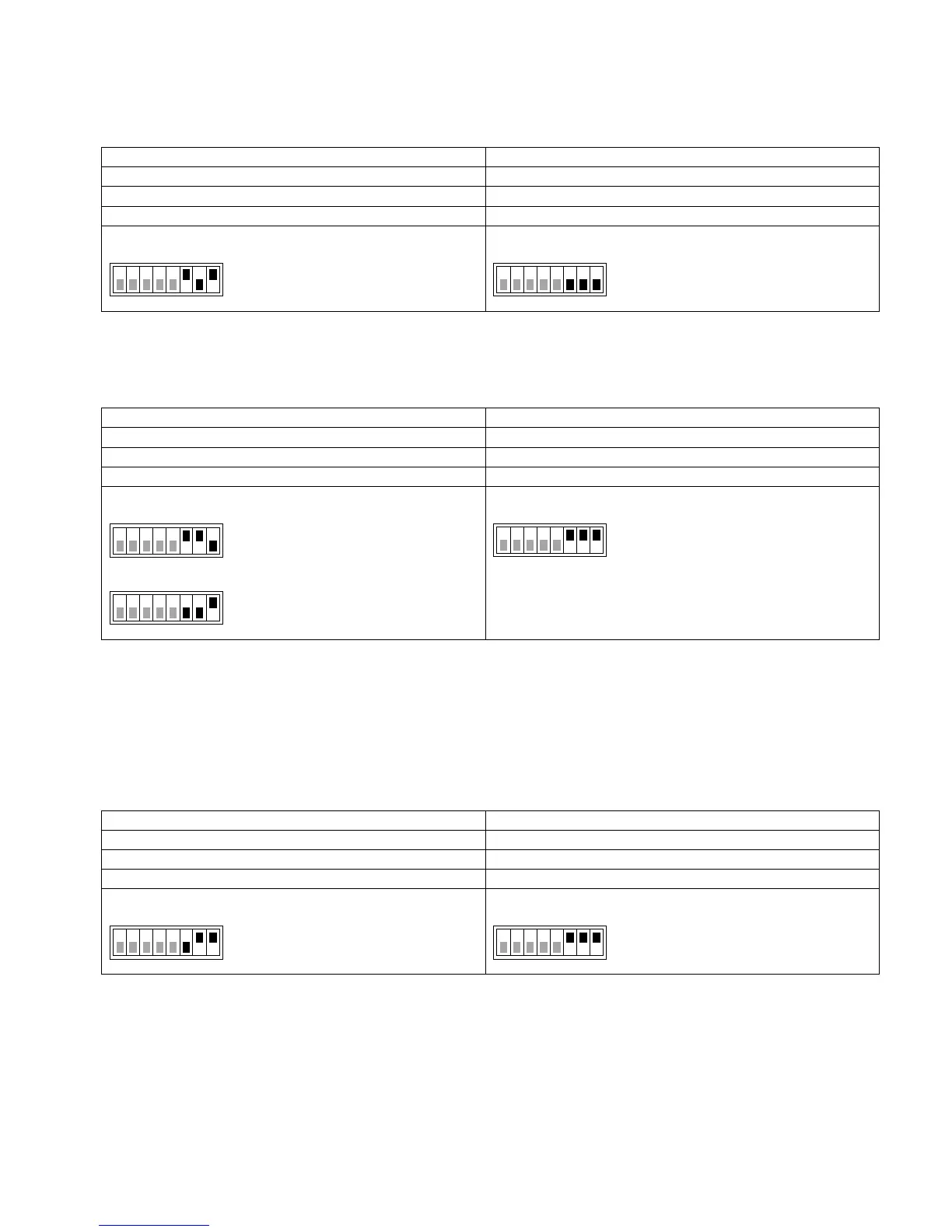
S101 - Magstripe format: M8N/H10320
S301 - Vigilant pull-ups disabled
Tested version: Net2 Lite version 4.28.8417
5.1.1.6
RCO R-CARD M5 (with DB-50W)
The RCO system automatically detects the Wiegand format.
S101 S301 - Vigilant pull-ups enabled
Strap at P14*:
Wiegand format:
W34N
No strap at P14:
Wiegand format:
W26S/H10302
* To get all digits from the SecureMarkID tag, it is necessary to solder a strap at P14 on the RCO DB-50W
board. Without this strap it is only possible to get the last four digits from the tag.
5.1.1.7
Vanderbilt Aliro
On the circuit board in the access point, set the EOL jumper for the reader to OFF.
In the Aliro software, set reader type to "Wiegand" and card format to "H10302_37".
Configure Output_1 to "C&D/Wiegand green" and Output_2 to "C&D/Wiegand red".
S101 - Wiegand format: W37N/H10302
S301 - Vigilant pull-ups enabled
Tested version: Software version 1.0.0.5371, Access point firmware version 1.0.0.2022
1 8
ON
S101
1 8
ON
S301
1 8
ON
S301
1 8
ON
S101
1 8
ON
S101
1 8
ON
S101
1 8
ON
S301


 To Next Page