FY operation manual 74
15.4 Steps For Linear Input Calibration
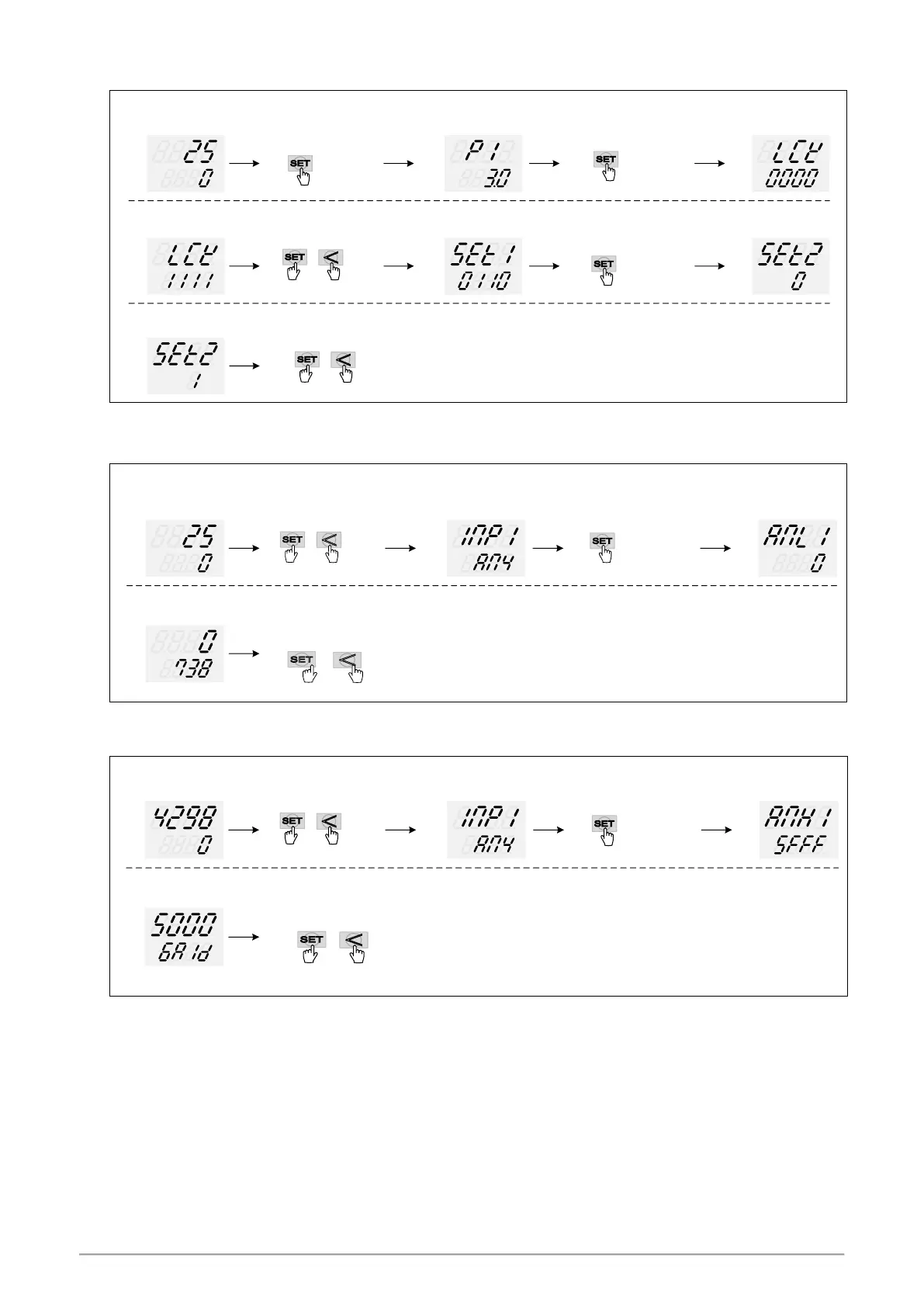
1. Display ANL1, ANH1, DP:
PV
SV
PV/SV monitor
LCK setting to 1111
PV
SV
Enter to Level 4
show SET1
PV
SV
SET2_2= 1
open ANL1、ANH1、DP
SET2 X is
current value
press key 3 seconds
Enter to Level 2
show P1
PV
SV
PV
SV
press + key 3 seconds
press + key 3 seconds , return to PV/SV monitor
PV
SV
XXX
PV
SV
XXX
press key switching to
display”LCK ”
press key switching to
display”SET2 ”
if SET2_2 setting finish
※ X is the default value which doest not require modification
2. input 4mA and djust ANL1 calibration values:
PV
SV
PV/SV monitor
Adjust ANL1 until
PV show 0
PV
SV
Enter to Level 3
show INP1
PV
SV
PV
SV
press + key 3 seconds
press key switching to
display”ANL1 ”
press + key 3 seconds , return to PV/SV monitor
if ANL1 setting finish
※ ANL1 calibration value of each controller is different from the other
3. input 20mA and djust ANH1 calibration values:
PV
SV
PV/SV monitor
Adjust ANH1 until
PV show 5000
PV
SV
Enter to Level 3
show INP1
PV
SV
PV
SV
press + key 3 seconds
press key switching to
display”ANH1 ”
press + key 3 seconds , return to PV/SV monitor
if ANH1 setting finish
※ ANH1 calibration value of each controller is different from the other



 To Next Page