124 Troubleshooting
About troubleshooting
If you are experiencing difficulty operating your radio,
you may find the following sections helpful. Consult
your radio provider for assistance, if necessary.
System error message
If your radio displays a system error message, take a
note of the number (X:XXXXXXXX), and consult your
radio provider.
When your radio won’t turn on
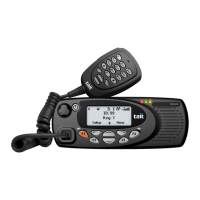
If the red, green and orange LEDs on the control head
do not light up when the radio is turned on, it is
probable that power is not reaching the radio. Check
the following:
■ Is the power connector firmly plugged into the rear
of the radio?
■ Are the in-line fuses in good condition?
■ Is the power cable securely connected to the vehi-
cle battery or power supply?
If all appears to be in order, but your radio still fails to
operate properly, contact your radio provider for
further assistance.
Identifying the radio’s audible
tones
The radio’s audible tones can help you identify a
potential problem. See "Audible tones" on page 30.
System error
X:XXXXXXXX


 To Next Page
 Loading...