Check items before embroidering
63
Chapter 4
1
2
3
4
5
6
7
8
9
10
11
VN03
(2) To select maximum speed
Selection of the value exceeding "Max. Revolution Limit" is not possible.
To change the maximum speed during operation of the machine, turn the jog dial / the jog shuttle.
6-2. Presser foot setting (TMBR-SC only)
Adjust the height of the presser foot according to thickness of fabric to use.
"Presser foot step unit setting" is given priority to over the set value here.
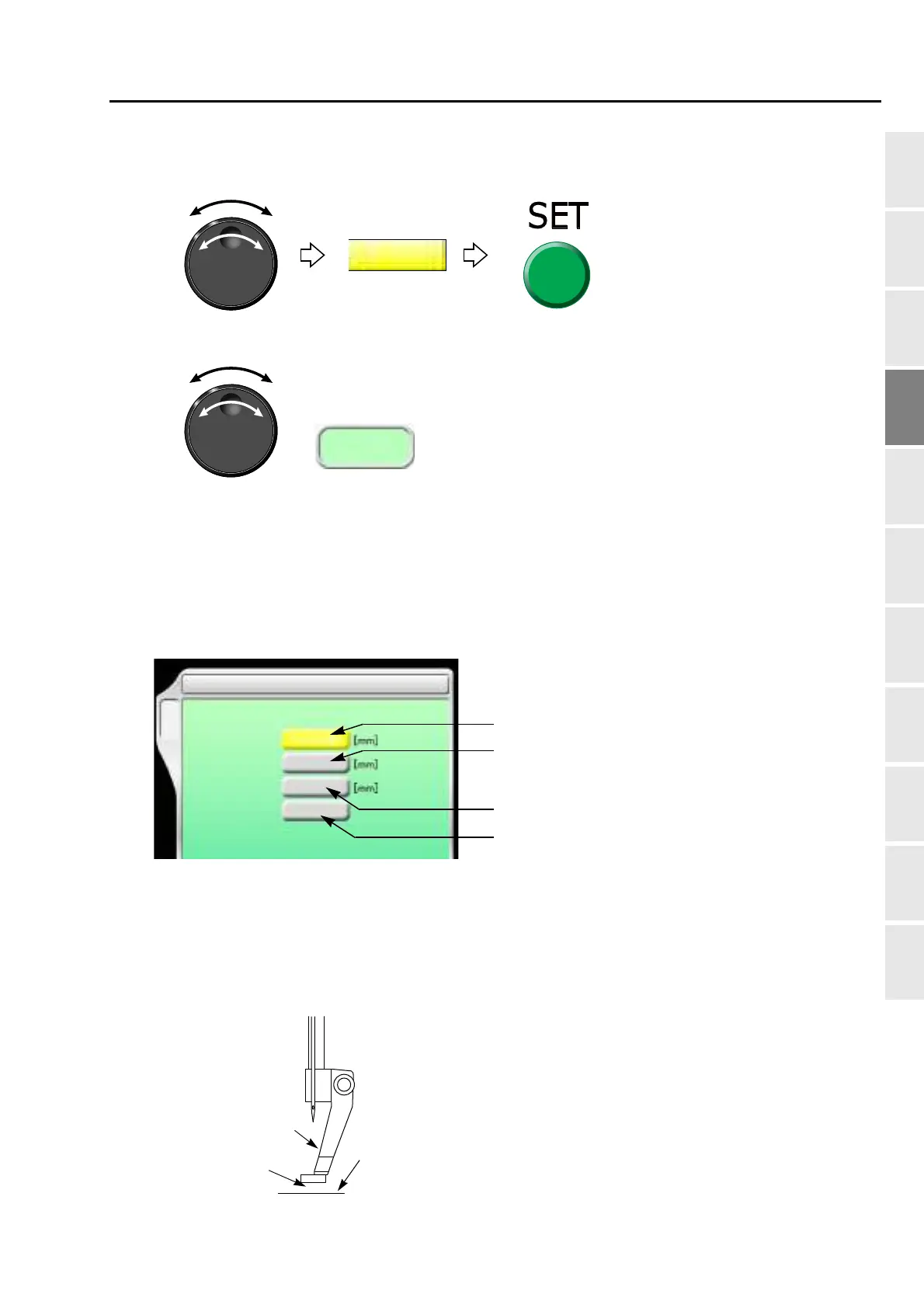
6-2-1. Explanation on the screen
[a] Distance between the presser foot and the needle plate when the presser foot moves down to
the lower dead point
Setting range: 0.3 to 6.3 (mm)
When "N" is displayed, the lower dead point differs per needle bar. When "N" is changed to a
numerical value, all the needle bar become the same value.
While turning the jog dial, the following display appears.
The number described in [ ] is the maximum speed.
2 Presser Foot
F4
Lower dead point
[a]
F/B Lower dead point
Stroke
Timing
0.8
+5
A
0
[b]
[c]
[d]
Presser foot
Needle plate
Space
When setting this value, do not press the fabric too strong.
The presser foot may leave its pressed mark on the fabric.



 To Next Page