OY1110 LoRaWAN Temperature and humidity sensor, User manual, Version 1.0
5.1 LoRaWAN Configuration
Configuration on the network server is done with
AppEUI: 70-B3-D5-D7-2F-F8-16-00 (a.k.a. JoinEUI)
It is possible to order a batch of devices configured with a customer unique AppEUI from the
Talkpool OUI range.
The device is configured with device unique DevEUI and AppKey
The device is default configured for OTA provisioning. Contact the Talkpool team for ABP
configuration. The device follows the LoRaWAN standard related Join configuration
parameters, such as RX1 and RX2 windows, RX2 downlink frequency etc.
The default setting is ADR enabled.
5.2 Sensor states and state check
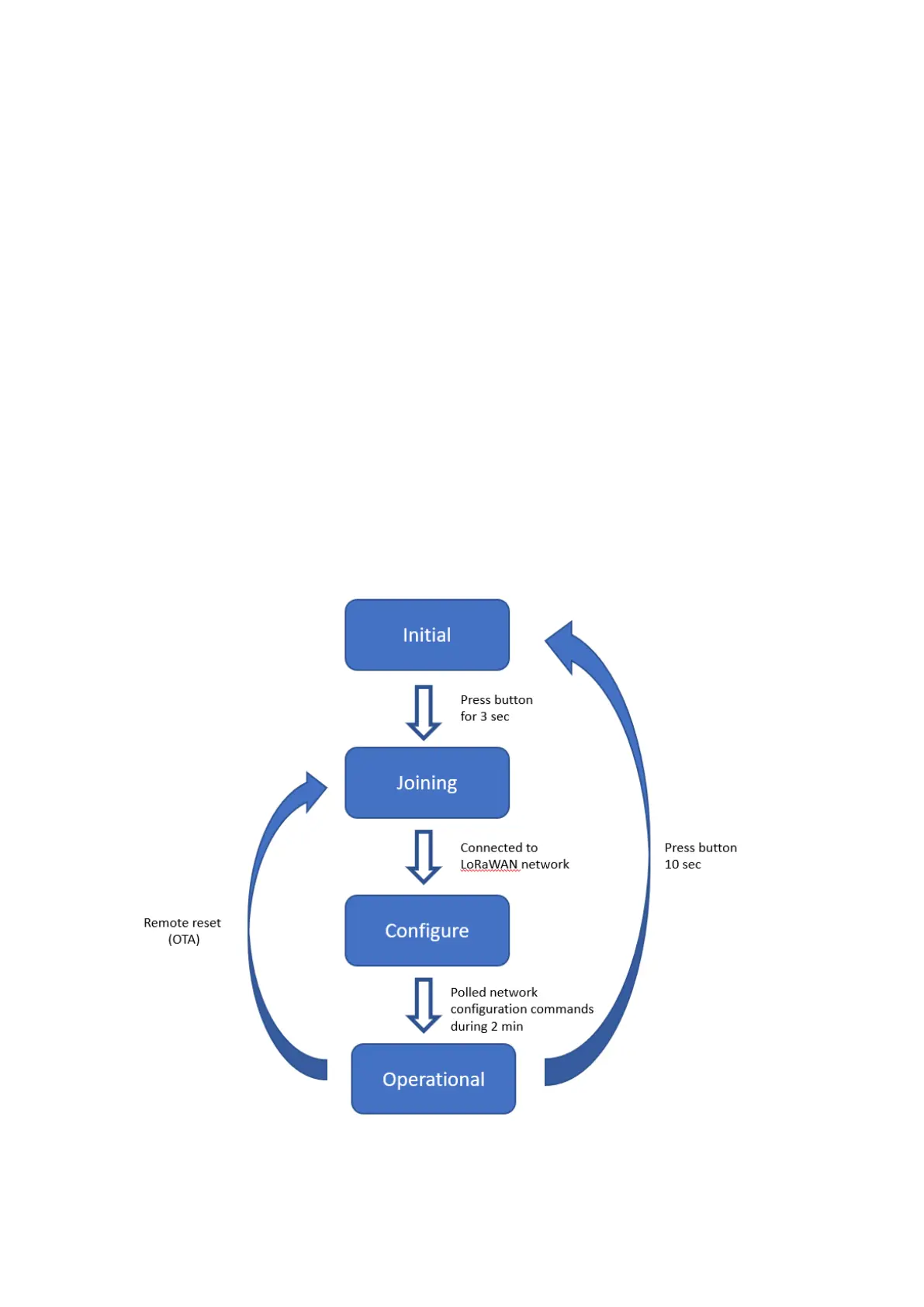
The sensor has four states: Initial, Joining, Configure and Operational state.
Figure 4: Device states


 To Next Page