19 Talon
Talon - NET DVR
n
oftware, connected cameras will be positioned in order of camera numbers.
5.2. Movie Clip
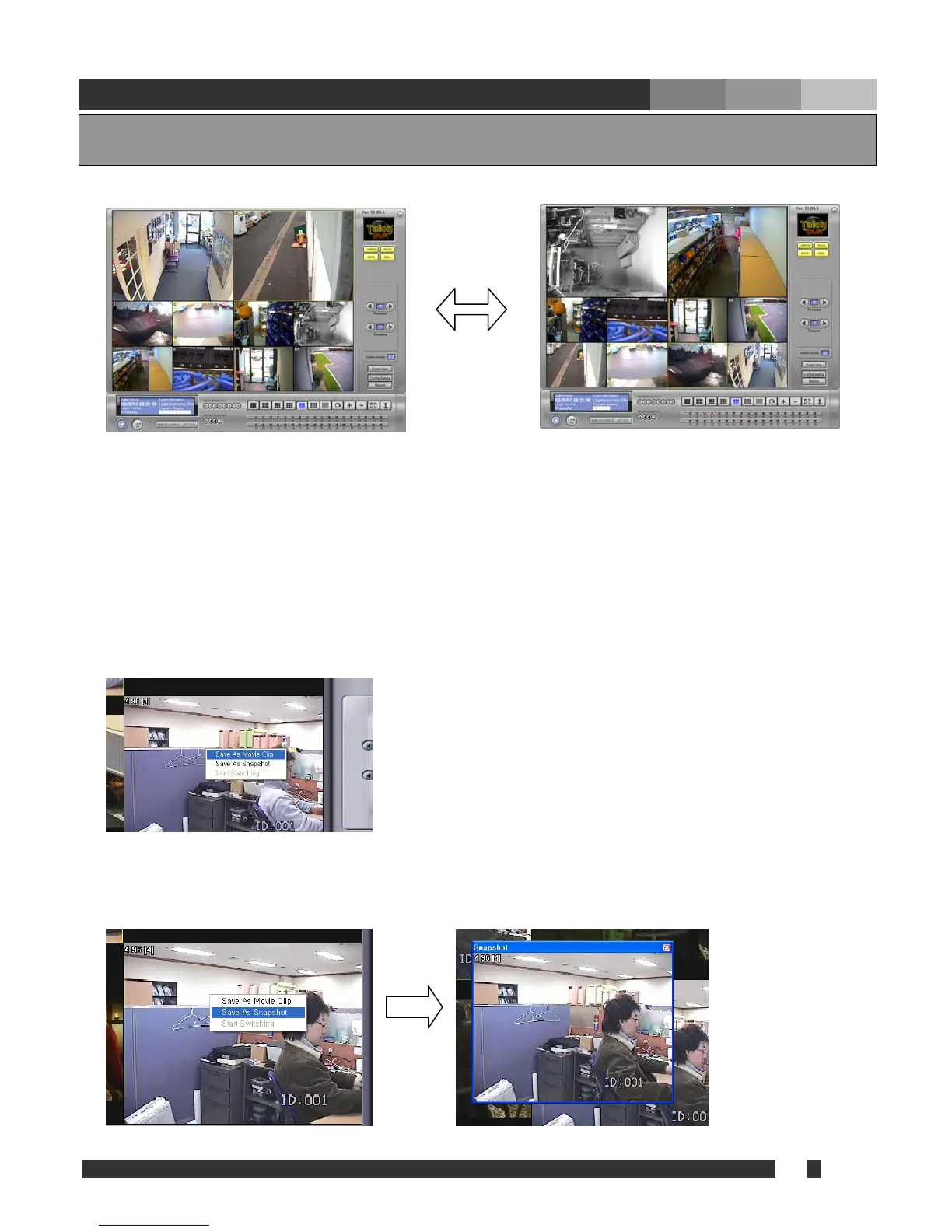
Either movie clip or snapshot can be created while monitoring. Right click on the desired position and
select “Save as Movie Clip” or “Save as Snapshot.
Save as Mov
until unchecke
Net software i
location assign n, AVI Path.
Save as Snapshot: select to capture the image. It will bring up a snapshot window with a captured
image, and the image can be saved a napshot window.
ging Position
endix 5. A
5.1. Cha
At the connection of Net s
It is possible to relocate the camera position to the desired location by left click on the image that
needs to be relocated, drag it to the new position, and release the mouse button.
& Snapshot
ie Clip: check to create mp4 format movie clip
d. Recording will be automatically finished when
s minimized. Recorded file will be stored at the
ed from MISC. Configuratio
s a jpg format file by double clicking on the s


 To Next Page