29 Talon
Talon - NET DVR
5.4.3. Using Dial-Up Connection
• On Talon DVR system
Make sure that the Dial-Up Server is configured and Main is running.
• On Talon Net system,
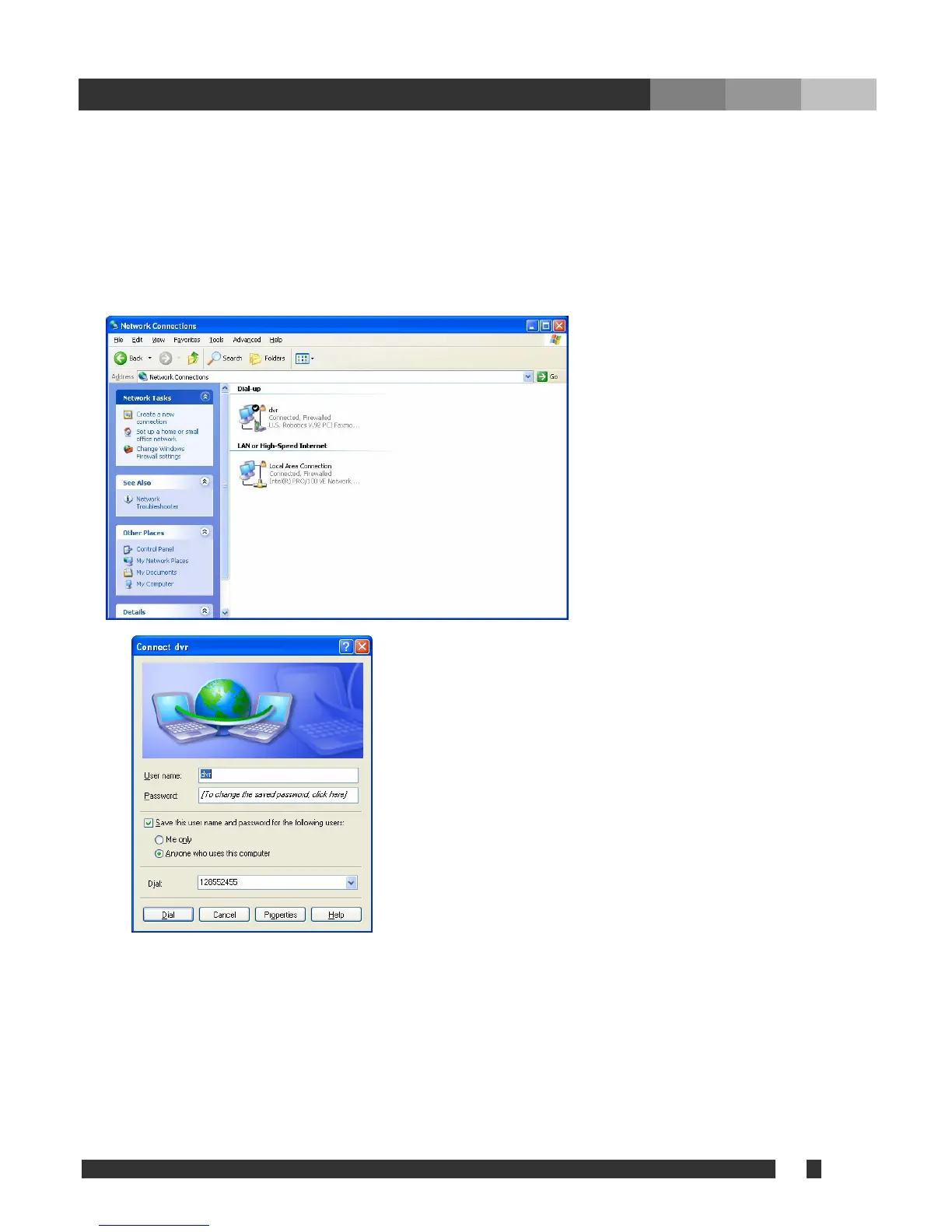
Click “Start > Setup > Control pad > Network Connection.”
The icon for the Dial-up will be
displayed with the name assigned
while setting. Double click on the icon.
It is ‘dvr’ on the left picture.
Verify the user name, password, and number to dial.
Then click on ‘Dial’ to establish the connection.
If the connection fails, check modem drivers on both Talon DVR
and Net systems, under Device Manager, and check the Dial-up
server and client setting.
If connected, run Talon Net and register a site with following information.
Method: TCP/IP
Address: the virtual IP registered at ‘From’ in Dial-up server.
Username & Password: user information registered at the Talon DVR System.
After setting the site information as above, it is ready to connect to the Talon DVR System.
Note: The image will be displayed very slowly due to the limited transmission speed.



 To Previous Page