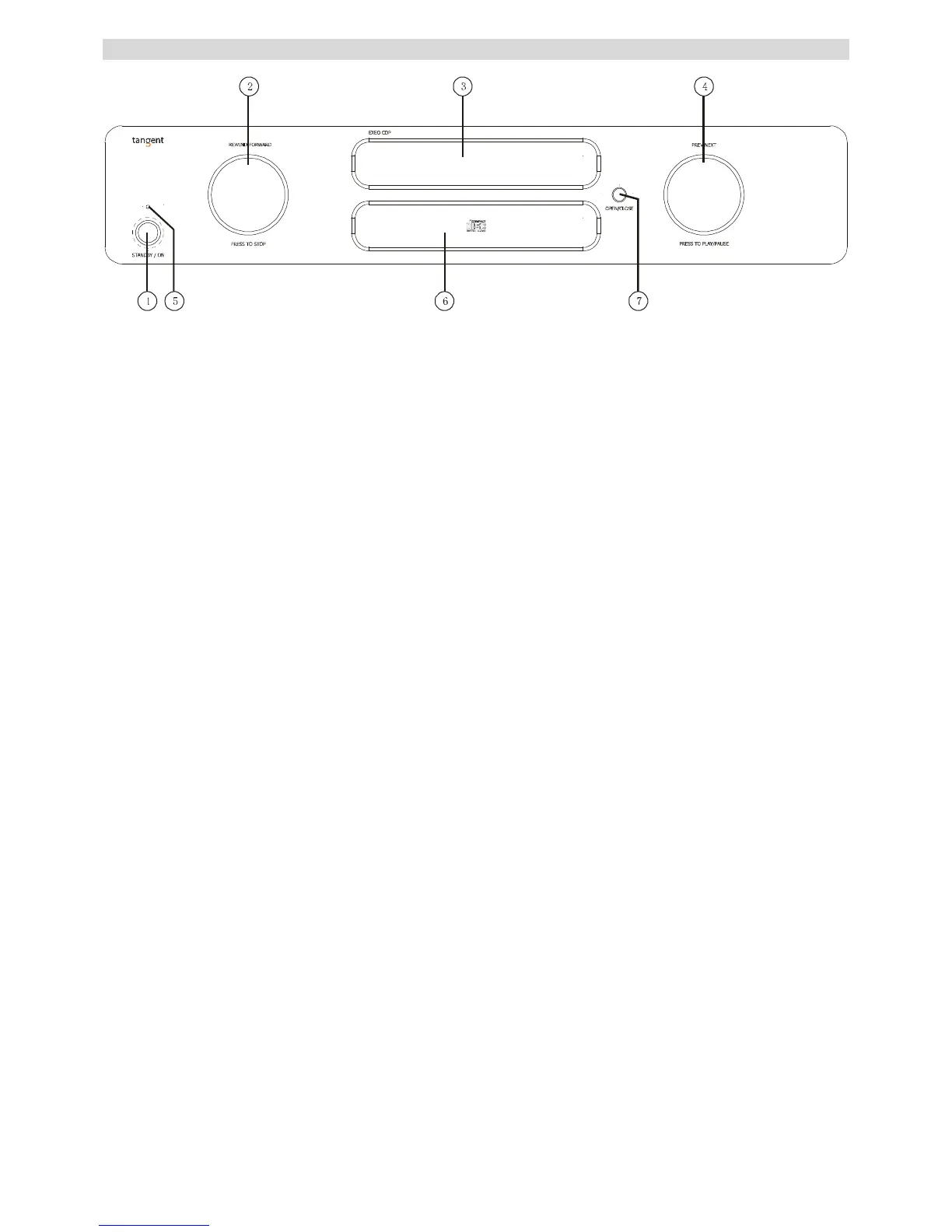
1. Power On
Press it to turn on the unit, press it again to turn off.
2. REWIND-FORWARD
a. Rotate the knob clockwise or counterclockwise to scan the tracks forward or backwards. Press it once to stop the playback.
(Note: when the unit is scanning fast forward, press the PREV-NEXT button once to resume normal playback.
b. Press this button for 2 seconds to enter the MENU. Rotate to select Repeat, Random, Display and Firmware.
3. Disc Tray
The tray for loading a disc
4. PREV-NEXT
Rotate the knob clockwise or counterclockwise to skip to the previous or the next track while playing. Press it to switch between
Play/Pause.
5. LED indicator
Is OFF when the unit is turned on. Is red when the unit is in standby mode.
6. Display
7. OPEN/CLOSE
Press this button to open/close the disc tray.



 To Next Page