
EasyManua.ls Logo

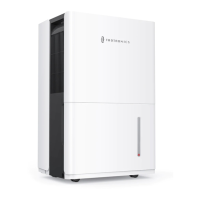
TaoTronics TT-EE015 - User Manual

TaoTronics TT-EE015
16 pages
Print Icon
To Next Page IconTo Next Page
Loading...
尺寸:210*148mm
骑马钉
封面128g铜版纸,内页80g书纸

Questions and Answers

  • S
    scottdanielAug 5, 2025
    What to do if my TaoTronics Dehumidifier does not start?
    • D
      Daniel PatelAug 5, 2025
      If your TaoTronics Dehumidifier isn't starting, here's what you can check: * Ensure the power cord is properly plugged into a powered electrical outlet. * Inspect the power cord for damage; if damaged, stop using it immediately and contact TaoTronics Customer Support. * Verify that the water bucket is not full and is correctly placed. * Confirm that the preset humidity level hasn't been reached, as the dehumidifier will automatically shut off when it does.
  • S
    Selena SmithAug 12, 2025
    Why is my TaoTronics TT-EE015 Dehumidifier not drying the air properly?
    • J
      Jason JohnsonAug 12, 2025
      If your TaoTronics Dehumidifier isn't drying the air as expected, consider these factors: * Ensure there's enough free space around the unit (at least 20cm/8in on the sides and 40cm/16in above). * Check for and remove any blockages from the air intake or outlet. * Clean the air filter. * Make sure the room temperature is between 41°F (5°C) and 89°F (32°C). * Close any open doors or windows to prevent new moisture from entering. * Lower the humidity level setting. * Eliminate other humidity sources in the room.
  • N
    Nathan McguireAug 19, 2025
    How to stop my TaoTronics TT-EE015 Dehumidifier from running constantly?
    • J
      Julie GarciaAug 20, 2025
      If your TaoTronics Dehumidifier runs constantly, consider the following: * The dehumidifier's capacity might be insufficient for the room size. Consider adding another unit for larger areas. * Ensure all doors and windows are closed to prevent outside moisture from entering. * Check if the dehumidifier is running in Continuous Mode.
  • M
    Mrs. Stephanie RoseAug 27, 2025
    What to do if I see malfunction codes on my TaoTronics Dehumidifier display?
    • D
      David LunaAug 27, 2025
      If your TaoTronics Dehumidifier displays a malfunction code: * For 'AS' (humidity sensor error) or 'ES' (temperature sensor error), contact TaoTronics Customer Support. * For 'P2' (water bucket full or not secured), empty the bucket and ensure it's correctly placed.

Summary

Important Safety Instructions

Cautionary Warnings

Highlights potential hazards and precautions to avoid minor or moderate injury.

Package Contents

Electrical Information

Product Diagram

Getting Started

Operations and Functions

Control Panel Overview

Details the main buttons, LED display, and operational indicators on the control panel.

Settings and Malfunctions

Explains humidity/timer settings and troubleshooting for common malfunction codes.

Automatic Features and Indicators

Describes auto start/stop indicators and features like auto shut off and restart.

Operational Modes and Special Functions

Covers drain modes, comfort, filter, continuous, turbo, timer functions, and auto defrost.

Draining the Collected Water

Using the Water Bucket

Instructions on how to remove, empty, and reinsert the water bucket.

Continuous Water Draining

Guidance on draining water using a continuous hose or the auto pump drain.

Cleaning and Maintenance

Cleaning the Main Unit

Procedure for cleaning the exterior and air outlet grille of the dehumidifier.

Cleaning the Air Filter

Instructions for removing, cleaning, and reinstalling the air filter for optimal performance.

Cleaning the Water Bucket

Steps for cleaning the water bucket to prevent mold and mildew.

Specifications

Troubleshooting

Warranty and Service

TaoTronics TT-EE015 Specifications

General IconGeneral
BrandTaoTronics
ModelTT-EE015
CategoryDehumidifier
LanguageEnglish