Wireless Mouse
8
Wireless Mouse
9
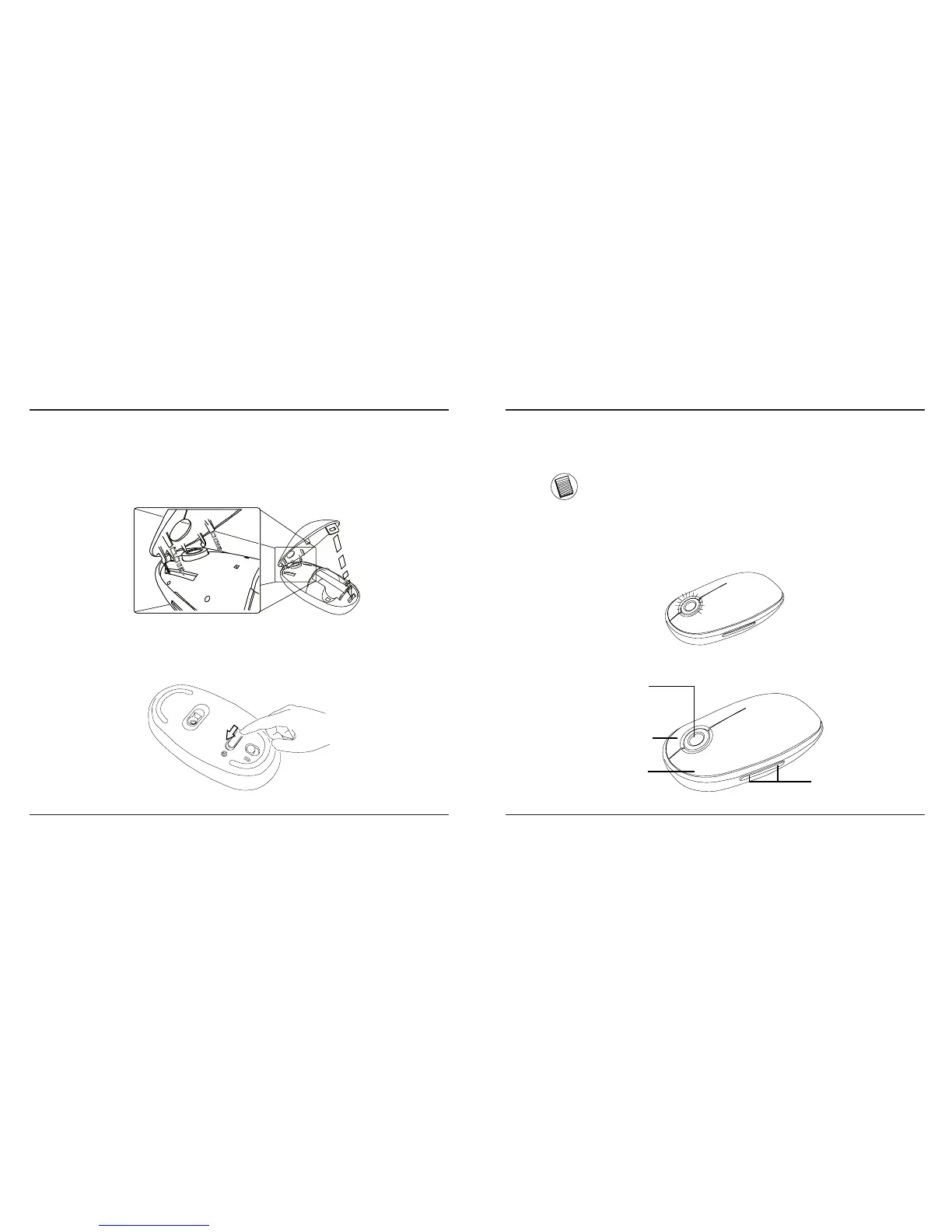
• Once the batteries are installed. Close the battery
compartment by first re-inserting the front of the cover and
then pressing down the back until it locks into position.
• Turn on the mouse by sliding the on/off switch on the bottom
to the “on” position.
Low Battery Power Indicator
NOTE: WHEN THE BATTERY POWER IS LOW, THE TOUCH SCROLL
WILL FLASH RED. PLEASE REPLACE THE BATTERIES.
When 60 minutes of power remains, a red indicator light will
glow for 8 seconds.
When only 30 minutes of power remains, the red indicator light
will blink continuously.
Using the Mouse
Touch Scroll
Left mouse
button
Right mouse
button
Programmable buttons


 To Next Page