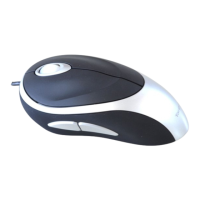
Wireless Mouse
12
Wireless Mouse
13
Installing Software for Programmable
Buttons
Installing the software enables configuration of the program-
mable buttons.
The latest software (Model # BEU0562C) can be downloaded
from the official Targus web site:
(Windows)
http://www.targus.com/uk/Downloads/BEU0562C.exe
(Mac)
http://www.targus.com/uk/Downloads/BEU0562C.dmg
Double click the setup icon to launch the installation software.
Follow the on-screen instructions to complete the installation.
After the software is successfully installed, restart your
computer to finish installing the software.
Programming the Buttons (Windows)
To access the programmable buttons feature you will need to
download and install the software driver.
Once installation is complete, open the driver software and
select the desired setting for the specific buttons. Close the
driver software application and you’re ready to go.


 To Next Page