3
TARGUS WIRELESS RF
MOUSE
Introduction
Congratulations on your purchase of a Targus Wireless RF
Mouse. This ergonomically designed mouse uses a radio
frequency (RF) link that enables you to use the mouse
anywhere within four feet of its receiver. No line-of-sight
between the mouse and its receiver is required.
This user’s guide describes how to connect the mouse receiver
to your computer, install default software drivers and set up the
radio link for the following RF mouse models:
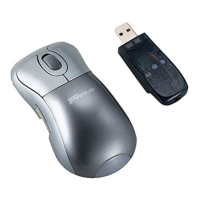
• PAWM10 – Wireless Mini Optical Mouse with Power
Management
In addition to this user’s guide, depending on the RF mouse
model that you purchased, this package contains:
PAWM10
• Mouse
• Receiver
• 2 AAA batteries
• Three inch USB extension cable
• Carrying pouch










 To Next Page