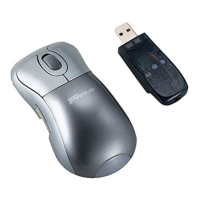
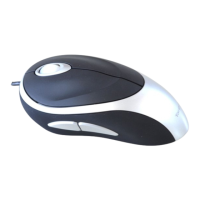
Need help?
Do you have a question about the Targus Optical Bluetooth Mouse and is the answer not in the manual?
Lists required hardware and compatible operating systems for the mouse.
Details on inserting rechargeable batteries, closing the cover, and powering on.
Instructions for powering the mouse on/off and its automatic sleep mode.
Explains how to identify low battery and recharge the mouse using USB.
Details on charging duration and computer power settings to prevent sleep/hibernate.
Explains initial setup and software stack requirements for Bluetooth connectivity.
Steps for adding the mouse via Bluetooth in Windows XP/Vista using WIDCOMM/Microsoft.
Guides through the Bluetooth wizard and pairing process in Windows.
Steps to confirm detected devices and establish the Bluetooth connection.
Steps to add the mouse using Toshiba Bluetooth software on Windows Vista.
Details on searching for the mouse and initiating connection with Toshiba software.
Final steps for a successful Bluetooth connection using Toshiba software.
Guide to turn on Bluetooth and start the setup assistant on Mac OS.
Steps to select 'mouse' and search for the device on Mac OS.
Instructions for pairing the mouse and completing the setup on Mac OS.
Solutions for when the mouse does not function correctly, checking battery and link.
Tips for improving response time and reliability, like distance and batteries.
Provides contact details and website for technical assistance.
Outlines the product's warranty coverage and limitations.
Details on FCC testing and compliance for the device.
Formal declaration of the device's compliance with relevant directives.
 General
| Connection Type | Bluetooth |
|---|---|
| Sensor Type | Optical |
| Number of Buttons | 3 |
| Battery Life | 12 months |
| Compatibility | Windows, macOS, Chrome OS |
| Color | Black |
| Battery Type | AA |


 To Next Page