4
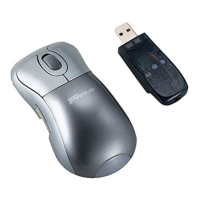
Targus Wireless RF Mouse
System Requirements
To use the RF mouse, your computer must meet the following
hardware requirements and run one of the operating systems
listed below.
Hardware
• PC with a Pentium
®
processor or equivalent and a hard disk
drive
• USB interface
Operating System
• Windows
®
98/Me/2000/XP
NOTE: The third button and the scrolling wheel only work with
the operating systems listed above. If you use the RF mouse
with a different operating system, it will lose its enhanced
features and function as a standard, two-button mouse.
Connecting the Mouse Receiver
To connect the mouse receiver:
1 Turn off your computer.
2 Plug the USB receiver into an available USB port on your
computer.










 To Next Page