Need help?
Do you have a question about the Targus wireless multimedia presenter and is the answer not in the manual?
Warning about direct viewing of laser beam and potential eye damage.
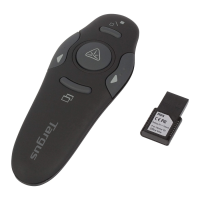
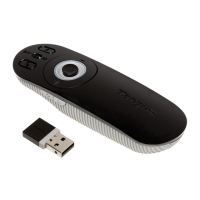
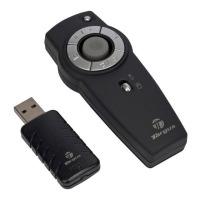
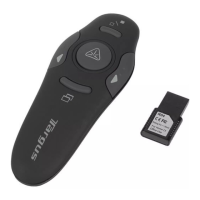
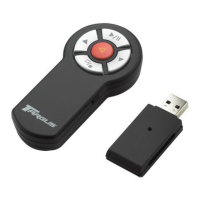
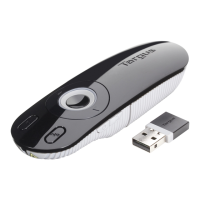
General description of the Targus Wireless Multimedia Presenter.
Specifies hardware and operating system needs for the device.
Step-by-step instructions for inserting batteries into the presenter.
Critical warnings on battery types and mixing used/new batteries.
Procedure for connecting the receiver to a computer's USB port.
Guide for installing drivers on Windows 98SE/Me and later versions.
Steps to create a wireless connection between the presenter and receiver.
Details on using the presenter as a mouse, including controls.
Details on using the presenter for slideshows, including controls.
Details on using the presenter for media playback, including controls.
Instructions on activating the laser pointer trigger.
Recommendations for best wireless reception and device operation.
Essential points regarding battery link establishment and power saving.
Critical safety guidelines to prevent eye injury and other hazards.
Technical details of the presenter, including dimensions and power.
Technical details of the receiver, including dimensions and power.
Solutions for when the presenter fails to work.
Troubleshooting tips for slow response, dropouts, or RF interference.
Website and email addresses for technical assistance.
List of phone numbers for technical support in various countries.
Instructions for registering your Targus accessory online.
Information regarding the two-year warranty coverage.
Details on FCC compliance and measures to correct interference.
Statements on EU directives compliance and product recycling policy.
 General
| Device Type | Wireless Multimedia Presenter |
|---|---|
| Connectivity | Wireless |
| Laser Pointer | Yes |
| Laser Color | Red |
| Operating System Compatibility | Windows, macOS |
| USB Receiver | Yes |
| Battery Life | Up to 12 months |
| Wireless Technology | RF |
| Wireless Range | Up to 15 meters |
| Buttons | Volume control |
| Battery Type | AAA |


 To Next Page