Need help?
Do you have a question about the Targus Multimedia and is the answer not in the manual?
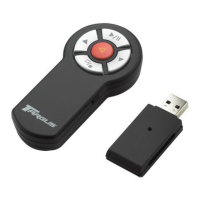
Details the hardware and operating system prerequisites for using the Targus Multimedia Presentation Remote.
Provides instructions on how to open the battery cover and insert AAA batteries correctly.
Explains how to use the remote for presentations, including slide control and laser pointer functions.
Details how to operate the remote as a wireless mouse, covering cursor movement and clicks.
Outlines critical safety precautions, particularly regarding laser usage and handling.
Provides solutions for common issues like slow response time or intermittent operation.
 General
| Laser Pointer | Yes |
|---|---|
| Laser Wavelength | 650nm |
| Laser Color | Red |
| Receiver Interface | USB |
| Interface | USB |
| Wireless Technology | RF |
| Operating System Compatibility | Windows, Mac |
| Compatibility | PC, Mac |

 To Next Page