EasyManua.ls Logo

Targus Multimedia - Tasti E Funzioni

Targus Multimedia
133 pages
Print Icon
To Next Page IconTo Next Page
To Previous Page IconTo Previous Page
Loading...
Targus Multimedia Presentation Remote
130
Targus Multimedia Presentation Remote
131
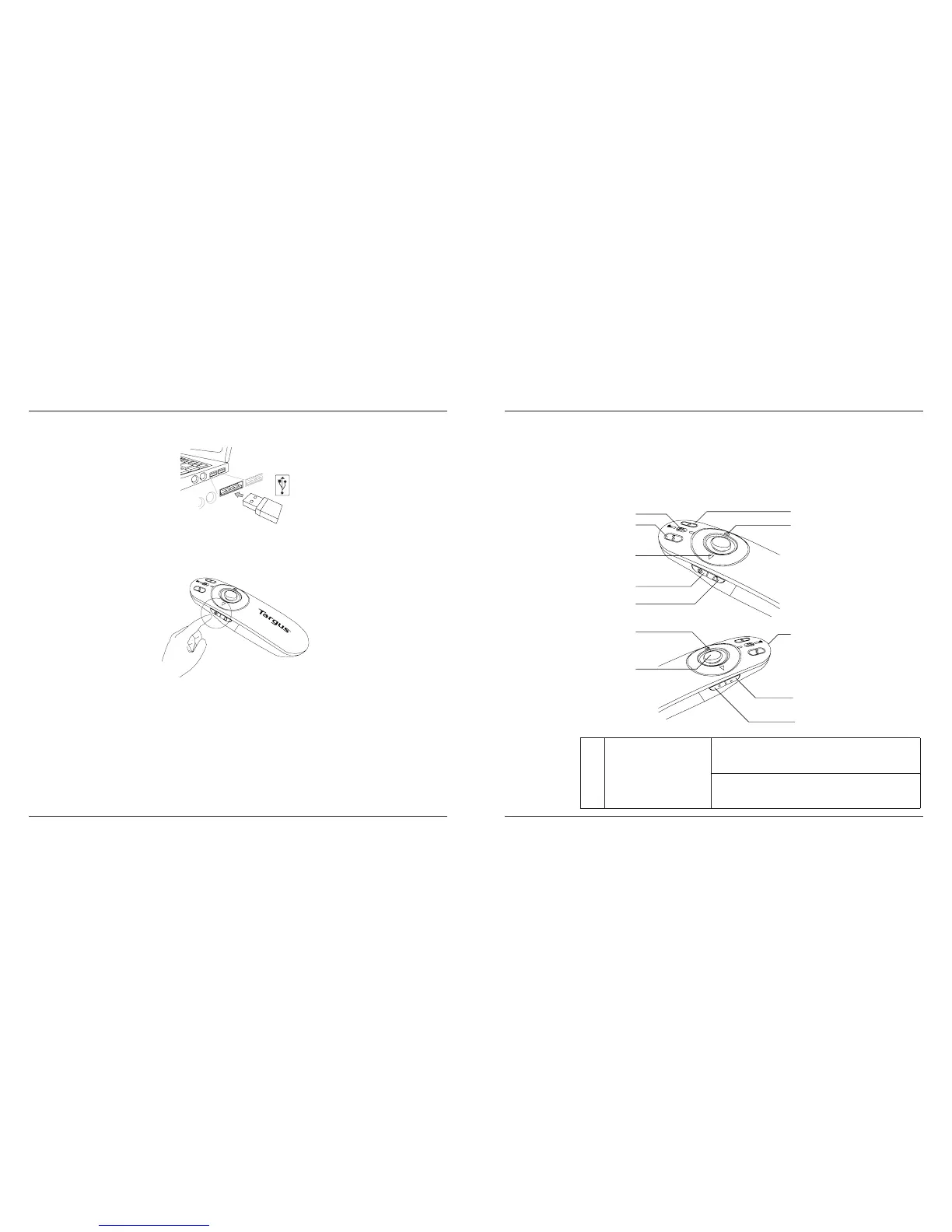
Accendere il telecomando premendo e tenendo premuto il tasto on/off
per 3 secondi.
1
2
3
4
5
6
7
8
9
10
11
12
Tasti e funzioni
Questo apparecchio può funzionare per presentazioni o come mouse
senza fili grazie all’interruttore di modalità (12).
1









Table of Contents

Related product manuals