9 – Effects–Selecting the type of effect
84 TASCAM 788 Digital PortaStudio
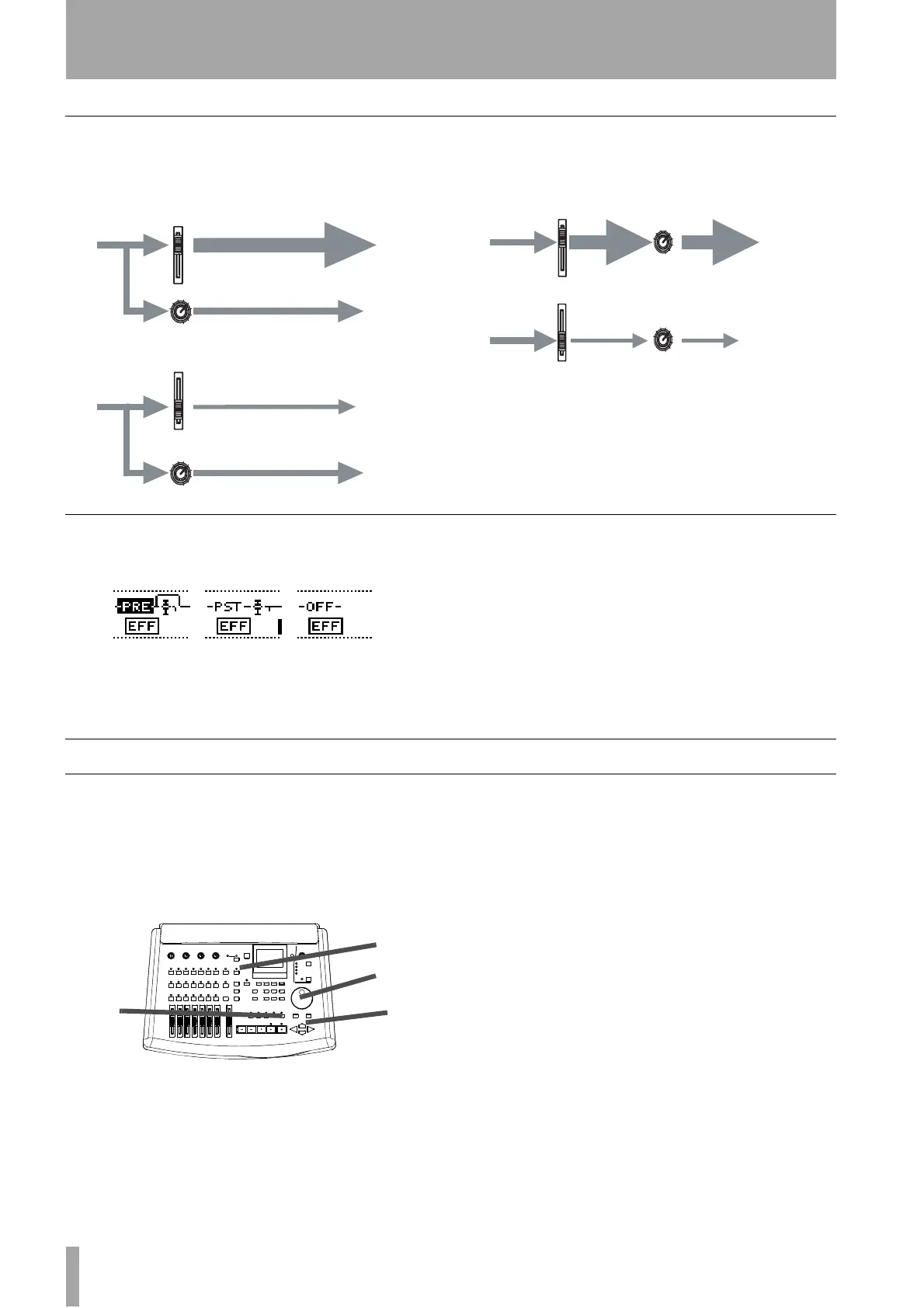
Pre- and post-fader sends explained
Pre-fader means that the level sent to the effects loop
is independent of the fader setting, as the signal is
taken before it reaches the fader.
Post-fader means that because the level to the send
control is controlled by the fader, the total effect send
is increased and reduced with the fader.
Changing between pre-fader and post-fader settings
This applies to the Effect and Aux loops only.
1 Press the
SEND key and then press the
SELECT key of the channel where you want to
make the setting.
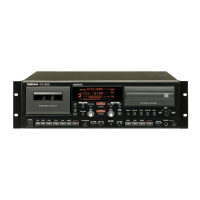
2 Move the cursor to the box at the left of the
send screen and use the dial to change between
PRE, POST and OFF (a small on-screen
diagram also indicates the change). In the
example here, the first send is pre-fader, the
next is post-fader, and the last is off.
Selecting the type of effect
When using the inserted multi-effect processor
(
EFFECT 1 only) or the single stereo effect processor
(EFFECT 1 or EFFECT 2), you can select the effect
type that you want from a list of preset settings or
from your own library of settings that you have
stored previously.
To select from the preset list:
1 Assign the effects unit to be a multi-effect pro-
cessor (“Using EFFECT 1 as a multi-effect
processor” on page 81) or as a single stereo
effect processor (“Using EFFECT 1 as a single
stereo effect processor in the effect loop” on
page 82 or “Using EFFECT 2 as a single stereo
effect processor in the AUX effect loop” on
page 83).
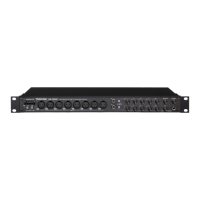
2 Press the appropriate
EFFECT key so that the
top left of the screen shows
EFFECT (the
effect settings editor screen).
3 Press either the
YES or NO key to bring up the
EFFECT LIBRARY screen.
4 Use the Ó and Á keys to make the
PRESET
tab “active”.
5 Use the dial to select the preset as listed below.
6 Press
YES to confirm the selection (NO exits
without selecting).
Pre-fader send - the send
level is unaffected by the
position of the fader
Post-fader send - the position of the
fader affects the level of the send
signal
Pre-fader Post-fader Off
2
3, 6
5
4


 To Next Page