Table of contents English
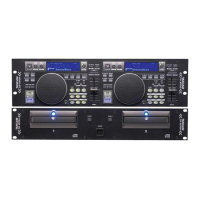
TASCAM CD-X1700 DUAL CD PLAYER 5
1. Before you start............................................... 6
1.1 Environmental conditions .......................... 6
1.2 Beware of condensation............................. 6
1.3 Handling of discs ....................................... 6
2. Functions and Controls ................................... 7
2-1. Main Unit (Front Panel) ........................... 7
2-2. Main Unit (Rear Panel) ............................ 7
2-3. Remote Controller (Top Panel)................. 8
2-4. Remote Controller (Bottom Panel)......... 10
2-5. Remote Controller (LCD)....................... 11
3. Playback operation........................................ 12
3-1. CUE ........................................................ 12
To memorize the CUE point ....................... 12
Stutter play with the CUE key .................... 12
3-2. CUE 1-3.................................................. 12
To memorize the CUE 1-3 points ............... 12
Stutter play with the CUE 1-3 keys ............ 12
3-3. Flash Start ............................................... 12
3-4. A-B Looping ........................................... 13
To store the LOOP points............................ 13
Disengage the loop play.............................. 13
Re-looping................................................... 13
Erasing the LOOP points............................. 13
Changing the LOOP end point (B point) .... 13
3-5. Adjusting the tempo................................ 13
Tempo range................................................ 13
Using the TEMPO slider............................. 14
Auto BPM and TAP key.............................. 14
3-6. Pitch bending .......................................... 14
3-7. Key origina ............................................. 14
4. More advanced operation.............................. 15
4-1. Key control ............................................. 15
4-2. Scratching ............................................... 15
4-3. Brake....................................................... 15
Set the brake time........................................ 15
4-4. Effect....................................................... 15
Effect time setting ....................................... 16
Synchronizing the effect time
with the BPM .......................................... 16
Effect level setting....................................... 16
FLANGER................................................... 16
ECHO .......................................................... 16
FILTER........................................................ 16
4-5. Reverse play............................................ 17
4-6. Sampler ................................................... 17
Sampling...................................................... 17
Using the A-B loop as a sample source ...... 17
Play the sampler .......................................... 17
Stop the sampler.......................................... 17
Erasing the recorded sample ....................... 17
Sampler loop................................................ 18
Sampler reverse ........................................... 18
Sampler pitch control .................................. 18
Sampler output level.................................... 18
Recall the sampling data ............................. 18
4-7. Track Memory / Recall........................... 18
Track memory ............................................. 18
Memory data................................................ 19
Recall........................................................... 19
4-8. Fader Start............................................... 20
4-9. Relay Play............................................... 20
4-10. Auto Cue ............................................... 20
4-11. Auto Ready ........................................... 20
4-12. Programmed Play.................................. 21
Create the program...................................... 21
Edit program................................................ 21
Insert program ............................................. 22
Delete program............................................ 22
4-13. MP3 file playback................................. 23
4-14. Preset menu........................................... 23
4-15. Backup memory.................................... 24
5. Specifications................................................ 25
Error messages ............................................ 25
Demensions ...........................................Back page


 To Next Page