EasyManua.ls Logo

Tascam CD-A700 - User Manual

Tascam CD-A700
17 pages
Print Icon
To Next Page IconTo Next Page
Loading...
»
CD-A700
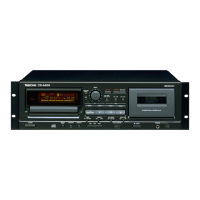
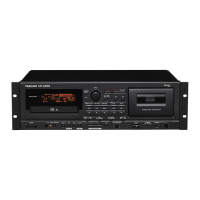
Compact Disc Player/Reverse Cassette Deck
3D0027500A
D
This appliance has a serial number located
on the rear panel. Please record the model
number and serial number and retain them
for your records.
Model number
Serial number
WARNING: TO PREVENT FIRE OR SHOCK
HAZARD, DO NOT EXPOSE THIS
APPLIANCE TO RAIN OR MOISTURE.
The exclamation point within an equilateral triangle is intended to alert the user to the pres-
ence of important operating and maintenance (servicing) instructions in the literature
accompanying the appliance.
The lightning flash with arrowhead symbol, within an equilateral triangle, is intended to alert
the user to the presence of uninsulated “dangerous voltage” within the product’s enclosure
that may be of sufficient magnitude to constitute a risk of electric shock to persons.
CAUTION: TO REDUCE THE RISK OF ELECTRIC SHOCK, DO NOT
REMOVE COVER (OR BACK). NO USER-SERVICEABLE PARTS INSIDE.
REFER SERVICING TO QUALIFIED SERVICE PERSONNEL.
Ü
ÿ
Ÿ
OWNER'S MANUAL / MANUEL DU PROPRIETAIRE
BEDIENUNGSANLEITUNG / MANUALE DI ISTRUZIONI
MANUAL DEL USUARIO / GEBRUIKSAANWIJZING

Other manuals for Tascam CD-A700

Questions and Answers

  • A
    Andrea BishopAug 19, 2025
    What to do if there is no audio output from my Tascam CD-A700?
    • L
      Lee KennedyAug 19, 2025
      If your Tascam CD Player has no audio output, verify that the connection to your stereo system is correctly configured. Double check all cables and connections to ensure they are properly seated.
  • A
    Angela MorganAug 21, 2025
    Why is my Tascam CD-A700 mistracking?
    • H
      Heather JohnsonAug 21, 2025
      If your Tascam CD Player is mistracking (sound jumping), it might be due to vibration or shock. Try changing the installation position of the unit. Another potential cause is a dirty disc, so clean the disc surface.
  • Y
    ywalkerAug 23, 2025
    How to fix no playback on my Tascam CD Player?
    • D
      Danielle MillerAug 23, 2025
      If your Tascam CD Player isn't playing when you load a disc, make sure the disc is loaded with the label side up.
  • G
    Gregory HartAug 26, 2025
    Why does my Tascam CD-A700 CD Player make a strange sound?
    • E
      Erika LunaAug 26, 2025
      If your Tascam CD Player is producing a strange sound, the CD PITCH CONTROL might have been changed. Set the CD PITCH CONTROL pot to the center position.
  • M
    Maria StanleyAug 28, 2025
    Why is the remote control not working on my Tascam CD-A700 CD Player?
    • M
      Maureen ThomasAug 28, 2025
      If your Tascam CD Player's remote control isn't working, ensure the POWER switch is set to ON. Also, check if batteries are properly inserted in the remote control; install them if they are missing.
  • K
    Kristin MitchellAug 30, 2025
    How to improve the sound quality of my Tascam CD Player?
    • B
      Barbara WashingtonAug 30, 2025
      If your Tascam CD Player has low sound quality, the heads might be dirty. Clean the heads. Also, the heads might be magnetized. Demagnetize the heads using the TEAC E-3. The position of the DOLBY NR switch might also be incorrect, so change the position.
  • A
    Allison MartinezSep 1, 2025
    What to do if my Tascam CD Player has no CD output?
    • S
      Susan JohnsonSep 1, 2025
      If your Tascam CD Player is not providing CD output, ensure that the cassette deck is not in Playback mode. Stop the deck. Alternatively, connect the CD output with the amplifier.
  • M
    Matthew DaughertySep 4, 2025
    What to do if my Tascam CD-A700 has no power?
    • C
      Craig EwingSep 4, 2025
      If your Tascam CD Player is not turning on when you press the POWER button, it might be because the power plug is not inserted securely. Plug it in securely.
  • C
    Charles MooreSep 6, 2025
    Why does my Tascam CD-A700 CD Player only play a single track?
    • S
      Sandra DouglasSep 6, 2025
      If your Tascam CD Player only plays a single track, the SINGLE button might be engaged. Press the button to disengage it.
  • B
    bennettsethSep 8, 2025
    Why is my Tascam CD Player humming?
    • K
      Kenneth Vargas Jr.Sep 9, 2025
      If you are experiencing hum with your Tascam CD Player, the pin-cord plug might not be connected securely. Re-connect the plug securely.

Summary

Initial Safety Warnings

Electric Shock and Moisture Hazards

Warnings about electric shock from internal voltage and damage from moisture.

Servicing and Damage Precautions

Instructions against opening covers and using the unit if damaged.

Important Safety Instructions

General Operating Guidelines

Covers reading instructions, retaining them, and following warnings.

Electrical Safety and Servicing Precautions

Details on power sources, grounding, cord protection, and servicing referrals.

Laser Safety Compliance and Warnings

Class 1 Laser Product Classification

Information on FDA regulations and classification as a Class 1 laser product.

Laser Radiation Exposure Warnings

Precautions against removing protective housing and hazardous radiation exposure.

Connections and Installation Guide

Audio and Digital Connections

Connecting LINE INPUT/OUTPUT, CD LINE OUTPUT, and DIGITAL OUTPUT.

Unit and Remote Control Overview

CD Player Basic Operations

Disc Loading and Playback Control

Steps for loading discs, playing, stopping, and unloading.

CD Programming Features

Advanced CD Playback Modes

Cassette Deck Operations

Playback, Loading, and Recording

Steps for cassette playback, loading, and the recording process.

Cassette Recording and Copying Features

Combined Playback and Timer Operations

Troubleshooting Common Issues

General Unit Problems and Solutions

Addresses common issues like no power, hum, noise, and remote control problems.

CD Player Specific Problems

Solutions for CD playback, output, mistracking, and sound issues.

Cassette Deck Specific Problems

Troubleshooting sound quality, recording, and tape path issues.

Tascam CD-A700 Specifications

General IconGeneral
TypeCD Player
Cassette DeckYes
Digital OutputCoaxial
Remote ControlYes
Power SupplyAC 120V, 60Hz
CD PlayerYes
Playback FormatsCD, CD-R, CD-RW
Frequency Response20 Hz - 20 kHz
Dynamic Range90 dB
Audio OutputsRCA

Related product manuals