EasyManua.ls Logo

Tascam DA-P1 - PCM Level Checks; PCM Play Level Check; PCM Record Level Check and Adjustment

Tascam DA-P1
59 pages
Print Icon
To Next Page IconTo Next Page
To Previous Page IconTo Previous Page
Loading...
DA-P1
26
1.
Checking
the
PCM
Play
Level
1).
Connect
CH1
of
the
oscilloscope
to
TP349
(RF
OUT)
and
CH2
to
TP347
(SWH).
2).
Load
a
level
test
tape
(TY-7111
or
TY-7111X)
then
set
the
deck
to
PLAY
mode.
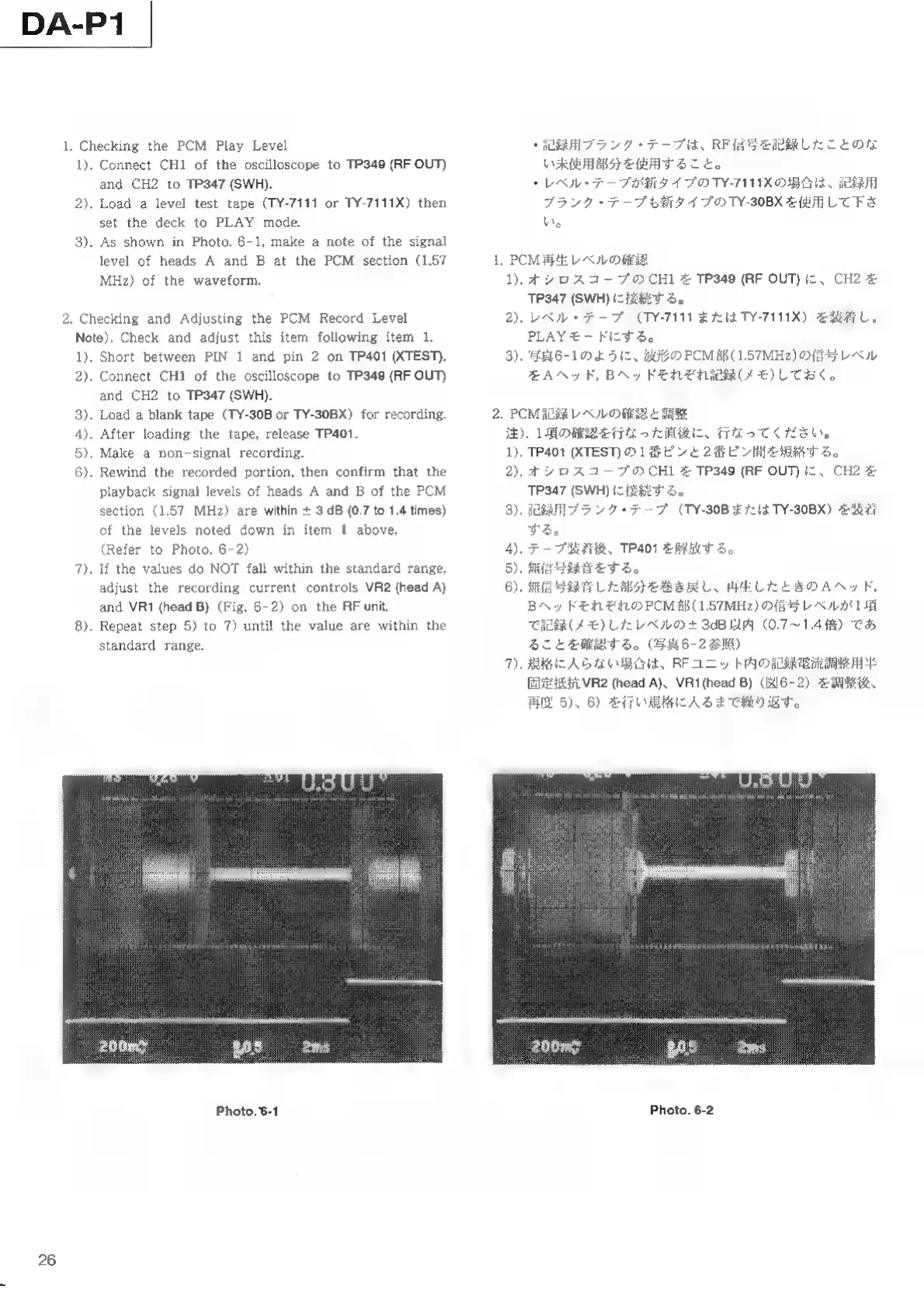
3).
As
shown
in
Photo.
6-1,
make
a
note
of
the
signal
level
of
heads
A
and
B
at
the
PCM
section
(1.57
MHz)
of
the
waveform,
2.
Checking
and
Adjusting
the
PCM
Record
Level
Note).
Check
and
adjust
this
item
following
item
1.
1).
Short
between
PIN
1
and
pin
2
on
TP401
(XTEST).
2).
Connect
CH1
of
the
oscilloscope
to
TP349
(RF
OUT)
and
CH2
to
TP347
(SWH).
3).
Load
a
blank
tape
(TY-30B
or
TY-30BX)
for
recording.
4).
After
loading
the
tape,
release
TP401.
5).
Make
a
non-signal
recording.
6).
Rewind
the
recorded
portion,
then
confirm
that
the
playback
signal
levels
of
heads
A
and
B
of
the
PCM
section
(1.57
MHz)
are
within
+
3
dB
(0,7
to
1.4
times)
of
the
levels
noted
down
in
item
1
above.
(Refer
to
Photo.
6-2)
7).
If
the
values
do
NOT
fall
within
the
standard
range,
adjust
the
recording
current
controls
VR2
(head
A)
and
VR1
(head
B)
(Fig.
6-2)
on
the
RF
unit.
8).
Repeat
step
5)
to
7)
until
the
value
are
within
the
standard
range.
Photo.
6-1
1.
У
プラ
ンク
、RF
記録
こと
使用
使用
する
こと
ベル
イプ
TY-7111X
場合
記録
ブラ
ンク
イプ
TY-30BX
使用
下さ
PCM
ベル
確認
1).
シロ
スコ
CH1
TP349
(RF
OUT)
、CH2
TP347
(SWH)
接続
する
2).
レベ
(TY-7111
また
TY-7111X)
装着
PLAY
する
3).
写真
6-1
よう
PCM
(1.57MHz)
信号
レベ
AA
ヘッド
,
B
それ
記録
(メモ
)
PCM
ベル
確認
調整
).
1
確認
行なっ
直後
くだ
さい
1).
TP401
(XTEST)
1
2
短絡
する
2).
シロ
スコ
CH1
TP349
(RF
OUT)
、CH2
TP347
(SWH)
接続
する
ブラ
ンク
(TY-30B
TY-30BX)
装着
する
4).
テー
、TP401
解放
する
5).
信号
録音
する
6).
信号
録音
巻き
戻し
再生
A
,
B
それ
PCM
(1.57MHz)
信号
レベ
1
記録
(メモ
)
レベ
+
3dB
以内
(0.7~1.4
)
こと
する
。(
6-2
)
規格
入ら
、RF
ニッ
記録
電流
3
7
Photo.
6-2

Other manuals for Tascam DA-P1

Related product manuals