TASCAM DR-05X
53
12 – Settings and Information
System Settings
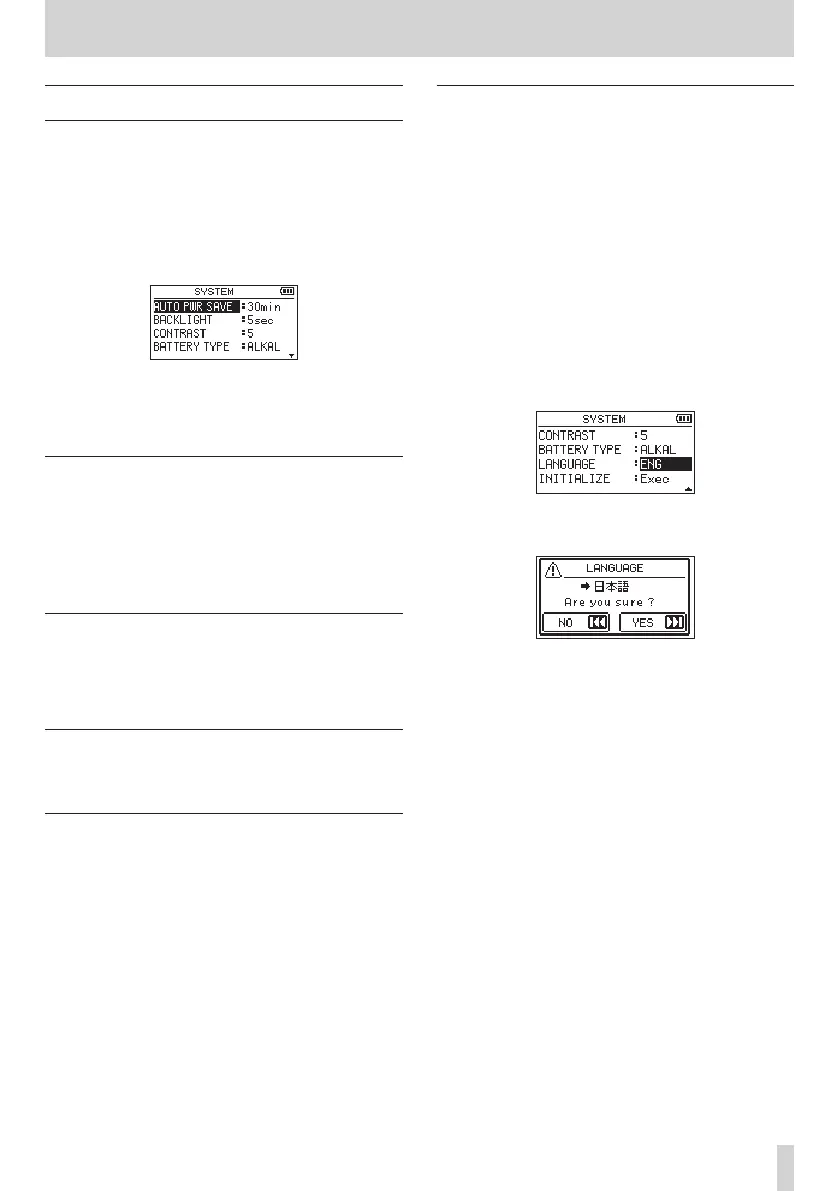
From the SYSTEM screen, you can change various settings
to optimize the device for your use environment and other
requirements.
Follow the steps below to display the SYSTEM screen.
1.
Press the MENU button to open the MENU screen.
2.
Use the + or – button to select (highlight) the SYSTEM
menu item, and press the 7 button.
This opens the SYSTEM screen.
The following settings can be made for the items on the
SYSTEM screen.
Use the . or / button and the + or − button to set
each item.
Setting the automatic power saving
function
You can use the AUTO OFF item to set the amount of time
from when the unit last operated or was used until the power
turns off (enters standby) automatically.
Options: OFF (does not turn off automatically), 3min, 5min,
10min, 30min (default)
Setting the backlight
Use the BACKLIGHT item to set the time after the last
operation until the backlight automatically turns off.
Options: OFF (backlight off), 5sec (default), 10sec, 15sec,
30sec, ALWAYS (always on)
Adjusting the display contrast
Use CONTRAST to adjust the display contrast.
Options:
1–20 (default: 5)
Setting the battery type
Use the BATTERY TYPE item to set the battery type. This
setting is used to display the remaining battery power and to
calculate the minimum capacity for normal operation.
Options: ALKAL (alkaline batteries, default), Ni-MH (nickel-
metal hydride batteries)
Set the language
Use the LANGUAGE item to set the language shown on the
display.
1.
Use the + or − button to select (highlight) the LANGUAGE
item and press the 7 button.
Options:
ENG: use English
日本語
: use Japanese
FRA: use French
ESP: use Spanish
DEU: use German
ITA: use Italian
POR: use Portuguese
RUS: use Russian
中文
: use Chinese
한글 : use Korean
2.
Press the 7 button to open a pop-up confirmation
window.
3.
Press the / button to confirm the language selection.
To cancel language selection, press the . button.
Setting the language if the wrong was set
i
After pressing the ¤ (HOME) [8] button to turn
the unit off, press the ¤ (HOME) [8] button while
pressing and holding the MENU button. The language
selection menu will appear, and you will be able to
select the language.



 To Next Page