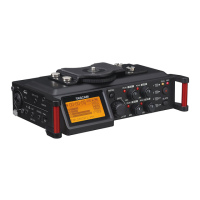
TASCAM DR-70D
3
Contents
7 – Connecting with a Computer .................32
Transferring files to a computer ..................................32
Transferring files from a computer .............................32
Disconnecting from a computer .................................32
8 – Settings and Information .......................33
Viewing information ........................................................33
File information page (PROJECT) ..........................33
Card information page (CARD) ..............................33
System information page ........................................ 33
System Settings .................................................................34
Setting the automatic power saving function
..34
Setting the backlight ................................................34
Adjusting the display contrast...............................34
Restoring the factory settings ...............................34
Formatting an SD card .............................................34
Setting the battery type ................................................. 34
Setting the file name format ........................................35
File name format ........................................................35
Setting the WORD item ............................................ 35
Initializing the count .................................................35
9 – Using the REMOTE jack ........................... 36
Using a footswitch (TASCAM RC-3F)...........................36
Making footswitch settings .................................... 36
Footswitch uses ..........................................................36
Using a remote control (TASCAM RC-10) ..................36
Making remote control settings ...........................36
Remote control uses .................................................36
10 – Messages ...............................................37
11 – Troubleshooting .................................... 38
12 – Specifications ........................................39
Ratings ..................................................................................39
Input/output ratings ........................................................39
Analog audio input and output ratings .............39
Control input/output ratings .................................39
Audio performance ..........................................................39
Requirements for connected computers .................40
General .................................................................................40
Dimensional drawings ....................................................41


 To Next Page