30
TASCAM DR-70D
5 – Working with Files and Folders (BROWSE screen)
Folder operations
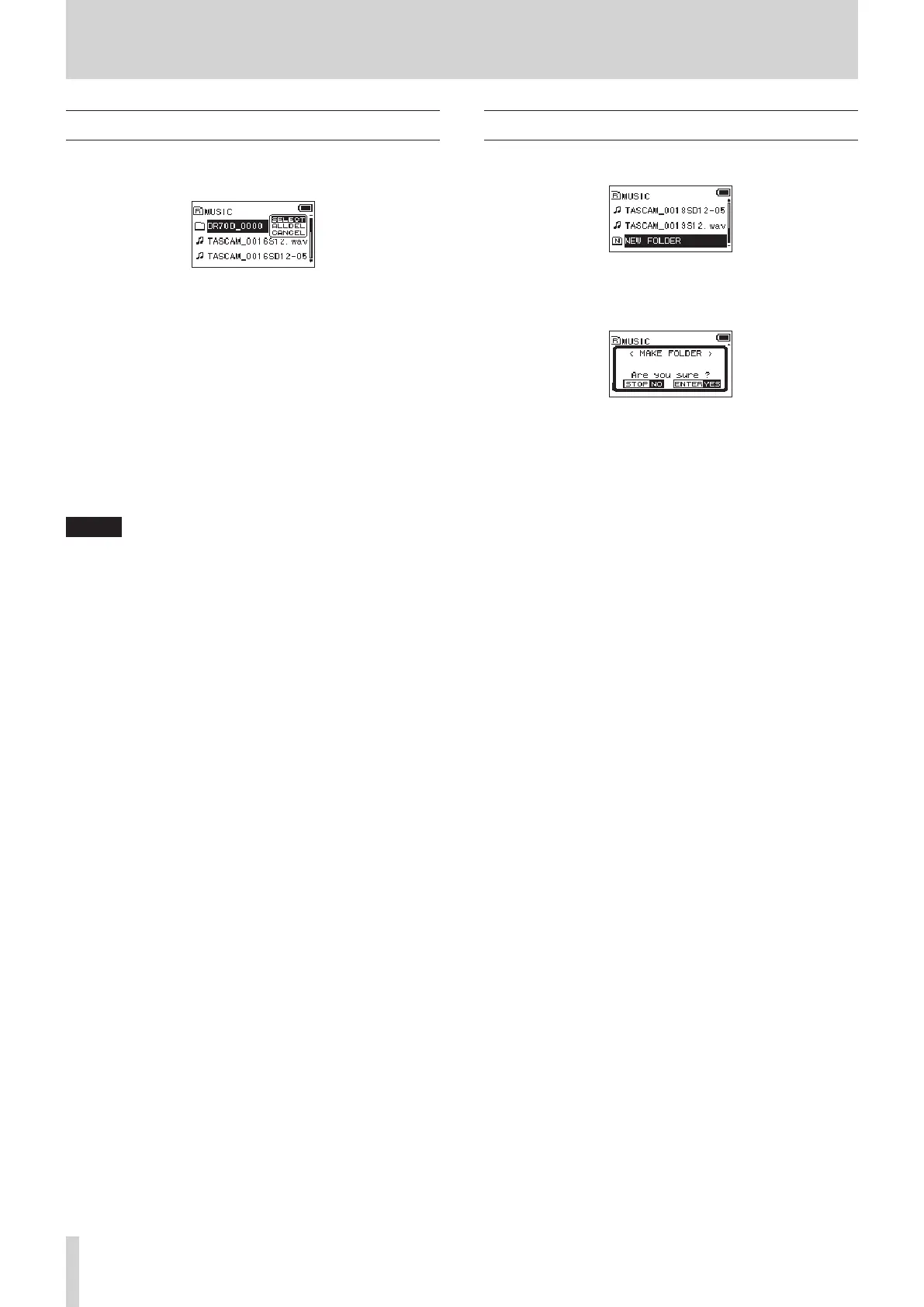
Select the desired folder on the
BROWSE
screen and press the
DATA dial to open the pop-up menu shown below.
Turn the DATA dial to select the desired item, and press the
DATA dial to make the unit execute one of the following opera-
tions.
8
SELECT
Returns to the Home Screen and selects the first file in the folder.
This folder also becomes the playback area. When recording,
files are created in this folder.
8
ALL DEL
A pop-up message appears to confirm that you want to delete
all the files in the selected folder at once.
Press the DATA dial to delete the files or the 1/8 button to
cancel deletion.
NOTE
You cannot delete read-only files and files that are not
recognized by this unit.
8
CANCEL
Cancel the operation with the selected folder and close the
pop-up menu.
Creating a new folder
NEW FOLDER
appears at the end of each folder's file list.
Select
NEW FOLDER
, and press the DATA dial.
A pop-up appears to confirm that you want to create a new
folder.
Press the DATA dial to create a new folder or press the 1/8
button to cancel. Since this unit supports only two levels of
folders,
NEW FOLDER
does not appear in second-level folders.
A newly created folder becomes the current one, and new
recorded files are saved in this folder. This folder also becomes
the playback area.


 To Next Page