EasyManua.ls Logo

Tascam FW-1884 - User Manual

Tascam FW-1884
42 pages
Print Icon
To Next Page IconTo Next Page
Loading...
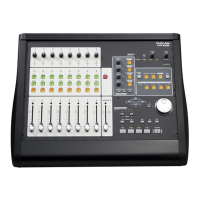
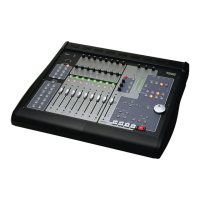
Professional Control Surface / FireWire Audio-MIDI Interface
OWNER’S MANUAL
CAUTION: TO REDUCE THE RISK OF ELECTRIC SHOCK, DO NOT
REMOVE COVER (OR BACK). NO USER-SERVICEABLE PARTS
INSIDE. REFER SERVICING TO QUALIFIED SERVICE PERSONNEL.
The exclamation point within an equilateral triangle is intended to alert the user to the pres-
ence of important operating and maintenance (servicing) instructions in the literature
accompanying the appliance.
The lightning flash with arrowhead symbol, within an equilateral triangle, is intended to alert
the user to the presence of uninsulated “dangerous voltage” within the product’s enclosure
that may be of sufficient magnitude to constitute a risk of electric shock to persons.
This appliance has a serial number
located on the rear panel. Please record
the model number and serial number
and retain them for your records.
Model number
Serial number
Ü
ÿ
Ÿ
WARNING: TO PREVENT FIRE OR SHOCK
HAZARD, DO NOT EXPOSE THIS
APPLIANCE TO RAIN OR MOISTURE.
D00731500A
The following marking is located on the bottom of the unit:

Other manuals for Tascam FW-1884

Questions and Answers

  • E
    Elizabeth WilliamsAug 17, 2025
    Why is there no control surface response on my Tascam FW-1884 Accessories?
    • J
      Joshua BarnesAug 17, 2025
      Several factors could be the reason for no control surface response: * Check if the FireWire LED is lit, indicating a valid connection. * Verify that the FW-1884 appears as a MIDI device in your Device Manager. * Ensure your DAW application is correctly configured for an external controller. * Confirm the MIDI I/O ports are set to “FW-1884 Control” on MIDI input and output. * If running in Native Protocol, ensure the appropriate plugin is installed in the correct folder. * For MacOS 9, verify FreeMIDI or OMS is configured correctly. * If there's no response to fader movements, check if the correct fader bank is selected and visible on screen.
  • A
    Alejandro BrownAug 20, 2025
    What to do if I hear no sound, but the output meters display signal on my Tascam FW-1884 Accessories?
    • C
      Candace MosleyAug 20, 2025
      If you hear no sound but the output meters display a signal, check your output connections and amplifier.
  • E
    Erica StricklandAug 22, 2025
    What to do if the Tascam FW-1884 appears as an audio device but isn't in my DAW's audio outputs?
    • M
      Micheal FosterAug 22, 2025
      Ensure that you have its ASIO driver installed in the correct location.
  • K
    kathleen84Aug 26, 2025
    What to do if my audio has clicks and pops using Tascam Accessories?
    • C
      Christopher HammondAug 26, 2025
      If your audio has clicks and pops, ensure that you have the correct clock source selected.
  • R
    rfowlerAug 27, 2025
    Why I hear no sound and the output meters display no signal on my Tascam Accessories?
    • T
      Timothy ClineAug 27, 2025
      If you hear no sound and the output meters display no signal, verify that your audio sources are connected to the correct inputs on the FW-1884 and that you have the correct monitor source selected.
  • M
    Michael MooreAug 30, 2025
    What to do if I'm running Windows 2000 or Windows XP and using Tascam Accessories?
    • G
      Garrett LynchAug 30, 2025
      Check if the FW-1884 appears as an audio device in Device Manager.
  • C
    Chloe EricksonSep 1, 2025
    What to do if I'm running MacOS9 and using Tascam Accessories?
    • V
      victoriaheathSep 1, 2025
      Verify the FW-1884 appears as an audio device in your System folder.
  • K
    Kimberly VelasquezSep 4, 2025
    What to do if my Tascam FW-1884 audio source is my DAW application?
    • S
      syoungSep 4, 2025
      Ensure that you have the correct outputs selected within the host application.
  • C
    Christopher BakerSep 6, 2025
    What to do if my Tascam Accessories audio source is a digital input?
    • M
      mary29Sep 6, 2025
      If your audio source is a digital input, make sure that you have a valid digital source connected and that the correct word clock settings are selected.
  • B
    Brandon AndersonSep 9, 2025
    What to do if my Tascam Accessories audio source is a condenser microphone?
    • J
      joyce90Sep 9, 2025
      If your audio source is a condenser microphone, verify that you have phantom power enabled.

Summary

Important Safety Precautions

Introduction to the TASCAM FW-1884

System Requirements

Details the operating system and hardware prerequisites for using the FW-1884.

Controls and Indicators Overview

Front Panel Control Descriptions

Detailed explanations of the function and operation of each control on the FW-1884's front panel.

Rear Panel Control Descriptions

Detailed explanations of the function and operation of each connector and port on the FW-1884's rear panel.

Functional Overview

Control Surface Modes Explained

Describes the three primary modes of operation: Computer, MIDI CTRL, and Monitor Mix.

Control Surface Modes and Operation

Computer Control Mode: General Notes

Describes how the FW-1884 communicates with host computer applications.

MIDI Control Mode: General Notes

Explains how the FW-1884 controls external MIDI devices and banks.

Monitor Mix Mode: General Notes

Describes the FW-1884's function as a stand-alone zero-latency monitor mixer.

Host Computer Interfacing

Settings Tab Configuration

Configuring control protocol, clock source, sample rate, and audio latency.

Routing Tab Configuration

Managing audio output and input routing options, including digital connections.

MIDI Programming Tab

Customizing MIDI messages for controls within the FW-1884's control panel.

Troubleshooting and Support

Audio Issues and Solutions

Common audio problems and troubleshooting steps for the FW-1884.

Control Surface Issues and Solutions

Common control surface response problems and their solutions.

Contacting Support

Information on how to get help from TASCAM support or local distributors.

Tascam FW-1884 Specifications

General IconGeneral
Channels18
Digital I/OADAT, S/PDIF
Phantom PowerYes
Bit Depth24-bit
Control SurfaceYes
Rotary Encoders8
Transport ControlsYes
ConnectivityFireWire
Analog Outputs8
MIDI I/OIn/Out
Sample Rate44.1 kHz, 48 kHz
Faders8
TypeFireWire Audio Interface / Control Surface

Related product manuals