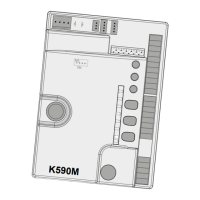
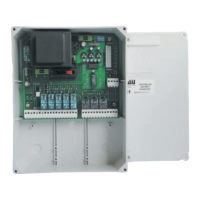
13
5-6 (Photocell TX) 24 Vdc output, for PHOTOCELL TX POWER SUPPLY (only those that perform
the Fototest function) max. nr. 1 photocell transmitter.
5= NEGATIVE, 6= POSITIVE
6-7 (Photocell RX) 24 Vdc output, max. 15 W, for POWER SUPPLY OF RX AND POSSIBLE OTHER TX
ELEMENTS OF PHOTOCELLS, EXTERNAL RECEIVERS etc; connect max. 3 pairs
of photocells. 6= POSITIVE, 7= NEGATIVE.
8-9 (Flashing light) 24 Vdc FLASHING LIGHT output (max. 15 W). The signal supplied is already
specially modulated for direct use. The ashing frequency doubles during the
closing phase. 8= POSITIVE, 9= NEGATIVE.
10-11 (Antenna) AERIAL input for built-in RX 433,92 MHz. 10= EARTH, 11= SIGNAL.
M4 quick connector for ENCODER and MOTOR connection. Brown = 5 Vdc (+5V),
green = ENCODER SIGNAL (ENC), White = 0 Vdc (GND), black = MOTOR NEGATIVE,
red = MOTOR POSITIVE.
17 - 18 24V – 1.2Ah BATTERY input.
5. Memorisation procedure
IMPORTANT: After powering up the control panel, wait for 2 seconds before starting the adjust-
ment procedures.
Once you have nished installing the automation system:
To program section doors use the ENTER button. To program up-and-over doors use the
O/C button.
1_ hold the ENTER (O/C) key on the board down for 3 sec. until the automation system will seek the
opened position stop at reduced speed and will then closes fully. This serves to allow the system to
acquire the travel parameters (length, closed and open position stops);
If the automation closes instead of opening, stop the run of the door (by cutting the
photocells or closing the STOP contact), invert the polarity of the motor and restart the
procedure from the beginning.
2_ the door then opens automatically and closes again fully at normal speed, slowing as it approaches
the travel limit stops/limit switches. During these two stages, the system acquires, point by point,
the force required to open and close the door;
3_ programming ends with the door in the closed position. To start regular operation, simply press the
O/C button on the board, or the key on the remote control (if programmed).
NOTE: if you want the control unit to perform a new parameter storing procedure, simply hold
down the ENTER (O/C) key for 3 seconds; the board will enter programming mode again and will
run a new adjustment cycle, which will be stored in the memory, replacing the previous one.
Note: by means of any adjustment device on the control panel (trimmers or dipswitches) per-
form a complete manoeuvre (opening and closing) of the automation to apply the new settings.
After a power outage, the opener will perform a full cycle (opening + closing) at a slow
speed to reset the ope-rating parameters to the values originally saved.
6. LOGIC SETTINGS
TRIMMER
T.C.A. Automatic closing time setting trimmer. From 0 to 120 sec.
Turn clockwise to increase the length of time the door stays open.
FR Trimmer for adjustment of force during the opening phase.
NOTE: you can turn the FR TRIMMER to further increase or decrease obstacle sensitivity.
ENGLISH


 To Next Page
 Loading...