24
4.2 Button functions
(QUICK) START Button to start a program
ENTER Button to conrm settings
STOP
Stops the treadmill. The selected prole will remain
for 5 minutes (pause function). If you press the button
for longer than 3 seconds, all values will be reset
(reset function).
Rundenanzeige
Progress display of a training distance of 0.4km (0.25
miles)
Program Proles Display of the selected training prole
Elevation Instant Keys 6 direct buttons for quick setting of the incline
Speed Instant Keys 6 direct buttons for quick setting of the speed
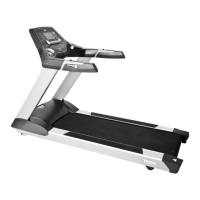
4.3 Turning on the equipment
After you have turned on the equipment with the ON/OFF switch on the motor cover,
the display will show a blinking heart symbol. In order to begin a predened training
program, select a corresponding training prole (WORKOUT PROGRAM). Press the
QUICK START button to immediately begin training without a training program.
4.4 Programs
You can select one of the following program categories with the ARROW BUTTONS:
• Manual program: 1
• Dierent proles for default pre-set training programs: 31
P1: Heart rate controlled programs 1
P2: 9 hole (9-hole golf course): 10
P3: 5 km run: 10
P4: Calories Goal: 10
• User-dened training program: 1
• Preset, user-dened training programs: 4


 To Next Page