6-476-47TX / TXH / TXB 180S - 400L (Rev. 4/23/07)TX / TXH / TXB 180S - 400L (Rev. 4/23/07)
Measure / AdjustMeasure / Adjust
Groups ButtonGroups Button
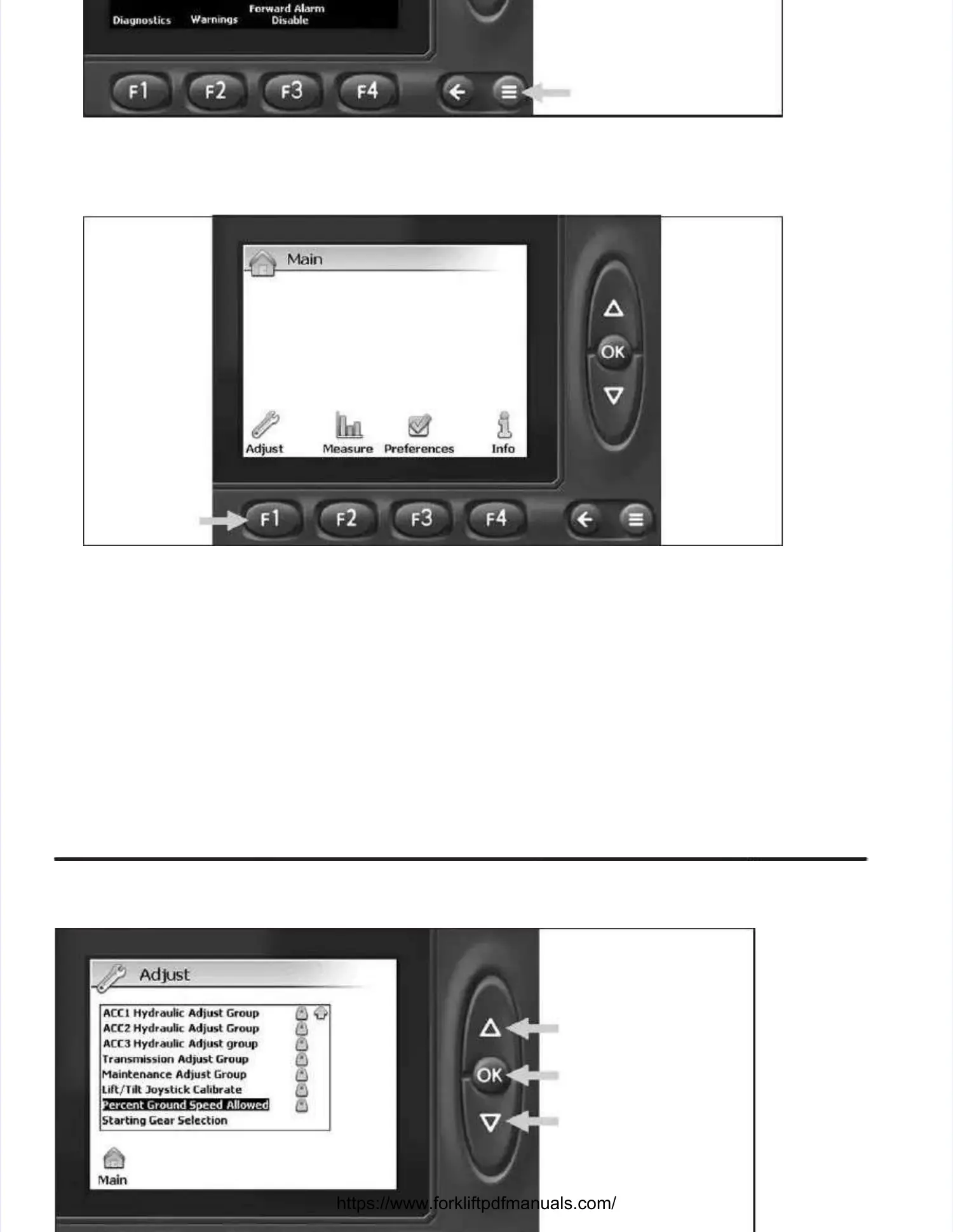
1.1. At the Main scAt the Main screen of the TIreen of the TICS displaCS display module, dey module, depress thpress the the Measue the Measure / Adjust Grore / Adjust Groups buttups button (on (≡≡))
as indicated by arrow above to access the Main Measure / Adjust screen.as indicated by arrow above to access the Main Measure / Adjust screen.
Adjust Adjust ButtonButton
22.. AAt t tthhee Main Measure / Adjust screenMain Measure / Adjust screen, depress the F1 button (as indicated by the arrow above) to access, depress the F1 button (as indicated by the arrow above) to access
the Adjust screen.the Adjust screen.



 To Next Page