9C-19C-1TX / TXH / TXB 180S - 400L (Rev. 4/23/07)TX / TXH / TXB 180S - 400L (Rev. 4/23/07)
Illustration Illustration 9C-1. 9C-1. Electric Electric ShifterShifter
Introduction.Introduction. This truck This truck is equipped with is equipped with a threea three
speed transmission that is controlled by an electricspeed transmission that is controlled by an electric
nated by nated by the purchaser the purchaser of the of the vehicle. vehicle. The pinThe pin
code can be changed by authorized personnel.code can be changed by authorized personnel.
TrTransmission Shift Mode ansmission Shift Mode SelectionSelection(Illustrations(Illustrations
9C-2 through 9C-6)9C-2 through 9C-6).. Refer Refer to to thethe TransmissionTransmission
Operating InstructionsOperating Instructionsin the Operator’s Guidein the Operator’s Guide
(OG160) for information on selecting the transmis-(OG160) for information on selecting the transmis-
sion shift mode. sion shift mode. TTo select the mode of o select the mode of transmis-transmis-
sion shifting from within the TICS display module,sion shifting from within the TICS display module,
perform the following steps:perform the following steps:
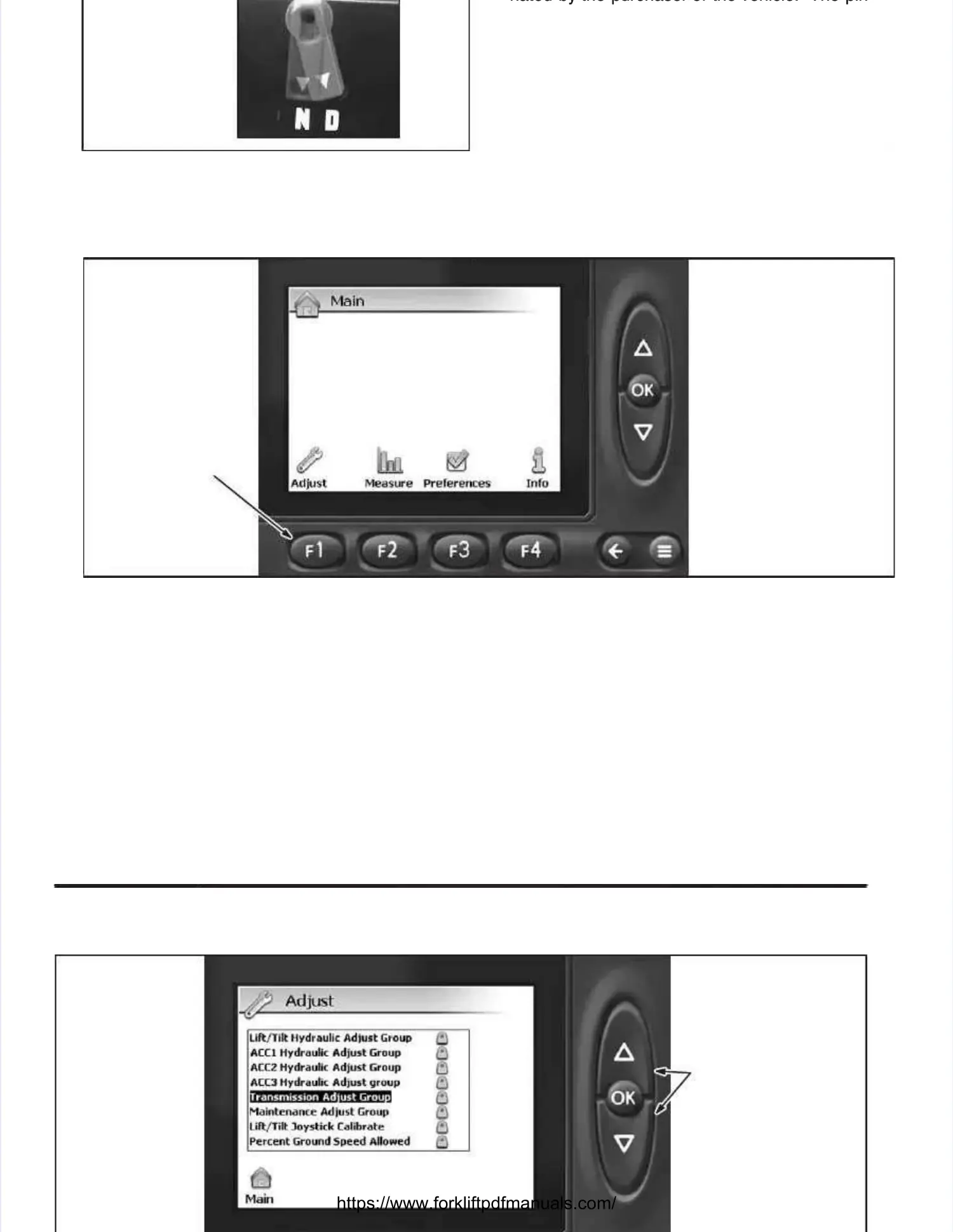
1.1. At tAt the Mhe Main ain DisplaDisplay sy screen creen (Illu(Illustratstration ion 9C-2),9C-2),
depress the Measure / Adjust Groups buttondepress the Measure / Adjust Groups button
((
≡≡
) to access the Main Measure / Adjust) to access the Main Measure / Adjust
screen.screen.
ADJUSTADJUST
Illustration 9C-2. Illustration 9C-2. Main Measure Main Measure / Adjust / Adjust ScreenScreen
2.2. DepresDepress the Fs the F1 butt1 button (Adjon (Adjust) tust) to acco access thess the Adjuse Adjust scret screen.en.
DEPRESS UP ORDEPRESS UP OR
DOWN BUTTON TODOWN BUTTON TO
SELECT GROUP;SELECT GROUP;
DEPRESS OK BUT-DEPRESS OK BUT-
TON TO ENTERTON TO ENTER
INTO DESIREDINTO DESIRED
GROUP.GROUP.


 To Next Page
 Loading...