.
.
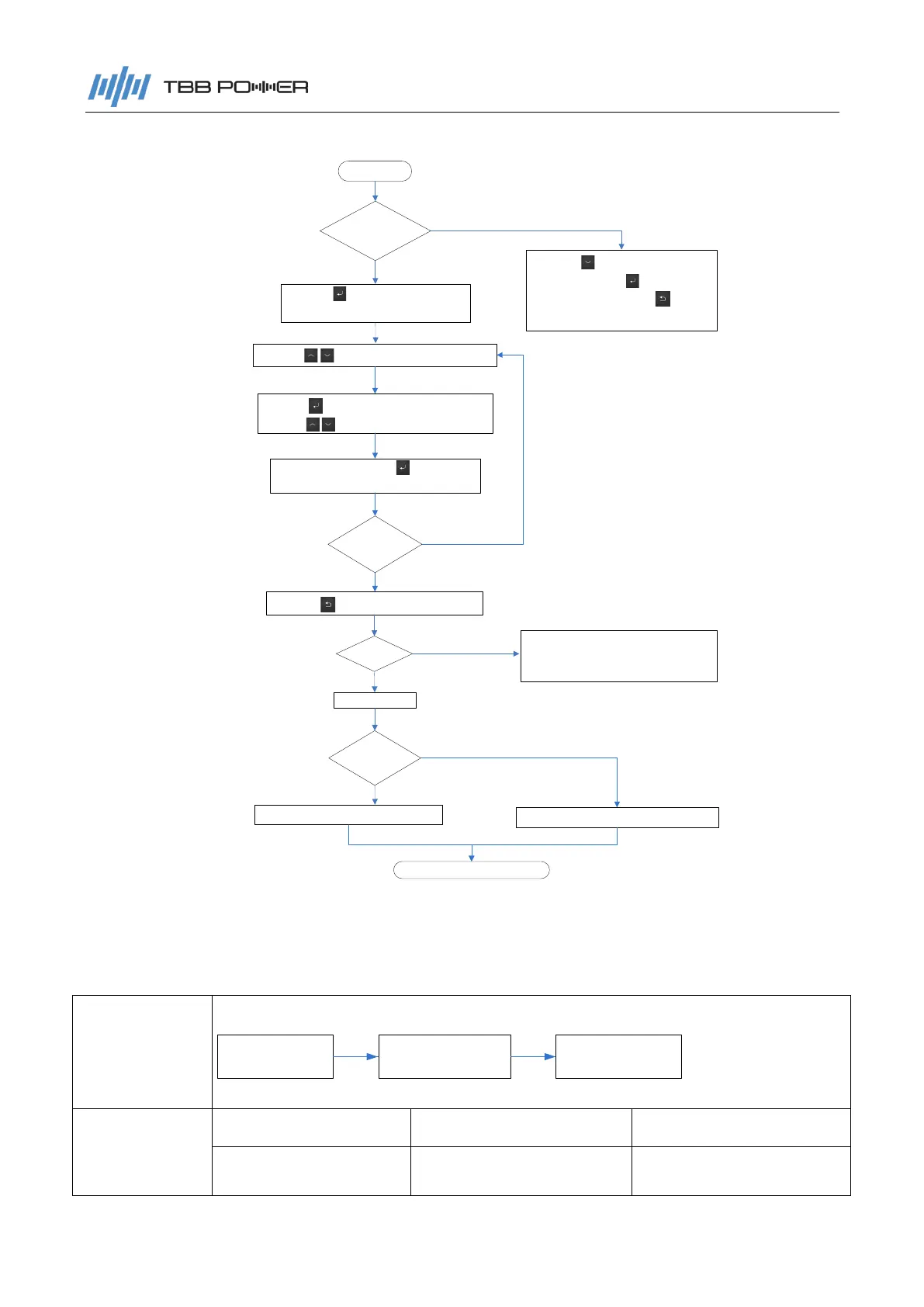
Begin
Press the , the cursor appears on
the right side bit of the parameter.
Press the to Change the bit of parameter
Press the , the corresponding bit flashes,
press the to change the value
Adjust the bit, press the , then adjust
the other numbers
Press the and a save prompt appears.
Setting
completed?
Save?
Save
Successful
setting?
Successful setting prompt appears.
The parameter does not change,
returns to the original display, and
return to the begin and set again.
A failure Setting prompt appears.
Go to the next setting item
Yes
No
Change the
parameters?
Yes
No
Press the , a confirmation prompt
appears, press the to set the
default parameter, press to the
begin and set again.
Yes
No
No
Yes
system.


 To Next Page