EFFECTS SETUP Effects
25
Exercise 9:
Moving an existing block
This exercise shows you how to move an existing block to a
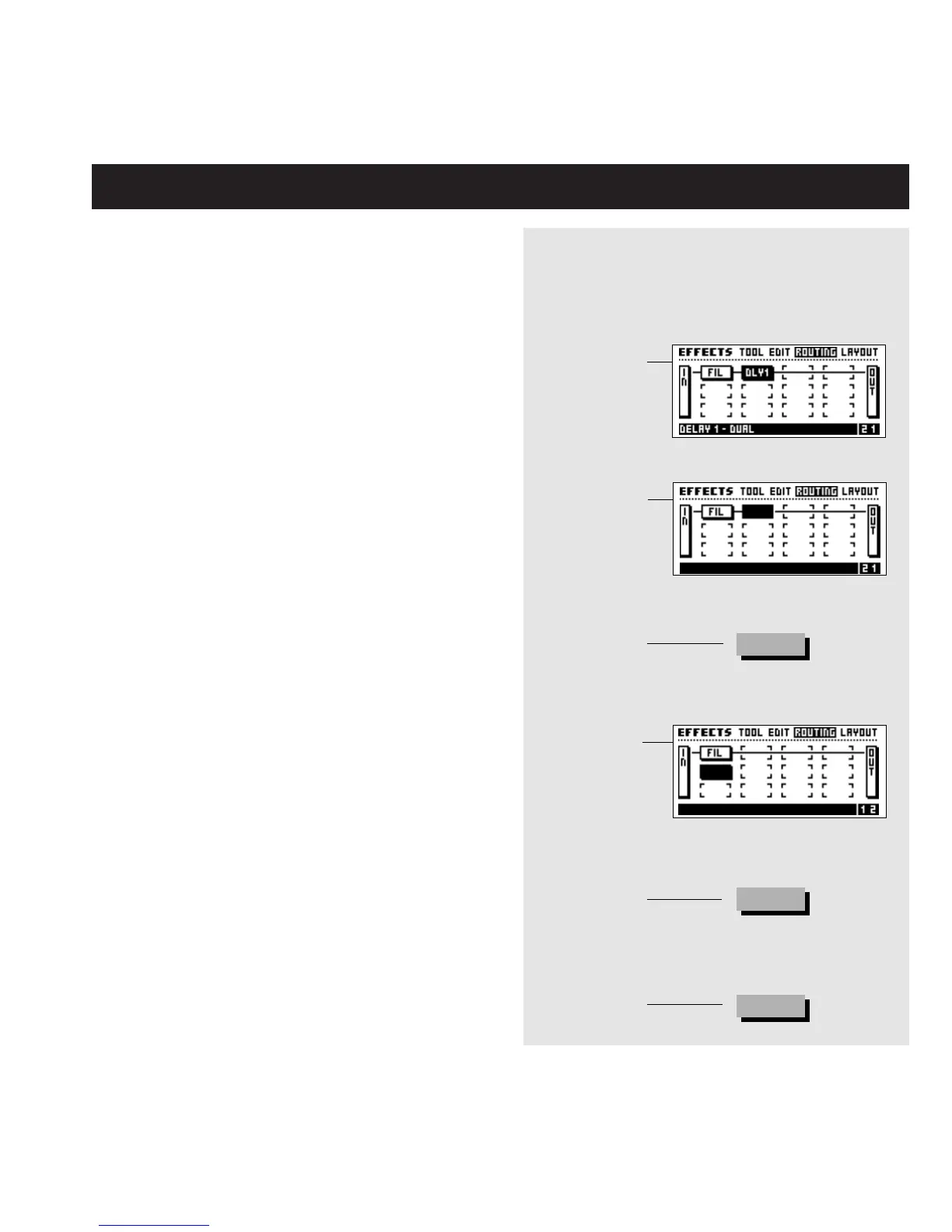
different position in the Routing. Let’s move the Delay block that
we set up in Exercise 7&8 from position 2 1 to position 1 2.
- Enter the Routing page.
- Move the cursor to the Delay block in position 1 2
using the Parameter wheel.
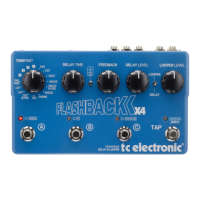
- Dial the Value wheel counter clockwise until you see a
black square.
- Press Enter to remove the Delay block, don’t worry the
settings of the block are still being remembered.
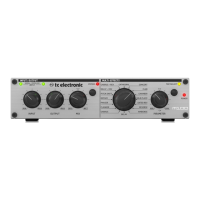
- Move the cursor to position 1 2 using the Value wheel.
- Double click the Delay Mute key on the front panel.
- Dial the Value wheel until you see “Delay 1 - Dual” in
the lower text line.
- Press Enter to confirm.
Now the Delay block is in a parallel position as opposed to the
Phaser from exercise 7&8.
Exercise 9:
Moving an existing block
Select the Routing page
Place the
cursor on the
block you want
to move
Place the
cursor in the
new position
Dial Value
wheel counter -
clockwise until
you see no
effect
Press Enter to
confirm
Double click
the Mute key
of the block
you want to
re- insert
Press Enter to
confirm
ENTER
DELAY
ENTER







 To Next Page