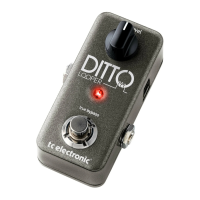
(EN) Controls
(1) Tightness - Adjusts the amount of
variation in time, pick attack, and
pitch in the simulated guitar layer.
(2) Effect - Adjusts the level of the
simulated guitar layer.
(3) Output
(4) Footswitch - Turns the effect on
and off.
(5) USB - Connect to your computer for
firmware updates.
(6) Power - Connect a 9V / >100 mA
power supply.
(7) Dry - Adjusts the level of the
dry signal.
(8) Input
(ES) Controles
(1) Tightness - Ajusta la cantidad de
variación en el tiempo, el ataque
de púa y el tono en la capa de
guitarra simulada.
(2) Effect - Ajusta el nivel de la capa de
guitarra simulada.
(3) Output
(4) Footswitch - Activa y desactiva
el efecto.
(5) USB - Conéctese a su computadora
para obtener actualizaciones
de firmware.
(6) Power - Conecte una fuente de
alimentación de 9V /> 100 mA.
(7) Dry - Ajusta el nivel de la señal seca.
(8) Input
(FR) Réglages
(1) Tightness - Règle la quantité de
variation dans le temps, l’attaque du
pick et la hauteur dans la couche de
guitare simulée.
(2) Effect - Règle le niveau de la couche
de guitare simulée.
(3) Output
(4) Footswitch - Active et désactive l’effet.
(5) USB - Connectez-vous à votre
ordinateur pour les mises à jour
du micrologiciel.
(6) Power - Branchez une alimentation
9V /> 100 mA.
(7) Dry - Règle le niveau du signal sec.
(8) Input
(DE) Bedienelemente
(1) Tightness - Passt die zeitliche
Variation, den Pick-Attack und
die Tonhöhe in der simulierten
Gitarrenebene an.
(2) Effect - Passt den Pegel der
simulierten Gitarrenebene an.
(3) Output
(4) Footswitch- Schaltet den Effekt ein
und aus.
(5) USB - Stellen Sie eine Verbindung zu
Ihrem Computer her, um Firmware-
Updates zu erhalten.
(6) Power - Schließen Sie ein 9V /> 100
mA Netzteil an.
(7) Dry - Stellt den Pegel des
Trockensignals ein.
(8) Input
(PT) Controles
(1) Tightness - Ajusta a quantidade
de variação no tempo, ataque de
palheta e afinação na camada de
guitarra simulada.
(2) Effect - Ajusta o nível da camada de
guitarra simulada.
(3) Output
(4) Footswitch - Liga e desliga o efeito.
(5) USB - Conecte-se ao seu computador
para atualizações de firmware.
(6) Power - Conecte uma fonte de
alimentação de 9 V /> 100 mA.
(7) Dry - Ajusta o nível do sinal seco.
(8) Input
(IT) Controlli
(1) Tightness - Regola la quantità di
variazione di tempo, attacco del
plettro e intonazione nel livello di
chitarra simulato.
(2) Effect - Regola il livello del livello di
chitarra simulato.
(3) Output
(4) Footswitch- Attiva e disattiva
l’effetto.
(5) USB - Collegati al tuo computer per
gli aggiornamenti del firmware.
(6) Power - Collegare un alimentatore da
9 V /> 100 mA.
(7) Dry - Regola il livello del segnale dry.
(8) Input



 To Next Page
 Loading...