EasyManua.ls Logo

TC Electronic THRUST BQ250 - User Manual

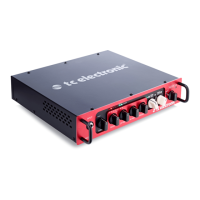
TC Electronic THRUST BQ250
12 pages
Go to English
Print Icon
To Next Page IconTo Next Page
Loading...
Quick Start Guide
THRUST BQ250/BQ500
250 / 500 Watt Portable Bass Head with
Mosfet Preamp and Thrust Compressor
Question and Answer IconNeed help?

Do you have a question about the TC Electronic THRUST BQ250 and is the answer not in the manual?

Summary

Important Safety Instructions

General Safety Precautions

Covers electrical safety, installation, operation, and environmental precautions for the amplifier.

Legal Disclaimer

Music Group accepts no liability for reliance on descriptions; technical specs are subject to change.

Limited Warranty Information

Details on applicable warranty terms and conditions can be found online at music-group.com/warranty.

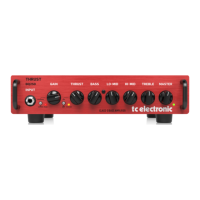
THRUST BQ250;BQ500 Controls Overview

Input and Gain Controls

Covers the input jack, GAIN switch, GAIN knob, and PEAK LED for setting input levels.

Compression and Tone Shaping

Explains the THRUST switch, THRESH LED, THRUST knob for compression, and the four TONE controls.

Master Volume and Speaker Output

Details the MASTER level knob and the SPEAKER OUT connector for connecting cabinets.

Auxiliary, Headphone, and Balanced Outputs

Describes AUX IN, PHONES jack, BALANCED OUTPUT, and PRE/POST EQ button for signal routing.

Protection Mode Operation

Understanding Protection Mode Triggers

Details conditions that trigger protection mode, such as short circuits or overheating, muting speaker output.

Troubleshooting Protection Mode Issues

Provides steps to resolve protection mode issues, including cooling the amp and checking speaker cables.

Other Important Information

Product Registration and Warranty

Register your new equipment online for faster repairs and read warranty terms and conditions.

Malfunction and Support Procedures

Guidance on contacting support for malfunctions and finding online support resources.

Power Connections and Fuse Replacement

Ensure correct mains voltage and replace fuses only with identical types and ratings.

Federal Communications Commission Compliance

Summary

Important Safety Instructions

General Safety Precautions

Covers electrical safety, installation, operation, and environmental precautions for the amplifier.

Legal Disclaimer

Music Group accepts no liability for reliance on descriptions; technical specs are subject to change.

Limited Warranty Information

Details on applicable warranty terms and conditions can be found online at music-group.com/warranty.

THRUST BQ250;BQ500 Controls Overview

Input and Gain Controls

Covers the input jack, GAIN switch, GAIN knob, and PEAK LED for setting input levels.

Compression and Tone Shaping

Explains the THRUST switch, THRESH LED, THRUST knob for compression, and the four TONE controls.

Master Volume and Speaker Output

Details the MASTER level knob and the SPEAKER OUT connector for connecting cabinets.

Auxiliary, Headphone, and Balanced Outputs

Describes AUX IN, PHONES jack, BALANCED OUTPUT, and PRE/POST EQ button for signal routing.

Protection Mode Operation

Understanding Protection Mode Triggers

Details conditions that trigger protection mode, such as short circuits or overheating, muting speaker output.

Troubleshooting Protection Mode Issues

Provides steps to resolve protection mode issues, including cooling the amp and checking speaker cables.

Other Important Information

Product Registration and Warranty

Register your new equipment online for faster repairs and read warranty terms and conditions.

Malfunction and Support Procedures

Guidance on contacting support for malfunctions and finding online support resources.

Power Connections and Fuse Replacement

Ensure correct mains voltage and replace fuses only with identical types and ratings.

Federal Communications Commission Compliance

TC Electronic THRUST BQ250 Specifications

General IconGeneral
Power Output250W
TypeBass Amplifier Head
Power Supply100-240 V, 50/60 Hz
Inputs1 x 1/4"
Outputs1 x XLR
TechnologyClass D
ControlsGain, Bass, Mid, Treble
Speaker ConfigurationNot applicable (bass amplifier head)

Related product manuals