UNIT•Y cards without I/O extension
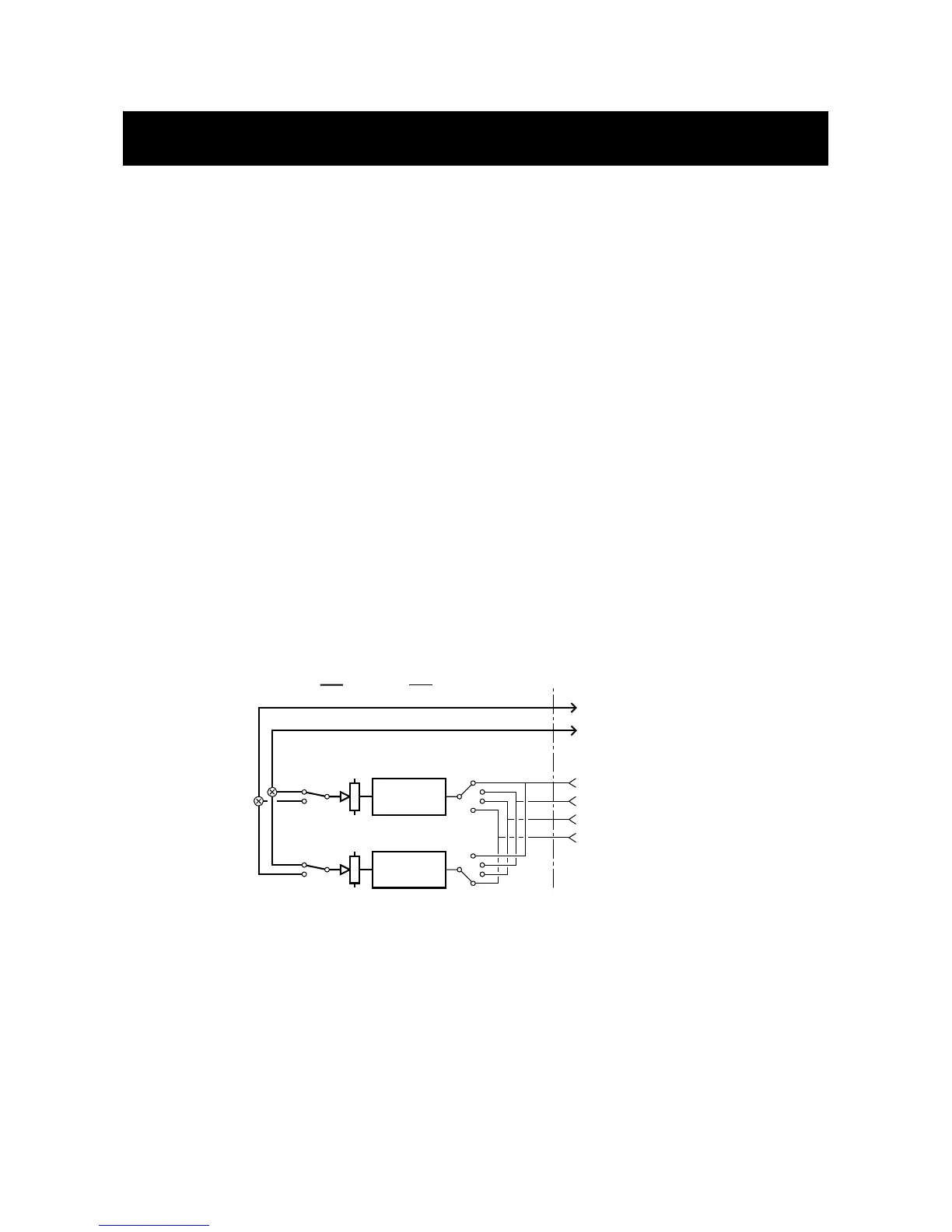
For a card positioned in slot 1, the two UNIT•Y stereo engines will return on Tape inputs 5-
8. The returns may be mixed to one stereo pair by using the Engine Output Select, thereby
having a stereo composite signal returned on Tape input 5/6 or 7/8.
For a card positioned in slot 2, the two UNIT•Y stereo engines will return on Tape inputs
13-16. The returns may be mixed to one stereo pair by using the Engine Output Select,
thereby having a stereo composite signal returned on Tape input 13/14 or 15/16.
To adjust or mix the Engine return levels, use the Engine 1 and Engine 2 output fader
controlled from the first two 02R stereo faders when you are on the UNIT•Y screens.
For a card positioned in slot 3, the UNIT•Y engines will return on Mic inputs 5-8.
For a card positioned in slot 4, the UNIT•Y engines will return on Mic inputs 13-16.
Note: A card without I/O is only suited for operation in slot 3 or 4 if Extended Routing is
used unless you don’t mind giving up 8 analog inputs.
If you use the Stereo Bus Insert Return, the return signals will also be available on channel
5/6. Be sure to turn them down to avoid phase cancellation or loops.
UNIT•Y
card
without
I/O
extension
Example 1, Stereo production using UNIT•Y card without I/O extension
To return both engines as one stereo return with a UNIT•Y card in slot 2, select the same
destination with the Output Selectors on the UNIT•Y Main screen, eg. “15.16”.
Turn up both Engine faders (Stereo fader 17/18 and 19/20) to 0dB.
Go to the normal 02R fader mode and turn up Tape input faders 15 and 16. Typically you
would make them into a stereo pair.



 To Next Page