AC IN
21
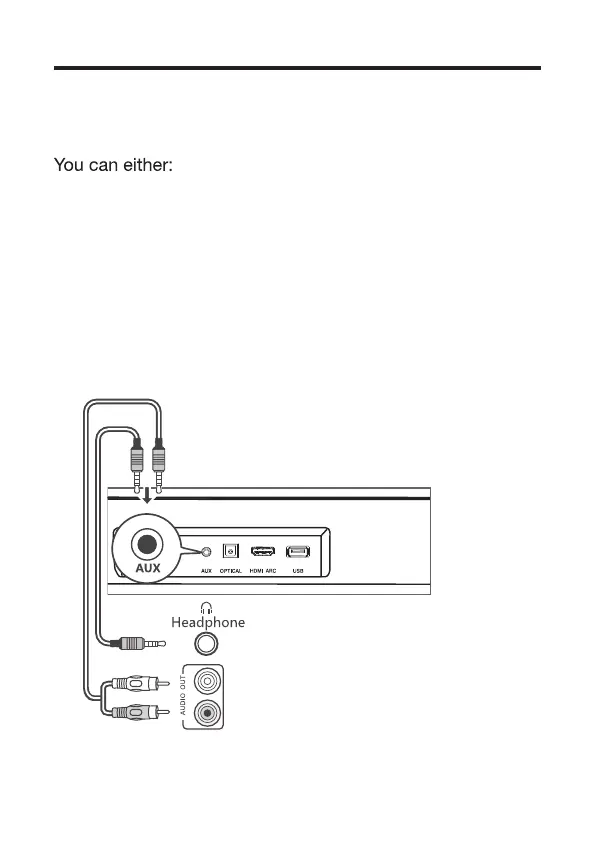
Connect with the 3.5mm-to-3.5mm
audio cable
• connect one end of th 3.5mm-to-3.5mm audio cable
(sold separately) to the AUX input connector on your
Sound Bar main unit and another end to the headphone
or audio output connector on your TV or device. This
will disable the sound of your TV built-in speakers; or
• connect one end of an RCA-to-3.5mm audio cable (sold
separately) to the AUX input connector on your Sound
Bar main unit and other ends to the TV’s audio output
connectors.


 To Next Page
 Loading...