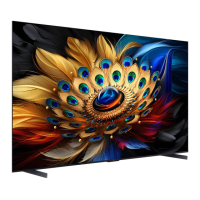
Need help?
Do you have a question about the TCL C635 Series and is the answer not in the manual?
Covers essential safety precautions, product usage, power, environment, and cleaning procedures.
Explains TV physical buttons, multi-function controls, and guides the initial setup process.
Details the various input/output sockets on the TV and their connection purposes.
Explains remote control button functions, navigation, and specific usage tips, including Google Assistant.
Step-by-step guide on how to properly install batteries into the remote control.
Instructions for connecting the TV to a wired or wireless home network for internet access.
Guides users on powering on the TV, remote control, and switching the TV to standby mode.
Methods for changing channels and controlling volume, including mute functionality.
How to select and watch content from external devices connected to the TV's input sources.
Guide to accessing the Google TV homepage and TCL Channel for entertainment and featured applications.
Steps to access and navigate the TV's settings menu for configuration and preferences.
Enables faster TV startup from standby, impacting standby power consumption.
Describes how to search for, store, and organize TV channels automatically.
Enables users to manage subtitle display, language, and type for TV channels.
Instructions for accessing and displaying Teletext information, including language selection.
Allows the TV to be turned on remotely via a network connection.
Manages CEC devices connected via HDMI for auto power on/standby synchronization.
Enables or disables the 120Hz DLG feature for enhanced motion clarity in pictures.
Guide to using the EPG for viewing scheduled digital TV programs and channel information.
Information on connecting Bluetooth audio devices, mice, or keyboards to the TV.
Features for recording TV programs and pausing live broadcasts using USB storage.
Information on MagiConnect, Freeview, Netflix, and using hands-free TV voice control.
Procedures for resetting the TV to factory defaults and managing parental control settings.
Addresses problems with network connectivity, video playback, and external device recognition.
Provides guidance for issues encountered during software updates, including power interruptions.
Steps to resolve issues when the voice search function is not working.
Lists common TV problems and solutions for picture, sound, remote control, and signal interference.
Resolves issues related to no picture, no sound, color problems, and audio output.
Addresses picture problems like snowy dots, ripples, and ghosting caused by signal weakness or interference.
Provides legal information regarding TCL products, services, content, and third-party terms.
This document is an operation manual for a TCL Google TV, specifically the C635 Series. It provides comprehensive instructions for setting up, operating, and maintaining the television, along with troubleshooting tips and legal statements.
The TCL Google TV is a smart television designed to offer a wide range of entertainment and smart features. It integrates with Google TV, requiring a free Google account, a free TCL account, and a reliable broadband internet connection to access all smart functionalities. The TV allows users to watch traditional broadcast channels, connect to various external devices, and access a vast array of online content and applications. Key features include hands-free voice control, a personalized Google TV homepage, and access to the TCL Channel for additional video-on-demand content. The TV also supports advanced display technologies like 120Hz DLG (Dynamic Low Latency Gaming) for smoother motion in compatible content and offers Bluetooth connectivity for audio devices, mice, and keyboards. For recording and time-shifting live television, the TV includes PVR (Personal Video Recorder) and Live TV Pause functionalities, which require a connected USB drive.
The TV can be controlled using either the supplied remote control or the physical buttons on the TV set. The remote control features a circular D-Pad for navigation, dedicated buttons for common functions like volume, channel change, input source selection, and quick access to popular streaming services such as Netflix, Stan, Prime Video, Disney+, and YouTube. A Google Assistant button on the remote enables voice commands for content search and control, provided the remote is paired with the TV and the network connection is active. The TV also supports hands-free voice control via a built-in MIC switch, allowing users to activate Google Assistant by saying "Hey Google."
Initial setup is guided by a "Welcome wizard" that walks users through language selection, remote pairing, and network connection. Users can choose to set up Google TV immediately to unlock all smart features or complete a basic TV setup and access Google TV later. The TV supports both wired (Ethernet) and wireless (Wi-Fi) network connections.
Channel access is flexible, allowing users to scroll through channels using Up/Down buttons, access a freeview bar, or use a virtual remote control keyboard for numeric input. The TV also supports subtitles for each channel, with options to enable/disable them and select preferred languages for digital TV broadcasts. Teletext functionality is available, allowing users to select decoding page languages and digital teletext languages.
For connected devices, the TV features multiple HDMI ports (including HDMI(eARC/ARC) for enhanced audio return), an AV IN adapter socket for older equipment, a LAN port for wired internet, a DIGITAL AUDIO OUT (OPTICAL) for external audio receivers, and USB 2.0/3.0 sockets for connecting storage devices. The Consumer Electronic Control (CEC) feature allows for integrated control of CEC-compatible devices connected via HDMI, enabling functions like auto power on and auto standby.
The "Quick Start" function allows the TV to turn on faster from standby, though this increases standby power consumption. The "MagiConnect" feature (formerly T-Cast) allows users to control the TV from a smart device and share content.
The manual emphasizes several maintenance and safety aspects. For cleaning, it recommends using a soft, clean cloth and a special liquid cleaner for the screen and cabinet, warning against excessive force or using water/chemical cleaners that could damage the screen surface. It advises against blocking ventilation openings, pushing objects into cabinet slots, or attempting to open the cabinet for self-service.
Regarding power and plug, users are instructed to unplug the TV if it won't be used for a long time, if the power cord is damaged, or if the set has been dropped or damaged. The manual also provides precautions for battery usage in the remote control, including using specified battery types, ensuring correct polarity, not mixing new and used batteries, and proper disposal.
Troubleshooting tips are provided for common issues such as network connection failures, video playback problems (including sound issues and unsupported formats), external device recognition issues, and voice search malfunctions. It also addresses display problems like no picture, no color, unorderly ripples, snowy dots, and radio frequency interference. For software updates, it advises against power cuts or remote control operations during the process and suggests restarting the TV if an update is interrupted.
The manual also includes a legal statement from TCL, clarifying that features, applications, and services may vary by device and territory, may require additional peripherals or membership fees, and are subject to change without prior notice. It states that content and services are provided by third parties and are protected by intellectual property laws, intended for personal noncommercial use. TCL disclaims warranties regarding the device and content, emphasizing that use is at the user's sole risk.
 General
| Display Technology | QLED |
|---|---|
| Resolution | 4K UHD (3840 x 2160) |
| Operating System | Google TV |
| Refresh Rate | 60Hz |
| HDMI Ports | 3 |
| USB Ports | 2 |
| Voice Assistant | Google Assistant |
| Processor | Quad-core |
| ALLM | Yes |
| VRR | No |
| RAM | 2GB |
| Storage | 16GB |
| HDR | Dolby Vision, HDR10 |
| Audio | Dolby Atmos |
| Bluetooth | Bluetooth 5.0 |
| Wi-Fi | Yes (802.11ac) |
| Screen Size | 55", 65", 75" |
| Smart Features | Chromecast built-in, Google Play Store |

 To Next Page