EasyManua.ls Logo

TCL C825 Series - User Manual

TCL C825 Series
19 pages
Print Icon
To Next Page IconTo Next Page
Loading...
C825 SERIES
Question and Answer IconNeed help?

Do you have a question about the TCL C825 Series and is the answer not in the manual?

Summary

Safety Information

Precautions

General safety warnings and precautions for operating the TV set.

Warning

Warnings about potential injury or death from TV falling and climbing.

Product Safety

Precautions related to the TV product itself, like ventilation and internal parts.

Power and Plug Safety

Safety instructions regarding power connection and plug usage.

Power Cord and Signal Cable Safety

Safety advice for power and signal cables to prevent damage or hazards.

Use Environment Guidelines

Guidelines for safe operating environment, temperature, and humidity.

Cleaning Instructions

Instructions for safely cleaning the TV screen and cabinet.

Connections and Setup

TV Buttons Overview

Details on using the TV's physical buttons and their functions.

Initial Setup Process

Steps for the initial setup process upon first turning on the TV.

TV Sockets Explained

Explanation of the various input/output sockets on the TV.

Remote Control Functions

Overview of the remote control's buttons and their functions.

Installing Remote Batteries

Step-by-step guide for installing batteries in the remote control.

Network Connection Guide

Instructions for connecting the TV to a wired or wireless network.

Switching the TV On

Detailed steps to power on the TV and remote control.

Switching the TV Off

Instructions for putting the TV into standby or fully switching it off.

Basic TV Operations

Accessing TV Channels

Methods for finding and selecting TV channels.

Watching Connected Devices

How to view content from external devices connected to the TV.

Adjusting Volume

Steps to control the TV's audio volume and mute function.

Accessing Smart TV Homepage

Guide to navigating and using the Smart TV interface.

Accessing Google Play Store

How to access and use the Google Play Store for apps.

Accessing TCL Channel

Guide to accessing the TCL Channel for apps and content.

Advanced System Settings

Accessing detailed system settings for configuration.

Using Quick Start Function

How to use the Quick Start feature for faster TV startup.

Using TV Settings Menu

Navigating the TV settings for picture, sound, and other adjustments.

Using More of Your TV

Installing TV Channels

Process for searching and storing TV channels automatically.

Using TV Subtitles

How to enable and select subtitle options for TV channels.

Digital TV Subtitle Languages

Selecting preferred subtitle languages for digital broadcasts.

Digital TV Subtitle Types

Choosing specific subtitle types, like for hearing impaired.

Using Teletext

Instructions for accessing and using the Teletext service.

Teletext Decoding Language

Setting the preferred language for Teletext display.

Digital Teletext Language Selection

Choosing primary language for multi-language Teletext pages.

Network Wake Up Feature

Enabling the TV to be turned on remotely via the network.

CEC Device Control

Managing CEC devices for automatic power on/standby functions.

CEC Enable;Disable

Steps to activate or deactivate the CEC control feature.

Auto Power On Feature

Setting the TV to automatically power on with CEC devices.

Auto Standby Feature

Configuring CEC devices to enter standby when the TV turns off.

Variable Refresh Rate (VRR)

Explanation and usage of Variable Refresh Rate for gaming.

MagiConnect (T-Cast) Feature

Using MagiConnect for smart device control and content sharing.

Electronic Program Guide (EPG)

Navigating the Electronic Program Guide for TV schedules.

Bluetooth Functionality

Connecting Bluetooth devices like audio, mouse, or keyboard.

Live TV Pause Feature

Functionality to pause, fast forward, and rewind live TV.

Personal Video Recorder (PVR)

Recording TV programs using a connected USB drive.

Freeview Plus Service

Using the Freeview Plus service for EPG and catch-up TV.

HbbTV Explained

Understanding Hybrid Broadcast Broadband TV services.

HbbTV Access Guide

Steps to access and use HbbTV interactive features.

HbbTV Deactivation

How to turn off the HbbTV function if needed.

Alexa Integration

Integrating the TV with Amazon Alexa for voice control.

Netflix Settings

Information and settings related to the Netflix app.

Factory Reset

Resetting the TV to its factory default settings.

Parental Control Password

Managing parental control passwords and settings.

Hands-free Voice Control

Activating and using the built-in voice control feature.

Multi-View Feature

Enabling and using the multi-view feature for simultaneous viewing.

Other Information

General Problems & Solutions

Common problems and their troubleshooting steps.

Network Link Failure

Troubleshooting steps for network connectivity issues.

Smooth Video Playback Issues

Solutions for issues with video playback smoothness.

Multiple USB Drive Recognition Issues

Addressing recognition issues with multiple USB drives.

USB Video No Sound Issue

Resolving issues with audio playback from USB drives.

Unsupported Video Playback

Troubleshooting unsupported video formats or playback failures.

Intermittent Video Playback

Solutions for videos that stop playing unexpectedly.

Software Update Precautions

Important considerations during TV software updates.

Software Update Interruption Recovery

Recovering from interrupted software updates.

USB Device Not Detected in Media

Diagnosing why USB devices are not detected in Media mode.

External Device Recognition Failure

Troubleshooting recognition issues with external devices.

Voice Search Not Working

Steps to resolve voice search functionality problems.

Troubleshooting Common Issues

General list of common TV problems and their solutions.

No Picture, No Sound Troubleshooting

Troubleshooting steps for a TV with no picture or sound.

No Colour Troubleshooting

Solutions for issues related to picture color display.

Remote Control Malfunction

Troubleshooting steps for a non-functional remote control.

Picture Without Sound

Diagnosing and fixing issues with picture but no sound.

Sound Without Picture

Troubleshooting steps for normal picture but no audio.

Picture Ripples and Interference

Addressing visual disturbances like ripples caused by interference.

Snowy Dots and Signal Interference

Solutions for static, dots, and interference affecting picture quality.

Ignition Interference Issues

Troubleshooting specific picture anomalies like spots or drifts.

Ghosting Picture Effect

Identifying and resolving ghosting effects in the picture.

Radio Frequency Interference

Dealing with interference causing ripples or loss of contrast.

Legal Statement

Legal information and disclaimers from the manufacturer.

Overview

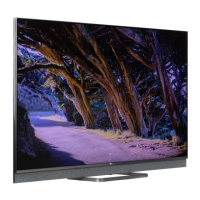
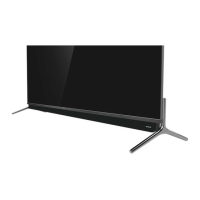
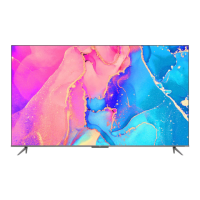
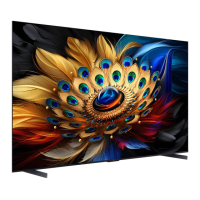
The TCL C825 Series Android TV is a sophisticated entertainment system designed to provide a comprehensive viewing experience, integrating various smart features, connectivity options, and user-friendly controls. It serves as a central hub for accessing broadcast television, streaming services, and connected devices, all managed through an intuitive interface.

Function Description

The primary function of the TCL C825 Series Android TV is to display high-quality video and audio content from a multitude of sources. It operates on the Android TV platform, granting access to a vast ecosystem of applications, games, and online services through Google Play. The TV supports both traditional broadcast channels (DTV and analogue) and internet-based streaming, offering a hybrid entertainment solution.

Key functionalities include:

  • Channel Access: Users can tune into digital and analogue TV channels using numeric buttons, channel up/down buttons, or by navigating through an on-screen channel list. The TV also supports automatic channel scanning and organization.
  • Smart TV Homepage: A central hub for accessing internet applications (Apps), specially adapted internet websites, and system settings. This allows users to explore a wide range of content beyond traditional broadcasting.
  • Google Play Integration: Provides access to Google Play Store, enabling the download and installation of movies, TV shows, books, magazines, apps, and games, expanding the entertainment possibilities.
  • Connected Device Management: The TV can display content from external devices connected via HDMI, AV IN, or USB. Users can easily switch between different input sources.
  • Volume Control: Standard volume adjustment and mute functions are available via the remote control and TV buttons.
  • Network Connectivity: Supports both wired (Ethernet) and wireless (Wi-Fi) connections to the home network, essential for accessing smart TV features and online content.
  • Power Management: Includes functions for switching the TV on/off, entering standby mode, and network wake-up, allowing remote activation via a smart device.
  • Consumer Electronic Control (CEC): Enables interoperability with other CEC-compatible devices connected via HDMI, allowing for synchronized power on/off and standby functions.
  • Variable Refresh Rate (VRR): A feature designed for smoother gaming by dynamically adjusting the screen's refresh rate to match the content's frame rate, reducing tearing and stuttering.
  • MagiConnect (T-Cast): Allows users to share content from smart devices to the TV and use their smart device as a sophisticated remote control.
  • Electronic Program Guide (EPG): Provides an on-screen guide for scheduled digital TV programs, enabling users to navigate, select, and view program information, set reminders, and schedule recordings.
  • Bluetooth Function: Supports connection to Bluetooth audio devices, mice, and keyboards, enhancing the user experience.
  • Live TV Pause: Allows users to pause, fast forward, and rewind live TV broadcasts when a USB drive is connected for recording.
  • PVR (Personal Video Recorder): Enables recording of favorite TV programs onto a connected USB drive.
  • Freeview Plus: An aggregated TV service offering a 7+ day EPG, access to Catch Up TV content, program search by genre, and reminders for live and Catch Up programs (available in Australia).
  • HbbTV (Hybrid broadcast broadband TV): Provides interactive television services over broadband Internet, including digital teletext, electronic program guides, games, and catch-up TV.
  • Works with Alexa: Integrates with Amazon Alexa devices, allowing voice control of the TV through an Alexa-enabled device.
  • Netflix Settings: Direct access to Netflix for on-demand movies and TV shows.
  • Reset Shop: A function to restore the TV to its factory default settings.
  • Parental Control: Allows setting a password to restrict access to certain content.
  • Hands-free TV Voice Control: Enables voice commands to control the TV without the remote, using a built-in microphone (on some models).
  • Multi Visual: A feature that allows viewing different programs simultaneously on one TV, often by casting from multiple smart devices.

Usage Features

The TCL C825 Series Android TV is designed for ease of use, offering multiple ways to interact with its features:

  • Remote Control: The primary interface for navigation, selection, and configuration. It includes numeric buttons, directional pads, dedicated buttons for smart TV functions (e.g., Netflix, Prime Video, Google Assistant), and menu access. The Google Assistant button enables voice commands after pairing the remote.
  • On-TV Buttons: A physical button on the TV set serves as a multi-function controller, allowing basic operations like power on/off and navigation through a multi-function menu if the remote is unavailable. A MIC switch is also present for hands-free voice control.
  • On-Screen Guides: The TV provides clear on-screen instructions and wizards, particularly during initial setup and for complex operations, making it accessible for new users.
  • Smart TV Interface: The Android TV homepage is organized to provide quick access to apps, inputs, and settings, with intuitive navigation using the remote's directional buttons.
  • Voice Control: The Google Assistant, accessible via the remote or hands-free (on some models), allows users to search for content, control TV functions, and interact with smart home devices using voice commands.
  • Customization: Users can adjust various settings, including picture, audio, system preferences, and network configurations, to tailor the viewing experience.
  • Quick Start Function: Enables faster TV startup from standby mode, though it may increase standby power consumption.
  • Subtitle Support: Provides options to turn subtitles on/off, select preferred subtitle languages, and choose subtitle types (e.g., Hearing Impaired) for digital TV channels.
  • Teletext: Supports teletext services, including selection of decoding page language and digital teletext language.
  • Multi-User Experience: Features like Multi Visual allow families to enjoy different content simultaneously, enhancing shared viewing experiences.

Maintenance Features

Maintaining the TCL C825 Series Android TV involves simple steps to ensure optimal performance and longevity:

  • Cleaning: The screen and cabinet should be dusted with a soft, clean cloth or special liquid cleaner. Avoid excessive force on the screen and refrain from using water or chemical cleaners that could damage the surface.
  • Battery Replacement: The remote control requires two AAA batteries. Users are advised to use the specified battery types, ensure correct polarity, and avoid mixing old and new batteries. Batteries should be removed if the remote is not used for extended periods.
  • Software Updates: The TV supports software updates, which can improve performance, add new functions, or enhance the user interface. Users are advised to ensure a stable power supply and avoid remote control operations during updates.
  • Troubleshooting Guide: The manual includes a comprehensive troubleshooting section to help users diagnose and resolve common issues such as no picture/sound, remote control malfunction, network connectivity problems, and video playback issues.
  • USB Device Management: When using USB drives for Live TV Pause or PVR, users are advised to back up data before connecting, use drives with sufficient free space and speed, and avoid disconnecting them during data transfer to prevent system damage or data loss.
  • Environmental Considerations: The TV should be placed in a well-ventilated area, away from damp, cold, or excessively hot environments, and direct sunlight. It should not be exposed to dripping or splashing liquids.
  • Antenna Adjustment: For broadcast TV issues like snowy dots or interference, adjusting the position and orientation of the antenna, checking connections, or fine-tuning channels can improve reception.
  • Factory Reset: The "Reset Shop" function allows users to restore the TV to its factory default settings, which can be useful for resolving persistent software issues or preparing the TV for resale.
  • Password Management: Users can change the parental control password, and a super password is provided as a fallback in case the custom password is forgotten.

TCL C825 Series Specifications

General IconGeneral
Display TypeQLED
Resolution4K UHD (3840 x 2160)
Operating SystemAndroid TV
Refresh Rate120 Hz
HDMI Ports4
Screen Size55", 65", 75"
ProcessorQuad-Core
RAM3 GB
Storage32 GB
USB Ports2
BluetoothYes
HDRDolby Vision, HDR10, HLG
AudioDolby Atmos
Voice AssistantsGoogle Assistant
Wi-FiWi-Fi 802.11 ac

Related product manuals