EasyManua.ls Logo

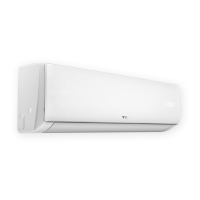
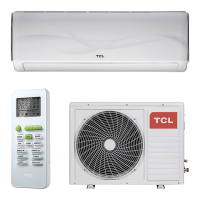
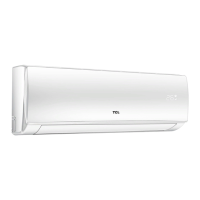
TCL iQool24 - User Manual

TCL iQool24
42 pages
Print Icon
To Next Page IconTo Next Page
Loading...
Smart WIFI Controlled Wall Mounted
Inverter Split Air Conditioner with Heat Pump
iQool9 9,000 BTU
iQool12 12,000 BTU
iQool18 18,000 BTU
iQool24 24,000 BTU
USER AND INSTALLATION MANUAL
Thank you for choosing a TCL Air Conditioner
Please read this user manual before using this innovative
Air Conditioner and keep it safe for future reference.

Table of Contents

Questions and Answers

  • J
    John DavisAug 7, 2025
    Why my TCL Air Conditioner does not operate?
    • S
      Samuel ButlerAug 7, 2025
      Your TCL Air Conditioner might not be operating due to several reasons. It could be due to a power failure, so check the power supply. Other potential causes include a damaged indoor/outdoor unit fan motor (inspect and replace if necessary), a faulty compressor thermomagnetic circuit breaker (test and replace if needed), faulty protective devices or fuses (check and replace any blown fuses), or loose connections (tighten them). It might also be due to self-protection in adverse conditions, in which case you should allow the appliance to reset itself. Ensure the voltage is within the correct range, deactivate the TIMER-ON function, or inspect and replace the electronic control board if damaged.
  • J
    Jill DavisAug 12, 2025
    What to do if my TCL iQool24 Air Conditioner doesn't respond to the remote?
    • R
      Robert MurphyAug 12, 2025
      If your TCL Air Conditioner isn't responding to the remote, try these steps: Move the remote control closer to the indoor unit. Replace the batteries in the remote control. Ensure there are no obstacles between the remote control and the signal receiver on the indoor unit.
  • A
    Amanda HallAug 17, 2025
    How to improve airflow in my TCL iQool24 Air Conditioner?
    • R
      richardsmithAug 17, 2025
      If you're experiencing insufficient airflow from your TCL Air Conditioner, whether it's hot or cold air, consider the following: First, adjust the temperature setting to an appropriate level. Check for and remove any blockages from the air inlet or outlet of the indoor or outdoor unit. Clean or replace the air filter if it's blocked. Increase the fan speed if it's set at minimum. Eliminate or reduce other heat sources in the room. Finally, recharge the refrigerant if it's low.
  • J
    johnsonsherryAug 21, 2025
    Why is my TCL iQool24 making a running water noise?
    • Q
      qpeckAug 22, 2025
      The noise of running water in your TCL Air Conditioner could be due to the backflow of liquid in the refrigerant circulation. Check refrigerant levels and system circulation.
  • M
    Megan MillerAug 27, 2025
    Why does my TCL iQool24 smell strange?
    • K
      Kaylee HoodAug 27, 2025
      A strange odor from your TCL Air Conditioner could be due to a dirty air filter. Clean or replace the air filter to resolve this issue.
  • H
    hessbrittanySep 1, 2025
    Why is the display off on my TCL Air Conditioner?
    • C
      Christian HendersonSep 1, 2025
      If the display on your TCL Air Conditioner is off, it could be due to an active LED function; try deactivating it. Alternatively, check the power supply, as a power failure could also cause this issue.

Summary

Safety Instructions

General Safety Precautions

Read all instructions carefully before operation and follow safety guidelines for installation and use.

Operation Modes

Cooling, Heat Pump, and Dehumidifying

Explanation of Cooling, Heat Pump, and Dehumidifying modes.

Remote Control Operation

Remote Control Basics

Covers remote range, signal confirmation, and basic on/off functionality.

Remote Control Button Functions

Detailed explanation of each button's function on the remote control.

Air Conditioner Functions

Wi-Fi Setup and App Download

Downloading the Smart Life App

Instructions and QR codes for downloading the TCL Smart Life app.

App Activation and Registration

Activating the App

Steps to activate the app using a QR code or activation code.

Wi-Fi Connection Methods

Connection Type Overview

Explanation of CF (Quick Connection) and AP (Access Point) modes.

CF Mode Connection Guide

AP Mode Connection Guide

Controlling the Air Conditioner via App

Using the Timer Function in App

Installation Guide Safety

Installer Qualifications and Safety

Requirements for qualified installers and general safety during installation.

Installation Spacing Diagram

Indoor Unit Mounting Procedure

Outdoor Unit Installation

Pipeline Connection and Air Purging

Air Purging with Vacuum Pump

Procedure for removing air and moisture from the refrigerant lines.

Refrigerant and Drainage Procedures

Adding Refrigerant

Guidelines for adding refrigerant based on pipe length, by qualified personnel.

Gas Leakage Inspection

Method for checking the system for refrigerant leaks after installation.

Electrical Wiring Diagrams

Troubleshooting and Self-Diagnosis

Appliance Malfunctions and Causes

Common issues with the appliance and their potential causes.

Critical Safety Shutdown Conditions

Situations requiring immediate shutdown and power disconnection.

Error Signals and Protection Codes

Indoor Unit Error Signals

Explanation of error codes displayed on the indoor unit.

Protection Display Codes

List of protection codes and failure types indicated by the unit.

Outdoor Unit Fault Codes

Wi-Fi Control Troubleshooting

Technical Specifications

TCL iQool24 Specifications

General IconGeneral
BrandTCL
ModeliQool24
CategoryAir Conditioner
LanguageEnglish

Related product manuals