EasyManua.ls Logo

TCL iQool-2MS9K9K - User Manual

TCL iQool-2MS9K9K
42 pages
Print Icon
To Next Page IconTo Next Page
Loading...
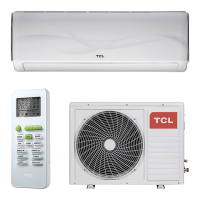
USER AND INSTALLATION MANUAL
WHITE
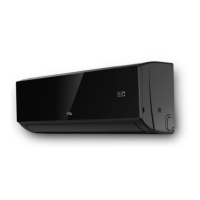
BLACK
iQool-2MS9K9K
iQool-2MS9K9KB
2 x 9,000 BTU Indoor
iQool-2MS12K12K
iQool-2MS12K12KB
2 x 12,000 BTU Indoor
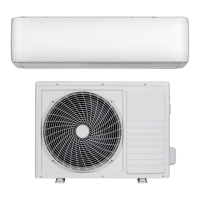
SMART WIFI CONTROLLED WALL MOUNTED INVERTER
MULTI SPLIT AIR CONDITIONER WITH HEAT PUMP
Thank you for choosing a TCL Air Conditioner
Please read this user manual before using this innovative
Air Conditioner and keep it safe for future reference.

Questions and Answers

  • E
    Emily AvilaAug 4, 2025
    Why my TCL Air Conditioner does not operate?
    • S
      Shannon GarciaAug 4, 2025
      If your TCL Air Conditioner isn't turning on, several factors could be at play. First, check for a power failure or loose connections and ensure the voltage supply is within the specified range. Also, confirm that the TIMER-ON function is deactivated if you don't need it. Other potential issues include a damaged indoor/outdoor unit fan motor (inspect and replace if necessary), a faulty compressor thermomagnetic circuit breaker (check and replace if faulty), or faulty protective devices or fuses (inspect and replace). In adverse conditions, the unit might be in self-protection mode, so ensure suitable operating conditions. Finally, a damaged electronic control board could also be the cause, so inspect and replace it if needed.
  • H
    hancockgregoryAug 8, 2025
    How to improve airflow in TCL iQool-2MS9K9K?
    • C
      Casey MaldonadoAug 9, 2025
      If your TCL Air Conditioner isn't providing enough airflow, whether hot or cold, several things could be wrong. Start by adjusting the temperature setting and increasing the fan speed. Make sure that neither the air inlet nor the outlet of the indoor or outdoor unit is blocked. Clean or replace the air filter if it's blocked. Also, consider whether there might be other heat sources in the room and remove them. Finally, check and refill the refrigerant if it's low.
  • S
    smithgregoryAug 14, 2025
    What to do if TCL Air Conditioner remote is not working?
    • P
      Paul RussellAug 14, 2025
      If your TCL Air Conditioner isn't responding to the remote, try these steps: move the remote control closer to the indoor unit. Replace the batteries in the remote control. Also, remove any obstacles between the remote control and the signal receiver on the indoor unit.
  • P
    Paul ReedAug 19, 2025
    How to fix strange odor from TCL iQool-2MS9K9K?
    • J
      Joseph MartinAug 19, 2025
      If your TCL Air Conditioner smells strange, the air filter may be dirty. Clean or replace the air filter to resolve this issue.
  • N
    Nancy EsparzaAug 25, 2025
    Why is the display off on my TCL iQool-2MS9K9K Air Conditioner?
    • K
      Kayla WatersAug 25, 2025
      If the display on your TCL Air Conditioner is off, it could be due to an active LED function; try deactivating it. Also, check the power supply as there may be a power failure.
  • D
    david66Aug 28, 2025
    What causes running water noise in TCL Air Conditioner?
    • L
      Lawrence ScottAug 29, 2025
      If you hear the noise of running water in your TCL Air Conditioner, check the refrigerant circulation as it may be due to back flow of liquid in the refrigerant circulation.

Summary

Safety and Operational Guidance

General Safety Precautions

Essential safety guidelines for operating and handling the appliance.

Energy Saving and Protection Tips

Tips for efficient operation and protecting the unit from damage.

How Split Air Conditioners Work

Explanation of the unit's operational principles for different modes.

Important Operating Information

Details on heating, auto restart, thermostat range, and capacity factors.

Operation and Control Methods

Unit Components Overview

Identification of parts for both the indoor and outdoor air conditioning units.

Remote Control Operation and Functions

Using the remote control buttons, modes, and special functions.

Display Panel and Remote Setup

Understanding display icons and setting up the remote control.

Air Conditioner Functions

Selecting modes (Cool, Heat, Fan, Auto) and setting timers for operation.

Special Modes and Features

Explanation of advanced modes like Sleep, Turbo, Eco, iFeel, Health.

WIFI Control and App Integration

App Download and Initial Setup

Guidance on acquiring the app and preparing for Wi-Fi setup.

App Activation and User Registration

Steps for activating the app and creating a user account.

Connection Methods (CF;AP Modes)

Overview of CF and AP modes for connecting the unit to Wi-Fi.

Connecting via CF Mode (Quick Connection)

Step-by-step guide for connecting the unit using the quick connection method.

Connecting via AP Mode (Alternative Method)

Step-by-step guide for connecting the unit using the AP mode method.

App-Based Device Control

Operating the air conditioner remotely using the smartphone application.

Using the Timer Function via App

Setting timers for automatic operation and creating schedules through the app.

App Settings and Device Management

Options for customizing device settings and managing the app connection.

Maintenance Procedures

Filter Cleaning and Replacement

Procedures for cleaning and replacing air filters for optimal performance.

Unit Cleaning and Seasonal Preparation

Instructions for cleaning units and preparing for seasonal storage or use.

Installation Guide

Installation Safety and Qualifications

Essential safety guidelines and requirements for qualified installers.

Unit Positioning and Spacing

Recommended placement and clearance requirements for indoor and outdoor units.

Installation Tools and Mounting

List of necessary tools and steps for mounting the units.

Indoor Unit Installation Details

Procedures for mounting the indoor unit and installing the piping hole.

Outdoor Unit Installation and Drainage

Procedures for installing the outdoor unit and managing condensate drainage.

Pipeline Connection and Air Purging

Guidelines for connecting refrigerant pipes and purging air from the system.

Water Drainage Pipe and Leak Inspection

How to install the drain hose and inspect for refrigerant leaks.

Pipe Handling and Electrical Connections

Notes on pipe bending and electrical connection procedures.

Electrical Wiring Diagrams

Schematic diagrams illustrating indoor and outdoor unit wiring connections.

Troubleshooting and Technical Data

Malfunctions and Error Codes

Guide to identify and resolve common operational issues and error codes.

Outdoor Unit Fault Codes

Explanation of LED blink codes indicating faults in the outdoor unit.

Wi-Fi Control Troubleshooting

Solutions for connectivity issues between the app and the air conditioner.

Technical Specifications

Detailed technical data for models, including capacity, dimensions, and performance.

Appendix and Warranty

Appendix: Disposal Information

Guidelines for environmentally responsible disposal of the product.

Warranty Information and Support

Information on warranty coverage, exclusions, and customer support contacts.

TCL iQool-2MS9K9K Specifications

General IconGeneral
BrandTCL
ModeliQool-2MS9K9K
CategoryAir Conditioner
LanguageEnglish

Related product manuals