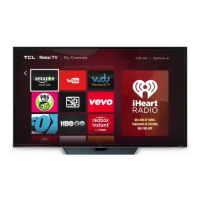
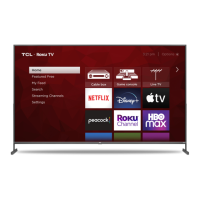
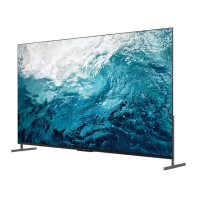
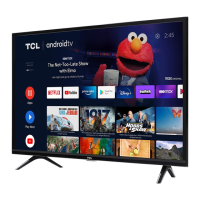
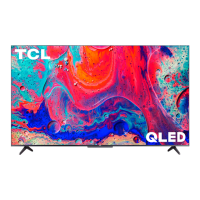
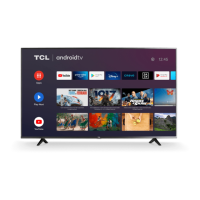
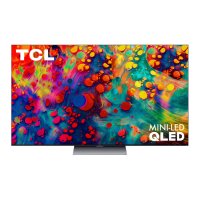
This document serves as a comprehensive guide for setting up and using your TCL Roku TV, specifically the 6-Series models R625/R627, which feature 4K HDR technology. It provides essential information from initial setup to advanced features, ensuring a smooth and enjoyable user experience.
Function Description:
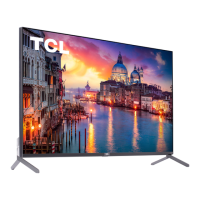
The TCL Roku TV is a smart television designed to deliver high-quality audio and video entertainment. It integrates Roku's operating system, offering a vast array of streaming content, live TV options, and connectivity for various external devices. The TV supports 4K HDR content, providing a vibrant and detailed picture. Its core function is to act as a central hub for home entertainment, allowing users to access movies, TV shows, sports, and other digital media through a user-friendly interface. The inclusion of voice search further enhances its functionality, making content discovery quick and intuitive.
Usage Features:
The setup process for the TCL Roku TV is designed to be straightforward. Upon unboxing, users are guided through either stand installation or wall mounting. For stand installation, the TV should be carefully placed on a soft, cushioned surface to prevent screen damage. The two stands are then inserted into the designated holes and secured with screws. For wall mounting, specific VESA screw sizes are provided for 55" and 65" models (M6x25mm for 55" and M6x12mm for 65"), and users are instructed to follow the wall mount's instructions. It's crucial to ensure the wall mount can bear at least five times the TV's net weight.
Powering up the TV involves inserting the included AAA batteries into the remote control and connecting the TV's power cable to a wall outlet. The remote control is designed for intuitive navigation, featuring dedicated buttons for power, back, home, volume control, instant replay, options, rewind, fast forward, and voice search. The voice search feature allows users to search for content by actor, title, or director across a wide selection of channels.
Connecting other devices is facilitated by various ports on the TV. These include Ethernet for wired internet, HDMI ports (including one with ARC for audio return channel), USB for media access, AV input for older analog devices (using a supplied adapter), headphone out, and optical digital audio out for external sound systems.
The guided setup process connects the TV to wireless networks, prompting users to create or sign into a free Roku account. This account links the TV to the Roku ecosystem, enabling access to streaming services and automatic software updates. While a credit card is recommended for seamless movie rentals and app downloads, it is not required. A unique PIN can be added to prevent unauthorized purchases.
For viewing 4K Ultra HD content, the TV features a 4K UHD Spotlight channel that highlights available 4K movies and TV shows from various streaming services. HDMI inputs support the latest HDMI standards for connecting next-gen game systems and Ultra HD Blu-ray players, ensuring high-quality 4K HDR sources. The TV also upscales 1080p HD content to near 4K Ultra HD quality using TCL Creative Pro upscaling.
The Roku TV platform offers access to thousands of streaming channels, including popular services like Netflix, Hulu, and Amazon Prime Video, as well as numerous free channels. Users can personalize their Home screen and channel line-up. If an antenna or cable is connected, broadcast TV channels can be accessed through the tuner tile.
Troubleshooting tips are provided for common issues such as poor 4K picture quality (recommending a 25Mbps broadband speed and High-Speed HDMI cables), inability to connect to a wireless network (suggesting verifying password, relocating router, or rebooting), and small picture size (adjusting Picture Size via the remote's asterisk button). The Roku mobile app can also be used as a full-functioning remote with voice search and a keypad. Instructions are also given for turning the Text-to-Speech (TTS) audio guide on or off.
Maintenance Features:
The manual emphasizes several important safety and maintenance guidelines. It advises against returning the TV to the store for support, instead directing users to TCL support via phone or website. When removing the TV from its packaging, care should be taken due to its weight.
For safe operation, proper ventilation is crucial. The TV should be placed on a firm, flat surface, avoiding soft carpeting that could block ventilation slots. A spacing of at least 1 inch from the top and sides, and 2 inches from the rear of the TV and other surfaces, should be maintained. Ventilation openings should not be blocked by objects like newspapers or curtains. The TV should not be exposed to external heat sources, high humidity, or moisture.
The power cord should be protected from being walked on or pinched, and any damage to the cord requires replacement by a service person. The mains plug serves as the disconnect device and should remain readily operable for complete power shut-off.
Battery caution and disposal information are provided, recommending alkaline batteries, correct polarity insertion, and not mixing old and new batteries. Rechargeable batteries (Nickel Cadmium or Nickel Metal Hydride) should not be used, and batteries should not be disposed of in fire. Proper recycling or disposal according to state and local guidelines is encouraged.
TCL also provides electronics recycling information for consumers, encouraging the recycling or reuse of end-of-life electronic devices and directing users to www.tclusa.com for drop-off locations in all 50 states.
Product registration is recommended online at www.tclusa.com to facilitate contact if necessary, though it is not required for warranty coverage. Users are advised to keep their sales receipt for warranty parts and service.
The warranty information details coverage for defects in materials or workmanship, with a one-year period for non-commercial use and six months for commercial use. TCL North America will, at its discretion, either repair or replace the television. Service calls are initiated by contacting TCL support, and pre-authorization is required for any service. The warranty does not cover customer instruction, installation damage, signal reception problems not caused by the unit, misuse, abuse, neglect, cosmetic damage, or damage from fixed images on the panel. It also excludes units purchased or serviced outside the USA, units sold "As-Is," or damage from acts of nature.


 To Next Page
 General