7. HYDRAULIC SYSTEM
- 119 -
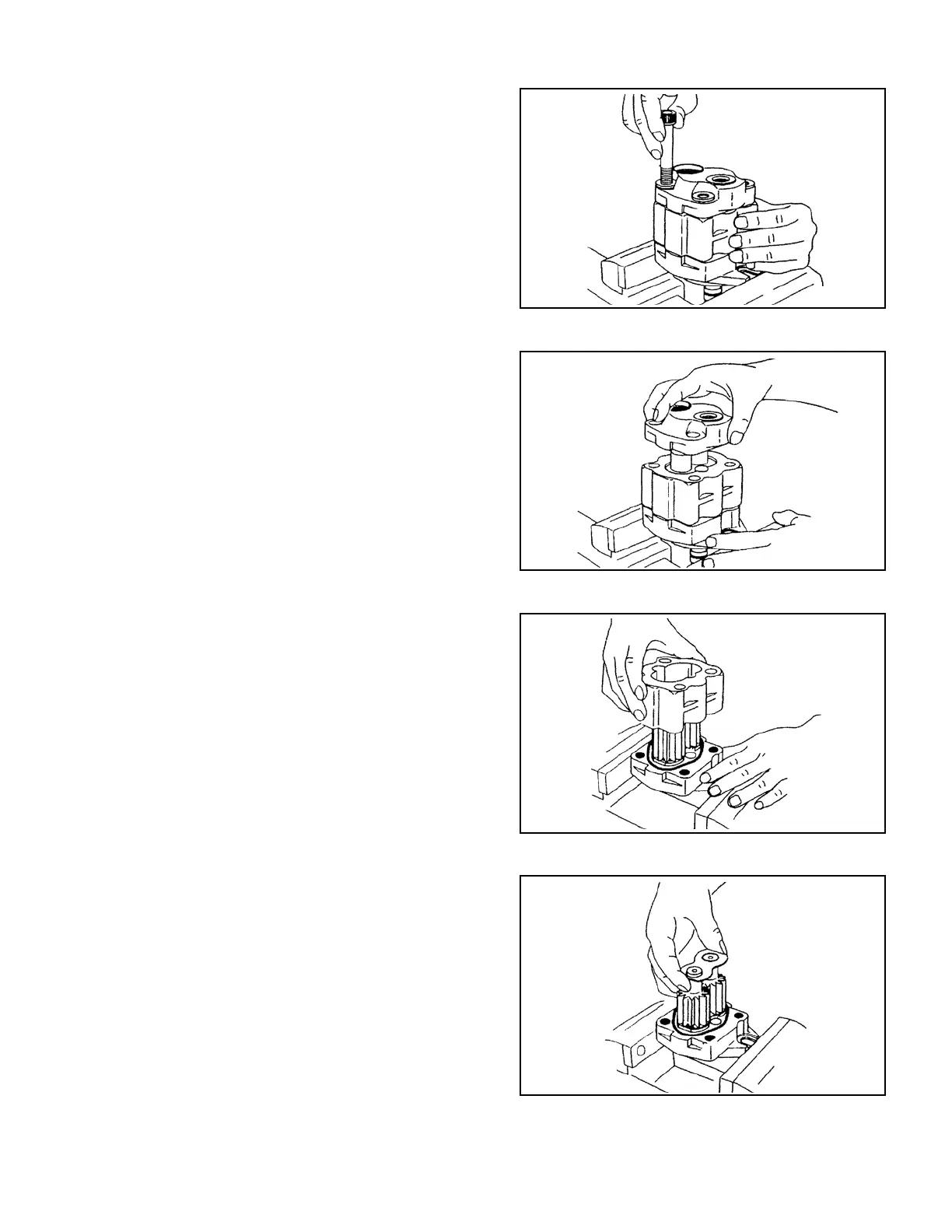
Fig. 7.19
Fig. 7.20
Fig. 7.21
Fig. 7.22
③
Remove the four tting bolts.
④
Remove the rear cover by tapping the side face
of the pump body with a plastic mallet. If the
gaskets remain inside the pump body, move
them toward the rear cover side.
⑤
Remove the pump body. If the gaskets remain
inside the pump body, move them toward the
front cover side.
⑥
Put the mark “RV” the rear cover side plate at
the drive gear side before removing the side
plate.



 To Next Page