TCNet Boiler Controller
User and Service Manual
9
Menu Structure
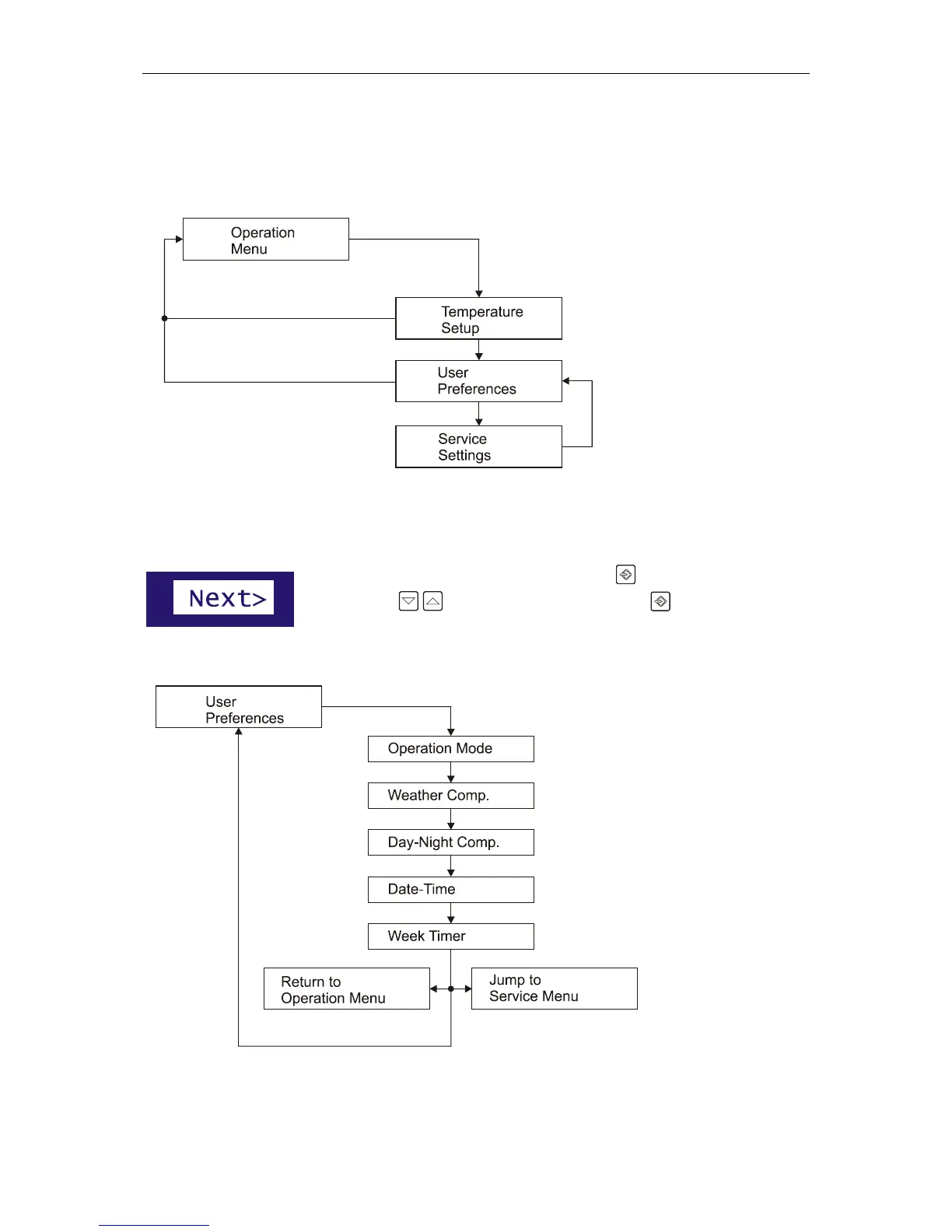
TCNet controller has three menu schemes for quick setup, user preferences and the service settings.
The most common settings
are grouped together.
1. Temperature
Setup: Basic temperature
adjust of your boiler
2. User Preferences:
Operation mode, timer and
temperature compensation
options
3. Service Settings:
Advanced settings of your
boiler. This settings are
intended to be adjusted by
a service engineer.
User Preferences Menu
To enter the User Preferences menu, Press the Input key and navigate to
“Next>” with navigation keys than press the input key again.
User Preferences menu has five settings.


 To Next Page