EasyManua.ls Logo

TCS Basys Controls SZ1024 - User Manual

Default Icon
14 pages
Print Icon
To Next Page IconTo Next Page
Loading...
R
Title
Subtitle
R
2800 LAURA LANE MIDDLETON, WI 53562 (800) 288-9383 FAX (608) 836-9044 www.tcsbasys.com
1
Contents
Description . . . . . . . . . . . . . . . . . . . . . . . . . . . . . . . . . . 1
Features ....................................1
Mounting....................................1
Wiring ......................................2
Setup ......................................3
Programming ................................4
Setting Clock & Schedule.......................7
Operation ...................................8
Checkout & Troubleshooting ....................11
LED Description ..............................13
Limiting Occupant Access ......................13
User’s Guide.................................14
Mounting
The SZ1024 and SZ1033 are designed for wall mounting
using two #6 sheet metal screws, either over a horizontally
installed 2” x 4” junction box, or directly to block or drywall.
For best results, the thermostat should be mounted on an
interior wall which reflects normal room environment, at a
height of approximately five feet from the floor. Avoid areas
exposed to direct sunlight, unusual heat sources, open
doors and windows, or unventilated locations.
If using a remote room sensor, it should be mounted in
the manner described above. The thermostat may then
be mounted in an area which is accessible for adjusting
its settings.
Caution: Remove power from thermostat prior
to mounting.
Product Manual
Description
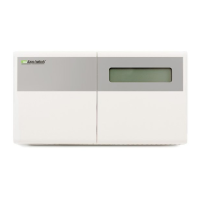
The SZ1024 and SZ1033 are microprocessor-based
programmable thermostats designed for heat pump
applications. The SZ1024 features a 7-day time clock,
while the SZ1033 and features a 365-day time clock.
Features
Stand-alone or network operation
Adjustable delay on power-up and start-up for soft
starts
P+ I control option
Smart Recovery
No battery backup required
Built in HVAC equipment protection
32-character LCD display
Six status LEDs
Remote room sensing capability
User setpoint adjustment limits
Local and remote override capability
System and fan switching with access lockouts
Auxiliary time clock output (economizers)
Equipment monitoring inputs and indication
External time clock input
Access to programming or schedule may be locked
out or limited with the use of an access code
Fahrenheit or Celsius temperature display
Convertible to conventional mode in programming
R
Communicating Thermostats
SZ1024/SZ1033
Heat Pump Thermostats

Questions and Answers

  • A
    Amber OrtegaAug 8, 2025
    How to fix wrong temperature display on TCS Basys Controls Thermostat?
    • S
      sarah94Aug 8, 2025
      If the TCS Basys Controls Thermostat displays the wrong temperature, start by checking the wiring connections for any issues like poor connections, opens, or shorts. If the temperature reads at a minimum or maximum, verify that the sensor dipswitch positions are correct. If the temperatures are still slightly off, you can adjust the temperature offset (calibration) using Ubiquity or TCS Insight.
  • C
    Cassandra GreeneAug 11, 2025
    Why is the service LED on my TCS Basys Controls SZ1024 on?
    • R
      Rose LewisAug 12, 2025
      If the TCS Basys Controls Thermostat's service LED is illuminated, press the service status button to view the initial monitoring screen. This screen will display the reason why the service light is activated.
  • S
    Sara HawkinsAug 16, 2025
    What to do if heating or cooling does not come on TCS Basys Controls SZ1024 Thermostat?
    • E
      ehallAug 16, 2025
      If heating or cooling should be active but the corresponding LED is off, verify the fan and system switch modes on your TCS Basys Controls Thermostat. Also, check the heating and cooling setpoints, offsets, differentials, and the room temperature to ensure that heating or cooling should indeed be active. If heating or cooling is off, but the LED is on, inspect the wiring. Short terminals “R” to “W1”, “W2”, “Y1”, “Y2”, or “B/O” to check for a mechanical relay failure.
  • R
    Robert MaddoxAug 21, 2025
    How to fix fan that does not come on TCS Basys Controls Thermostat?
    • N
      Nicholas MillerAug 21, 2025
      If the fan should be running, but the fan LED is off, check the fan and system switch modes, as well as the unoccupied fan mode in programming for your TCS Basys Controls Thermostat. If the fan is off but the fan LED is on, inspect the wiring. Short terminals “R” to “G” to check for a mechanical relay failure.
  • T
    theresa20Aug 25, 2025
    Why are both heating and cooling on TCS Basys Controls SZ1024 Thermostat?
    • A
      Adam EdwardsAug 26, 2025
      If both heating and cooling are active simultaneously on your TCS Basys Controls Thermostat, the reversing valve operation might be set incorrectly, or the heat pump may require a conventional thermostat for proper operation.
  • C
    Christina GonzalesAug 29, 2025
    What to do if outputs will not shut off TCS Basys Controls SZ1024 Thermostat?
    • L
      lmooreAug 29, 2025
      First, check the room temperature and the setpoints on your TCS Basys Controls Thermostat to determine if the output should be active. You can reset the thermostat by pressing the system switch button and the service status button simultaneously.
  • C
    Candace Hall MDSep 2, 2025
    How to fix no display on TCS Basys Controls SZ1024?
    • C
      Christopher BauerSep 2, 2025
      Check for 24 VAC on terminals “+24” and “-24” of your TCS Basys Controls Thermostat. Also, inspect the cable connecting the cover to the base to ensure a secure connection.

TCS Basys Controls SZ1024 Specifications

General IconGeneral
BrandTCS Basys Controls
ModelSZ1024
CategoryThermostat
LanguageEnglish

Related product manuals