EasyManua.ls Logo

TCS Basys Controls SZ1009 - User Manual

TCS Basys Controls SZ1009
12 pages
Print Icon
To Next Page IconTo Next Page
Loading...
R
2800 LAURA LANE l MIDDLETON, WI 53562 l (800) 288-9383 l FAX (608) 836-9044 l www.tcs-basys.com
1
R
Communicating Thermostats
SZ1009/SZ1022/
SZ1031/SZ1035
Conventional Heating &
Cooling Thermostats
Product Manual
Description
The SZ1009, SZ1022, SZ1031 and SZ1035 are microproces-
sor-based programmable thermostats designed for conventional
heating and cooling applications. The SZ1009, and SZ1022
feature a 7-day time clock, while the SZ1031 and SZ1035 fea-
ture a 365-day time clock.
Features
z Stand-alone or network operation
z Adjustable delay on powerup for soft starts
z P+I control option
z Smart Recovery
z No battery backup required
z Built-in HVAC equipment protection
z 32 character LCD display
z 6 status LEDs
z Remote room sensing capability
z User setpoint adjustment limits
z Local and remote override capability
z System and fan switching with access lockouts
z Auxiliary time clock output (economizers)
z Equipment monitoring inputs and indication
z External time clock input
z Access to programming or schedule may be locked out or
limited with the use of an access code
z Fahrenheit or Celsius temperature display
Contents
Description . . . . . . . . . . . . . . . . . . . . . . . . . . . . . . . . . . . .1
Features . . . . . . . . . . . . . . . . . . . . . . . . . . . . . . . . . . . . . . .1
Mounting . . . . . . . . . . . . . . . . . . . . . . . . . . . . . . . . . . . . . .1
Wiring . . . . . . . . . . . . . . . . . . . . . . . . . . . . . . . . . . . . . . . .2
Setup . . . . . . . . . . . . . . . . . . . . . . . . . . . . . . . . . . . . . . . . .3
Programming . . . . . . . . . . . . . . . . . . . . . . . . . . . . . . . . . . .4
Setting Clock & Schedule . . . . . . . . . . . . . . . . . . . . . . . . .7
Program Options & Operating Features . . . . . . . . . . . . . . .8
Checkout & Troubleshooting . . . . . . . . . . . . . . . . . . . . . . .10
LED Description . . . . . . . . . . . . . . . . . . . . . . . . . . . . . . . .12
Users Guide . . . . . . . . . . . . . . . . . . . . . . . . . . . . . . . . . . .12
Mounting
The SZ1009, SZ1022, SZ1031 and SZ1035 are designed for
wall mounting using two #6 sheet metal screws, either over a
horizontally installed 2” x 4” junction box, or directly to block
or drywall.
For best results, the thermostat should be mounted on an inte-
rior wall which reflects normal room environment, at a height
of approximately five feet from the floor. Avoid areas
exposed to direct sunlight, unusual heat sources, open doors
and windows, or unventilated locations.
If using a remote room sensor, it should be mounted in the
manner described above. The thermostat may then be mount-
ed in an area which is accessible for adjusting its settings.
Caution: Remove power from thermostat prior to
mounting.

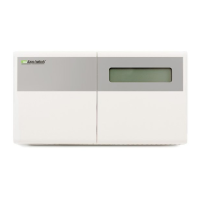
Other manuals for TCS Basys Controls SZ1009

Questions and Answers

Summary

Product Description

Product Overview and Features

Overview of microprocessor-based programmable thermostats for HVAC applications.

Thermostat Mounting Guidelines

Mounting Recommendations

Guidance on mounting location, height, and avoiding environmental factors for optimal performance.

Wiring and Connections Guide

Remote Temperature Sensor Wiring

Instructions for connecting remote temperature sensors using shielded twisted-pair wire.

Powering the Superstat

Details on powering the thermostat using a 24 VAC transformer, including polarity and dedicated power.

Thermostat Setup Procedures

Temperature Sensor Selection Setup

Guide to setting dipswitches for various sensor configurations (built-in, remote, discharge, outdoor).

Keypad Access Configuration

Instructions for setting dipswitches to control user access to programming and clock setup.

Thermostat Programming Methods

Programming via Keypad

Step-by-step guide to programming through the thermostat's keypad interface.

Clock and Schedule Configuration

Setting Clock and Schedule via Keypad

Instructions for setting the time, day, date, and occupied times through the keypad.

Thermostat Operation and Monitoring

Occupancy Modes and Setbacks

Explains occupied/unoccupied modes, overrides, and setback applications.

Sensor Monitoring and Features

Details on discharge air, outdoor air sensing, and fan proving functions.

Advanced Thermostat Settings

D12 Setpoint Shift Configuration

How to set up DI2 for energy demand setback setpoint shifts.

Stage Output Parameter Adjustment

Adjusting offset and differential values for heating and cooling stages.

Checkout and Troubleshooting Guide

Initial Checkout Procedure

Steps to verify wiring and basic thermostat operation after installation.

Common Troubleshooting Issues

Diagnosing and resolving common problems like no display or heating/cooling failure.

Troubleshooting and Service Information

Service LED Status and Meaning

Understanding the Service LED and its potential causes.

Service Screens Overview

Accessing and interpreting various service status screens for diagnostics.

LED Indicator Status Descriptions

Limiting Occupant Access Controls

Setpoint Adjustment Limits

How to restrict temporary changes to occupied setpoints.

Override and Fan;System Switching Control

Managing occupant control over overrides, fan, and system modes.

Clock, Schedule, and Programming Access

Restricting access to clock, schedule, and programming settings.

Users Guide Information

TCS Basys Controls SZ1009 Specifications

General IconGeneral
BrandTCS Basys Controls
ModelSZ1009
CategoryThermostat
LanguageEnglish

Related product manuals