47 48
5 Calendar, Alarm clock &
Calculator
5.1 Calendar
Use Calendar to keep track of important meetings,
appointments, etc.
To access this function, touch the Application tab from the
Home screen, then touch Calendar.
5.1.1 Multimode view
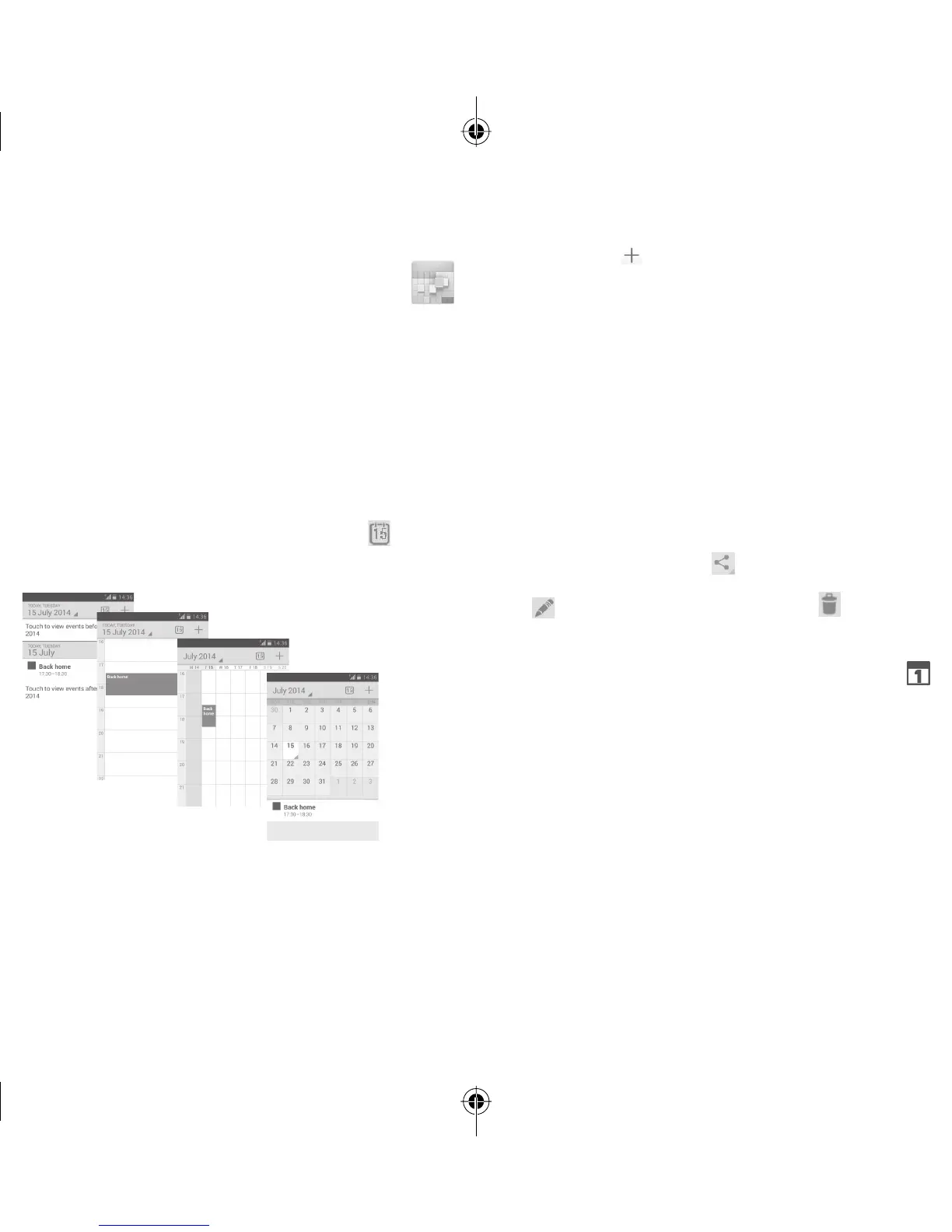
You can display the Calendar in daily, weekly, monthly, or
agenda view.
To change your Calendar view, touch the date title to open a
drop-down menu for your options. Touch the icon
to return
to Today’s view.
In Agenda, Day or Week
view touch an event to view
its details.
Touch a day in Month
view to open that
day’s events.
Agenda view
Day view
Week view
Month view
5.1.2 To create new events
You can add new events from any Calendar view.
• Touch the icon
to access new event edit screen.
• Fill in all required information for this new event. If it is a
whole-day event, you can select All day.
• When finished, touch DONE from the top of the screen.
To quickly create an event from Day, Week view screen, touch
and hold an empty spot or an event to open Option menu,
then touch New event to enter the event details screen of
the time you have previously selected. Or you can also touch
an empty spot till it turns blue, then tap again to enter new
event editing screen.
5.1.3 To delete or edit an event
To share, delete or edit an event, touch the event to enter
details screen, touch the icon to share the event to other
people by Bluetooth, Email and messaging, etc., touch the
icon
to edit the event, and touch the icon to delete.
5.1.4 Event reminder
If a reminder is set for an event, the upcoming event icon
will appear on Status bar as a notification when the reminder
time arrives.
Touch and drag down the status bar to open the Notification
panel, touch event name to view Calendar notification list.
Touch Snooze to turn off all event reminders for 5 minutes.
Touch Back key to keep the reminders pending in the status
bar and the Notification panel.
IP5032_VF685_UM_Eng_GB_08_140901.indd Sec2:47-Sec2:48IP5032_VF685_UM_Eng_GB_08_140901.indd Sec2:47-Sec2:48 2014-9-1 16:05:422014-9-1 16:05:42


 To Next Page