EasyManua.ls Logo

Teac A-1250S - Page 16

Teac A-1250S
24 pages
Print Icon
To Next Page IconTo Next Page
To Previous Page IconTo Previous Page
Loading...
Recording
in
4
Track
Mono
Recording
with
a
microphone
When
using
one
microphone,
it
is
first
plugged
into
the
LEFT-MIC
jack.
The
recording
level
of
the
microphone
is
controlled
by
the
inner
(L
channel)
MIC
knob.
Recording
from
a
phono
player,
tuner,
tape,
etc.
Preamplifier
outputs
from
the
phono
player,
tuner.
tape
player
are
first
plugged
into
the
L
jack
of
the
LINE
IN.
Ina
stereo
amplifier,
the
connection
remains
as
it
is
and
the
MODE
SELECTOR
is
switched
so
as
to
send
only
the
left
channel
signals
to
the
tape
deck
(refer
to
your
stereo
amplifier
Operating
Manual).
The
line
recording
level
is
set
by
the
inner
(L
channel)
knob
of
the
LINE
control.
*
The
outer
(R
channel)
knob
is
fully
retarded.
Sound
mixing
of
mic.
with
the
phono
player,
tape
or
other
sound
With
the
microphone
plugged
into
MIC
IN
and
the
proper
sources
into
LINE
IN,
each
signa]
is
controlled
by
their
respective
knobs
(inner
L
knobs
only)
to
set
the
recording
signal
level.
*
MONITOR
ay
\
)
ne
|
SOURCE
1
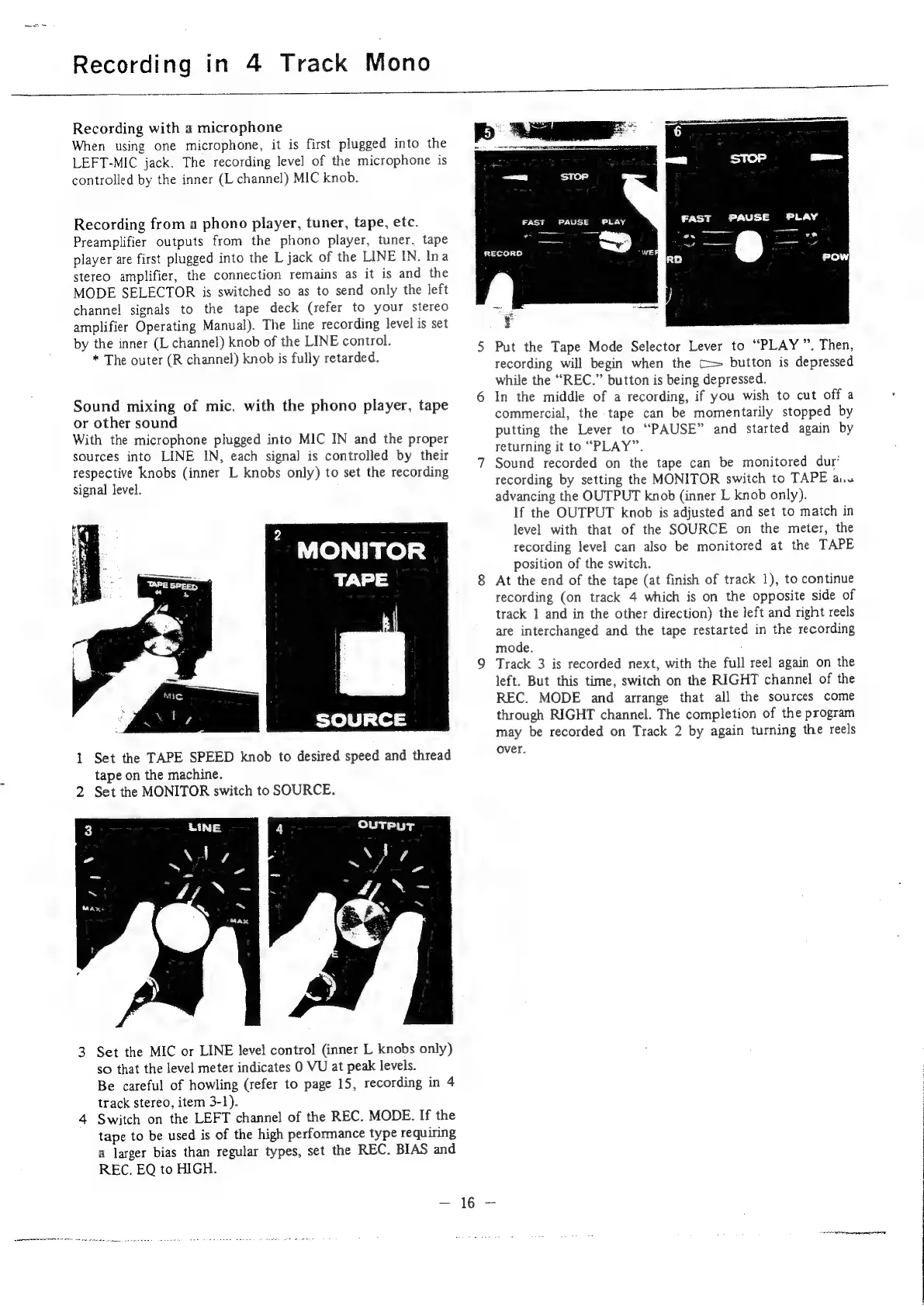
Set
the
TAPE
SPEED
knob
to
desired
speed
and
thread
tape
on
the
machine.
2
Set
the
MONITOR
switch
to
SOURCE.
3
Set
the
MIC
or
LINE
level
control
(inner
L
knobs
only)
so
that
the
level
meter
indicates
0
VU
at
peak
levels.
Be
careful
of
howling
(refer
to
page
15,
recording
in
4
track
stereo,
item
3-1).
4
Switch
on
the
LEFT
channel
of
the
REC.
MODE.
If
the
tape
to
be
used
is
of
the
high
performance
type
requiring
a
larger
bias
than
regular
types,
set
the
REC.
BIAS
and
REC.
EQ
to
HIGH.
FAST
PAUSE
PLAY
Pr
RECORG
Put
the
Tape
Mode
Selector
Lever
to
“PLAY
”.
Then,
recording
will
begin
when
the
C=
button
is
depressed
while
the
“REC.”
button
is
being
depressed.
In
the
middle
of
a
recording,
if
you
wish
to
cut
off
a
commercial,
the
tape
can
be
momentarily
stopped
by
putting
the
Lever
to
“PAUSE”
and
started
again
by
returning
it
to
“PLAY”.
Sound
recorded
on
the
tape
can
be
monitored
dur’
recording
by
setting
the
MONITOR
switch
to
TAPE
a.u
advancing
the
OUTPUT
knob
(inner
L
knob
only).
If
the
OUTPUT
knob
is
adjusted
and
set
to
match
in
level
with
that
of
the
SOURCE
on
the
meter,
the
recording
level
can
also
be
monitored
at
the
TAPE
position
of
the
switch.
At
the
end
of
the
tape
(at
finish
of
track
1),
to
continue
recording
(on
track
4
which
is
on
the
opposite
side
of
track
1
and
in
the
other
direction)
the
left
and
right
reels
are
interchanged
and
the
tape
restarted
in
the
recording
mode.
Track
3
is
recorded
next,
with
the
full
reel
again
on
the
left.
But
this
time,
switch
on
the
RIGHT
channel
of
the
REC.
MODE
and
arrange
that
all
the
sources
come
through
RIGHT
channel.
The
completion
of
the
program
may
be
recorded
on
Track
2
by
again
turning
the
reels
over.

Related product manuals