EasyManua.ls Logo

Teac A-3340 - COMPONENT REMOVAL PROCEDURES; CAPSTAN MOTOR AND ASSEMBLY REMOVAL

Teac A-3340
102 pages
Print Icon
To Next Page IconTo Next Page
To Previous Page IconTo Previous Page
Loading...
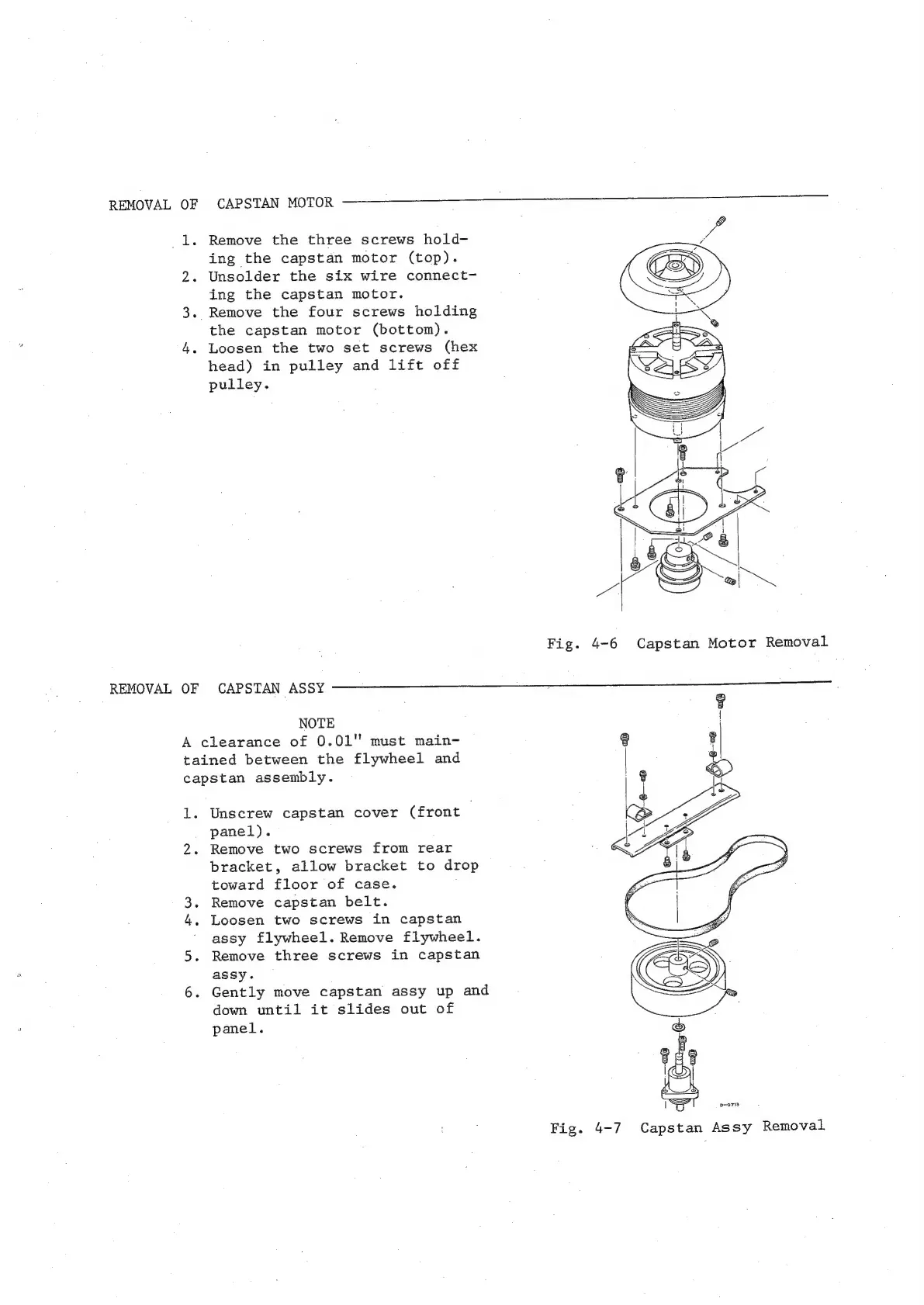
REMOVAL
OF
CAPSTAN
MOTOR
_1.
Remove
the
three
screws
hold-
ing
the
capstan
motor
(top).
2.
Unsolder
the
six
wire
connect-
ing
the
capstan
motor.
3.
Remove
the
four
screws
holding
the
capstan
motor
(bottom).
4.
Loosen
the
two
set
screws
(hex
head)
in
pulley
and
lift
off
pulley.
UY
REMOVAL
OF
CAPSTAN
ASSY
NOTE
A
clearance
of
0.01"
must
main-
tained
between
the
flywheel
and
capstan
assembly.
1.
Unscrew
capstan
cover
(front
panel).
2.
Remove
two
screws
from
rear
bracket,
allow
bracket
to
drop
toward
floor
of
case.
.
Remove
capstan
belt.
.
Loosen
two
screws
in
capstan
assy
flywheel.
Remove
flywheel.
5.
Remove
three
screws
in
capstan
assy.
6.
Gently
move
capstan
assy
up
and
down
until
it
slides
out
of
panel.
ewe
Fig.
4-7
Capstan
Assy
Removal

Other manuals for Teac A-3340

Related product manuals