EasyManua.ls Logo

Teac A-7300RX - Page 18

Teac A-7300RX
65 pages
Print Icon
To Next Page IconTo Next Page
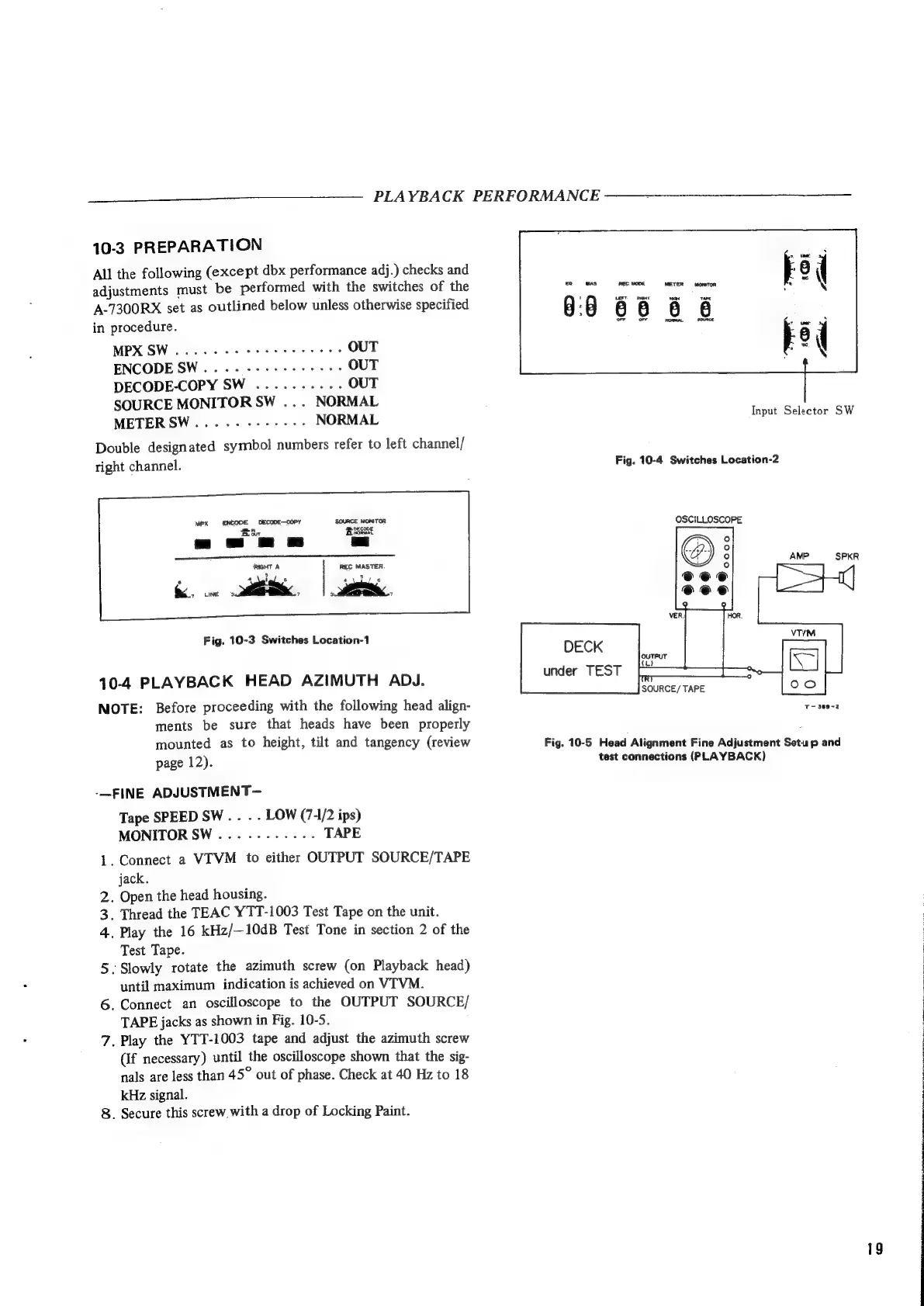
To Previous Page IconTo Previous Page
Loading...
—_————.__
PLAYBACK
PERFORMANCE
10-3
PREPARATION
All
the
following
(except
dbx
performance
adj.)
checks
and
adjustments
must
be
performed
with
the
switches
of
the
A-7300RX
set
as
outlined
below
unless
otherwise
specified
in
procedure.
MPX
SW
.....-
ee
eee
ee
eee
OUT
ENCODE
SW...
.
+--+
eee
ee
eee
OUT
DECODE-COPY
SW
..........
OUT
SOURCE
MONITOR
SW
...
NORMAL
METERSW....--------
NORMAL
Input
Selector
SW
Double
designated
symbol
numbers
refer
to
left
channel/
right
channel.
Fig.
10-4
Switches
Location-2
OSCILLOSCOPE
Fig.
10-3
Switches
Location-1
10-4
PLAYBACK
HEAD
AZIMUTH
ADJ.
unger
TEST
NOTE:
Before
proceeding
with
the
following
head
align-
aay
eae
ments
be
sure
that
heads
have
been
properly
mounted
as
to
height,
tilt
and
tangency
(review
Fig.
10-5
Head
Alignment
Fine
Adjustment
Setup
and
page
12).
test
connections
(PLAYBACK)
-—FINE
ADJUSTMENT—
Tape
SPEED
SW
.
.
.
.
LOW
(7-1/2
ips)
MONITOR
SW..........-.-
TAPE
1.
Connect
a
VIVM
to
either
OUTPUT
SOURCE/TAPE
jack.
.
Open
the
head
housing.
.
Thread
the
TEAC
YTT-1003
Test
Tape
on
the
unit.
.
Play
the
16
kHz/—10dB
Test
Tone
in
section
2
of
the
Test
Tape.
5.
Slowly
rotate
the
azimuth
screw
(on
Playback
head)
until
maximum
indication
is
achieved
on
VITVM.
6.
Connect
an
oscilloscope
to
the
OUTPUT
SOURCE/
:
TAPE
jacks
as
shown
in
Fig.
10-5.
:
7.
Play
the
YTT-1003
tape
and
adjust
the
azimuth
screw
(If
necessary)
until
the
oscilloscope
shown
that
the
sig-
nals
are
less
than
45°
out
of
phase.
Check
at
40
Hz
to
18
kHz
signal.
8.
Secure
this
screw
with
a
drop
of
Locking
Paint.
AWN
19
simatic
a

Related product manuals