ENGLISH FRANÇAIS
42
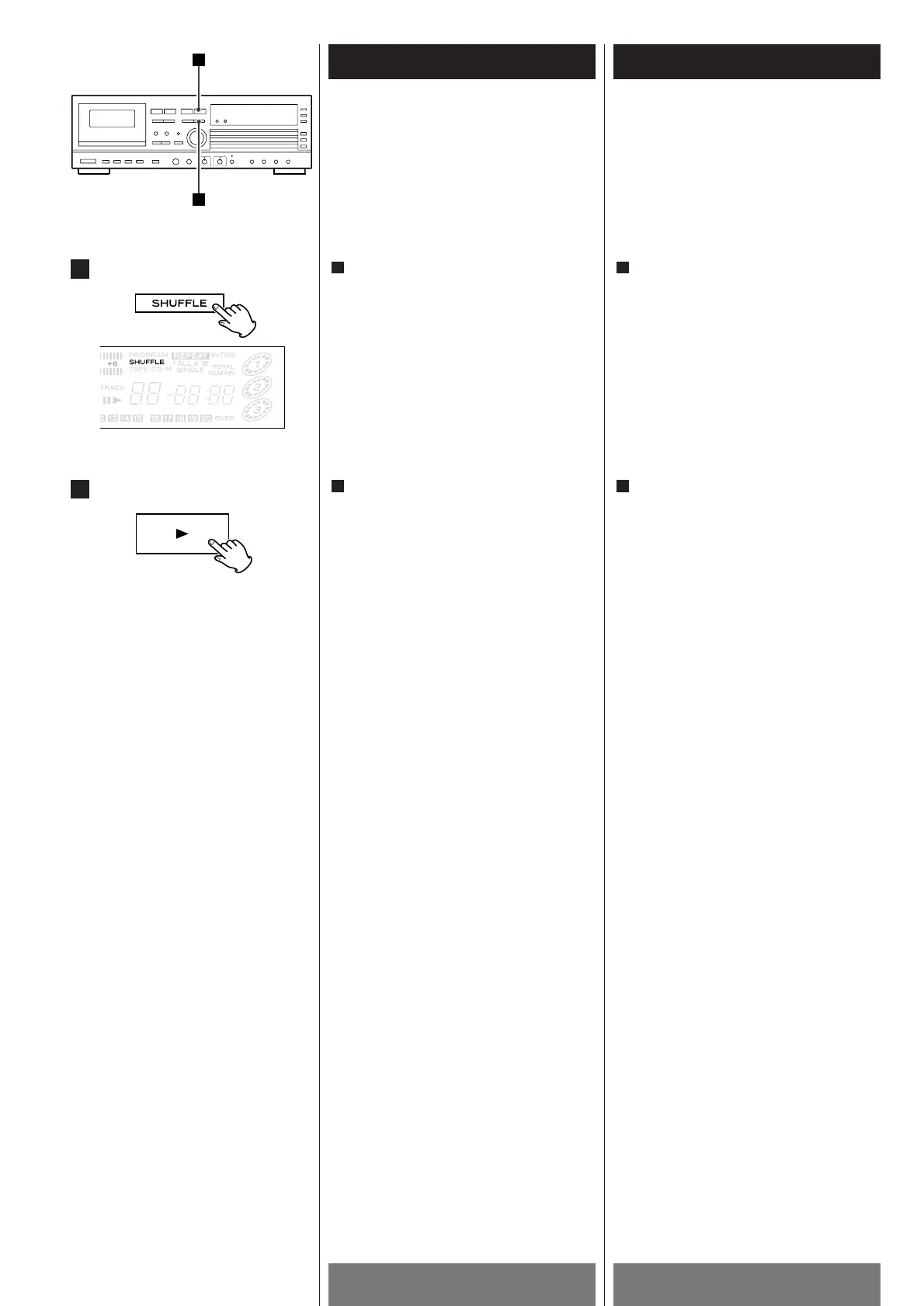
Shuffle Playback
1
Lecture au hasard
Press the SHUFFLE button in the stop
mode.
1
Si un disque est déjà sélectionné,
appuyez sur la touche PLAY(y
).
Les numéros des plages musicales qui
ont été jouées s'effacent du damier
musical.
<
Pour choisir un autre disque, appuyez sur
la touche DISC NO. qui lui correspond.
<
Si vous appuyez sur la touche MUSIC
SKIP(/
) pendant la lecture au hasard,
la plage musicale suivante est choisie au
hasard.
Pendant la lecture au hasard, une plage
musicale ne peut être jouée qu'une fois.
<
Pour interrompre la lecture au hasard,
appuyez sur la touche STOP(H
) our la
touche OPEN/CLOSE(L
) correspondant
au disque.
<
Pour arrêter la lecture au hasard,
appuyez sur la touche SHUFFLE ou sur la
touche STOP(H
) alors que l'appareil est à
l'arrêt, ou encore appuyez sur
l'interrupteur POWER.
2
2
If a disc has already been selected,
press the PLAY button(y
).
The played tracks disappear from the
music calendar.
<
To select another disc, press the DISC
NO. button.
<
If you press the MUSIC SKIP button
(/
) during shuffle playback, next track
will be randomly selected and played.
A track cannot be replayed during shuffle
playback.
<
To stop shuffle playback, press the STOP
button(H
) or OPEN/CLOSE button(L) of
the selected disc.
<
To cancel the shuffle playback mode,
press the SHUFFLE button or STOP button
(H
) in the stop mode, or press the
POWER button.
2
Tracks of a disc can be played randomly. Les plages musicales d'un disque peuvent
être jouées au hasard.
L'appareil étant à l'arrêt, appuyez sur la
touche SHUFFLE.
1


 To Next Page