22
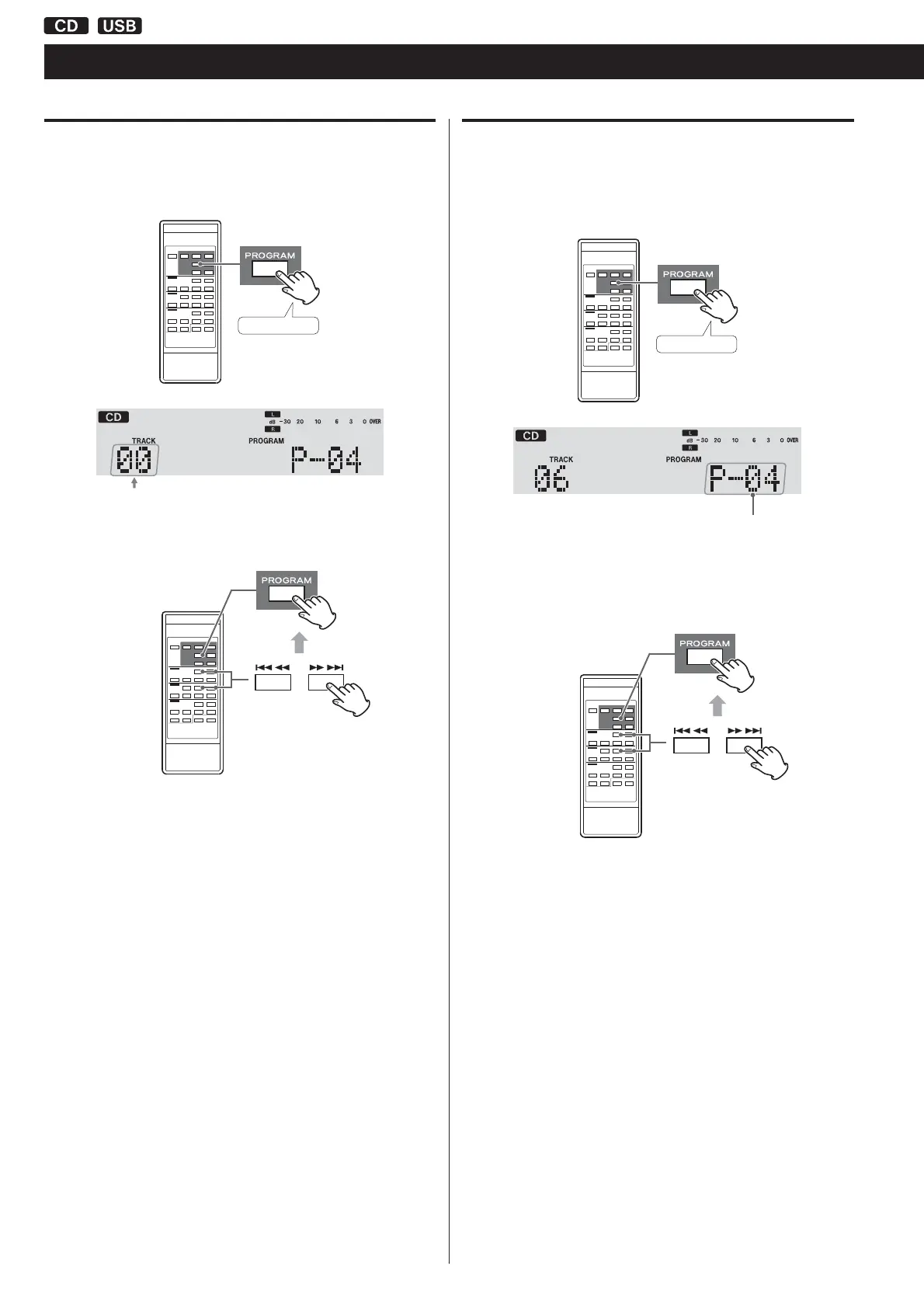
Adding tracks/files to the end of the program
When playback is stopped, press the PROGRAM button repeatedly
until “TRACK 00” appears on the display.
Press repeatedly
Select a track/file number you want to add using the CD/USB Skip
( and ) buttons, and then press the PROGRAM button.
The track/file is added to the end of the program.
Overwriting part of the program
When playback is stopped, press the PROGRAM button repeatedly
until the program number of the track that you want to
change appears on the display.
Press repeatedly
Program number
to be changed
Select the track/file number that you want to add using the CD/
USB Skip ( and ) buttons, and then press the PROGRAM
button.
The selected track/file is added to the program, replacing the track
that had been at that program number before.
Programmed Playback (2)



 To Next Page